
(Front office) How to create a member?
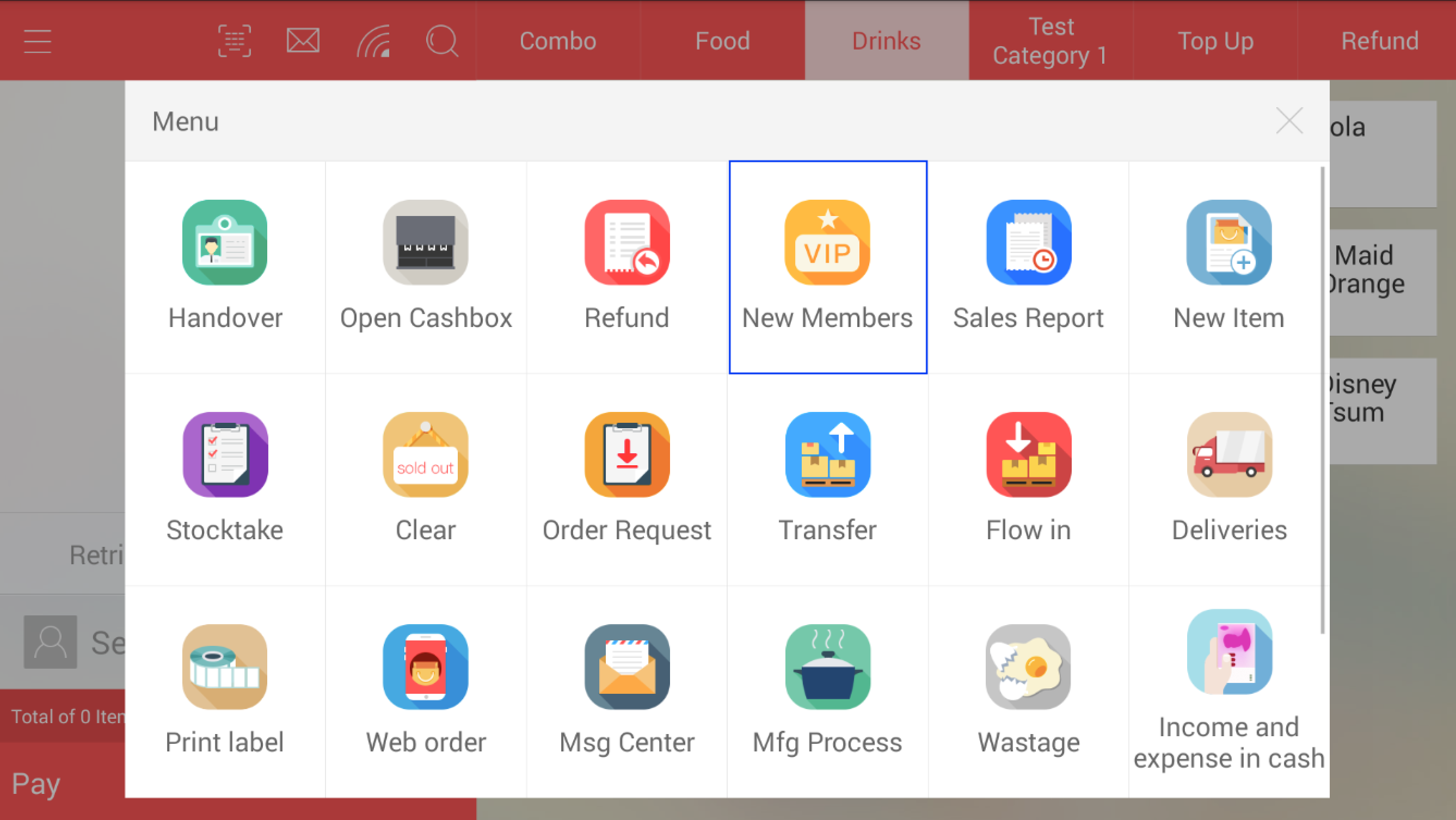
- Access the system menu and click on the "New Members" icon
- Enter all relevant information as required (only the information found within the highlight area in compulsory)
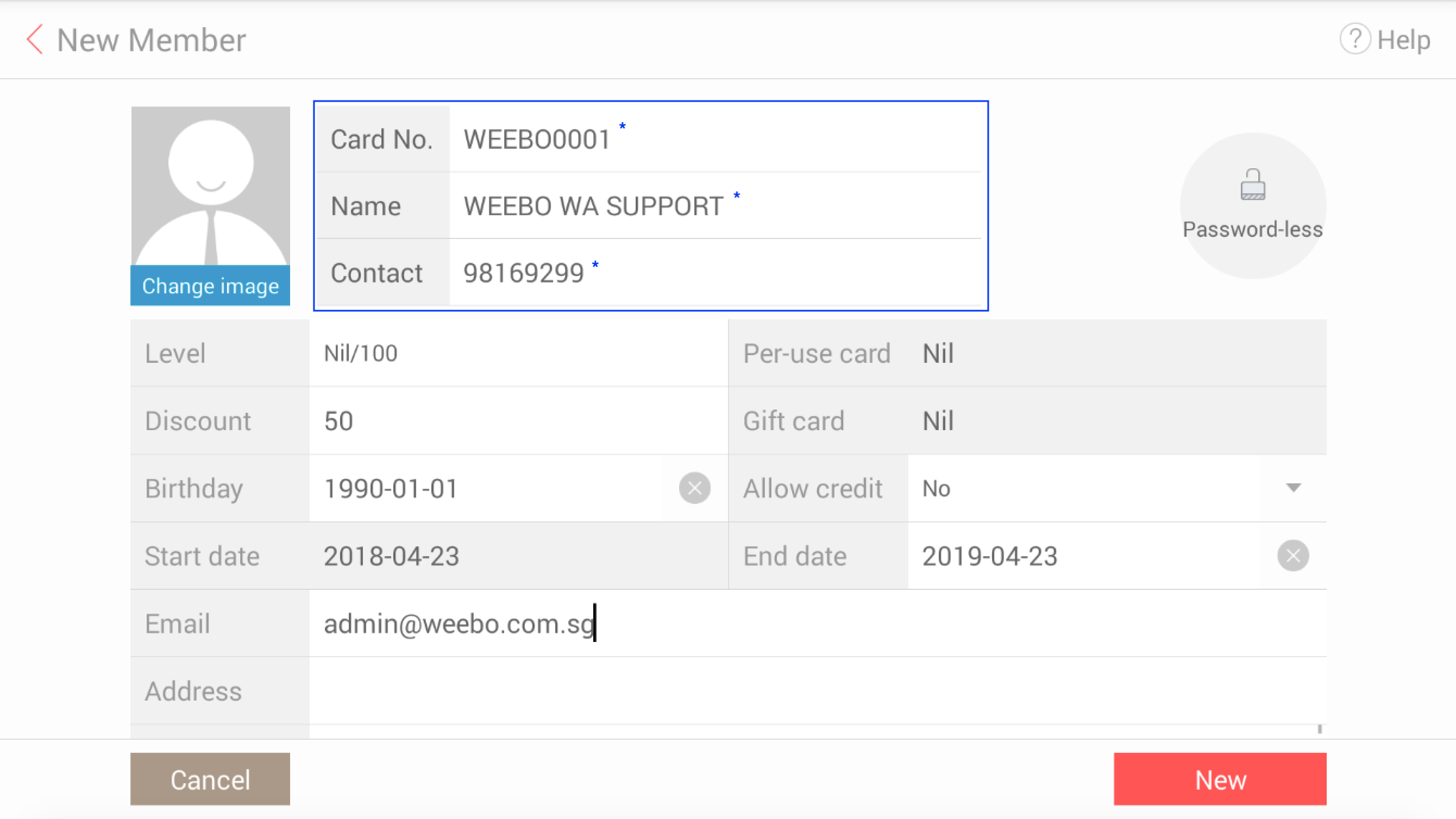
NOTE:* "Card No." is a unique ID assigned to each member and cannot be re-used once taken within the system (similar to a barcode)
NOTE: Do come up with a unique numbering system and be careful while issuing this number as it cannot be changed once saved
NOTE: All informations within these 3 fields can be replicated
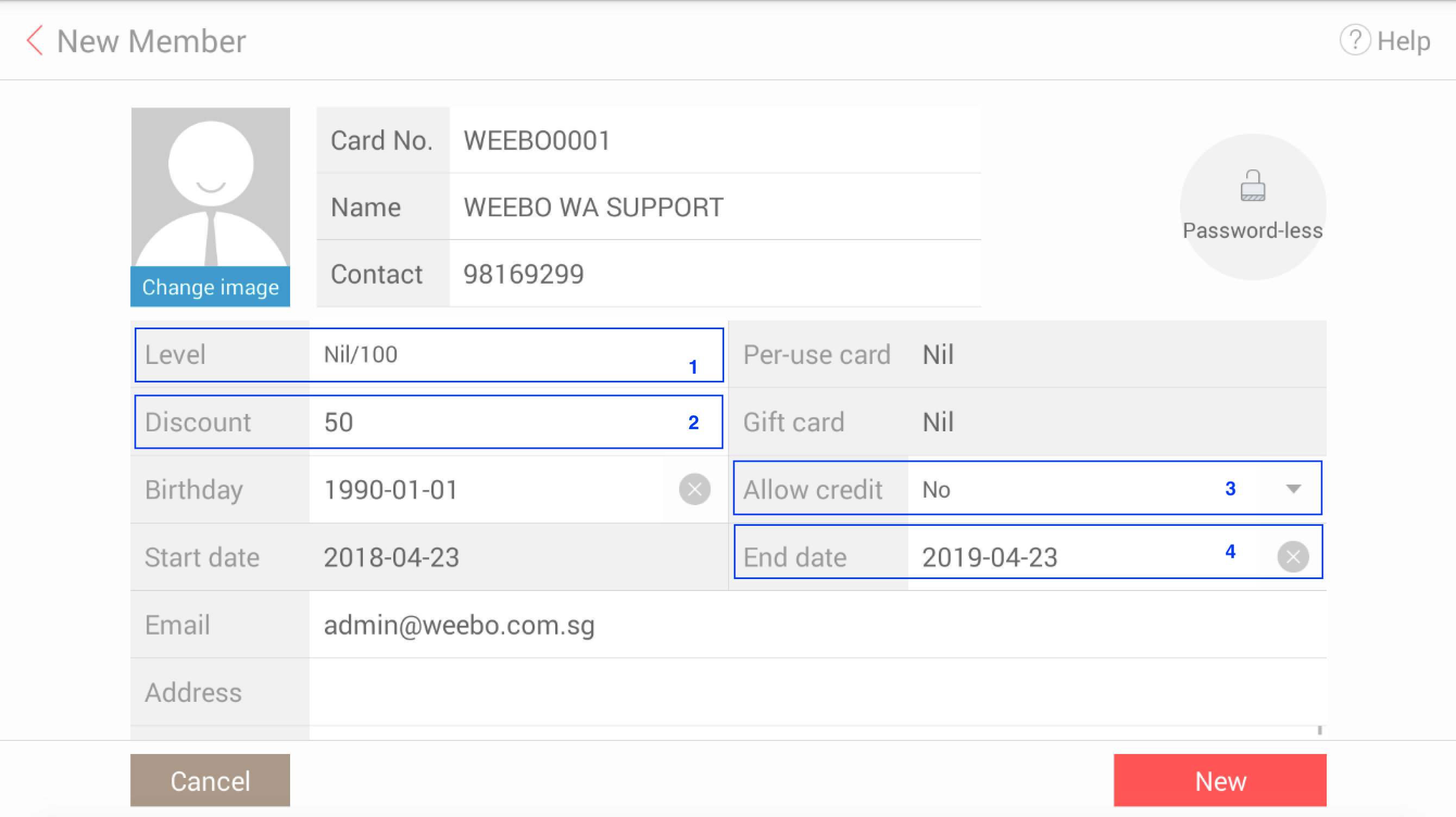
Function Description:*
1 - Level; choose a member level from a predefined list created from your back office, member's discount level is automatically tagged with a member level (if applicable)
2 - Discount; you may also manually set member's discount by selecting this field (15% discount is written as 85, 35% discount is written as 65, so on and so forth)
3 - Allow credit; this functions allows you to determine if the member is able to make purchases with you on credit terms
4 - End date; if specified, the member will "expire" on the specified date and will only be able to reactivate via back office
- Once done, click on "New" to create the member
Any Enquiries? Message us!
If you have any question or concern, please fill below and we’ll get back to you shortly.
Get in Touch with Us


7 Holland Village Way, #05-03/05 Tower Lobby B, One Holland Village, Singapore 275748

Call us for a Quote

+65 8771 8700
+65 6850 5177
Stay Connected
Copyright © Weebo Pte Ltd All Rights Reserved.