
Logistic management flow
This article is to understand logistic management flow.
Log in to your back office
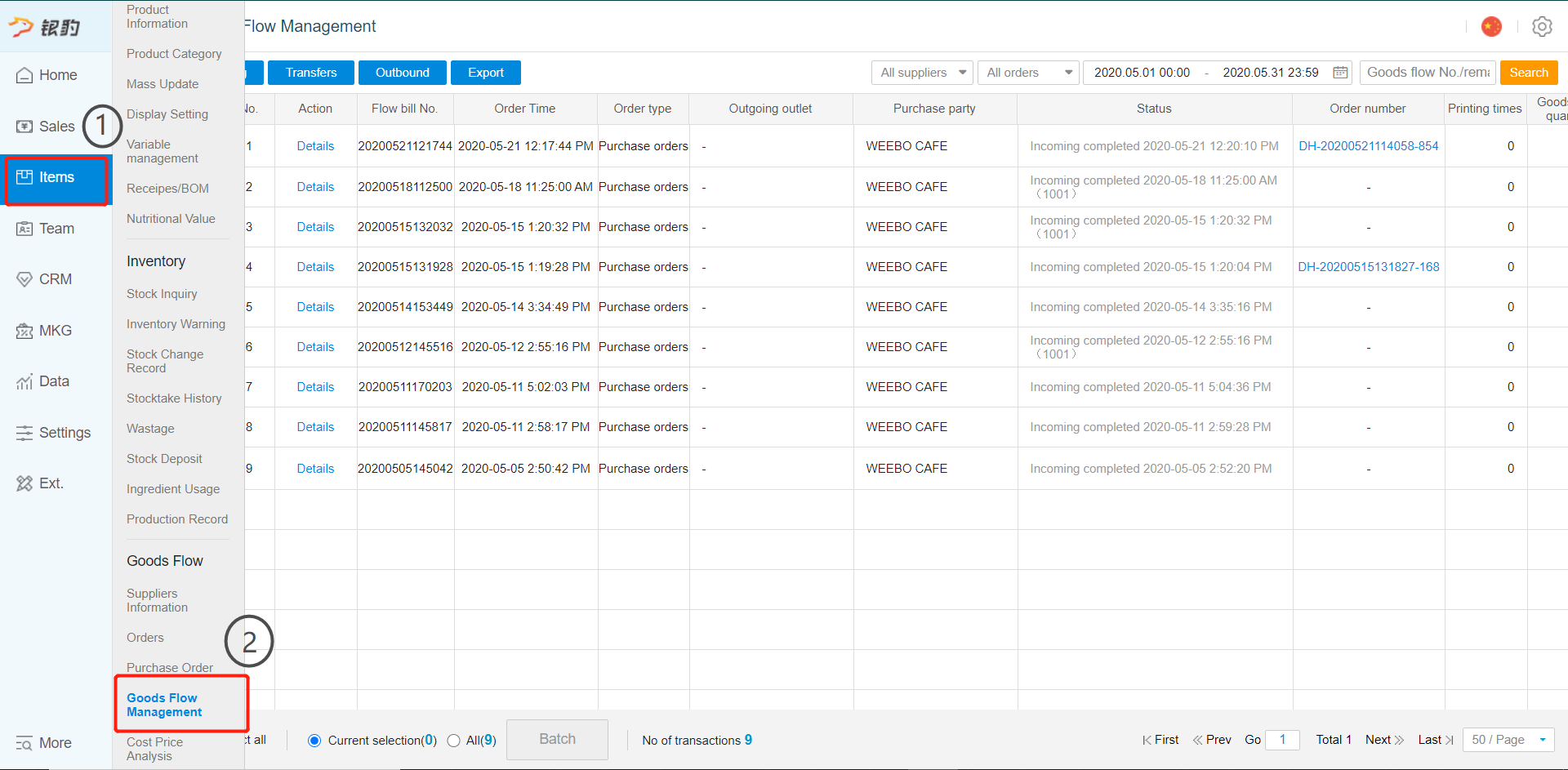
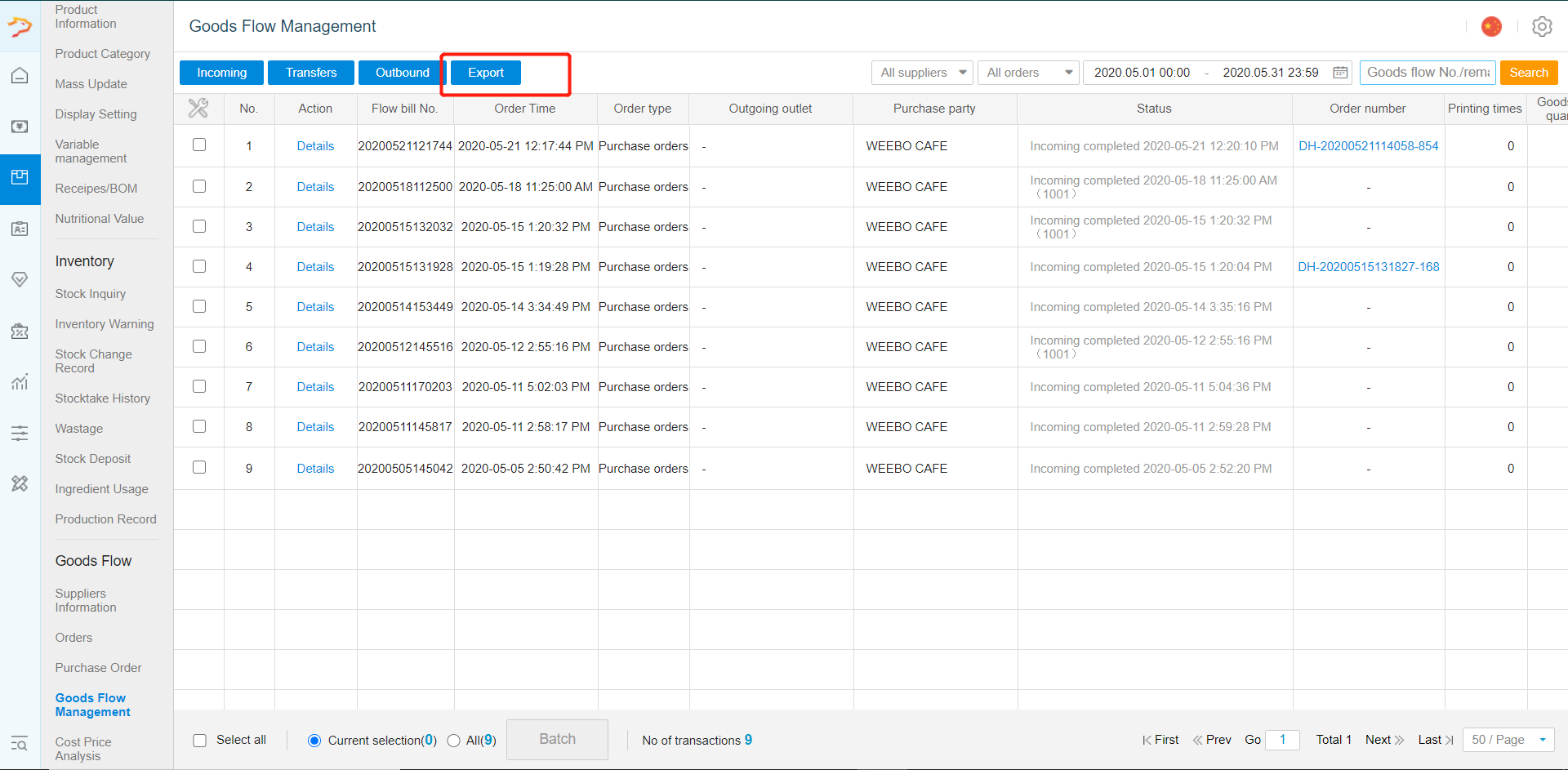
- Click on "Item" category and go into "Good Flow Management".
- At the top left corner, there will be the option of "Incoming", "Transfer", "Outbound" and "Export" to manage the logistic.
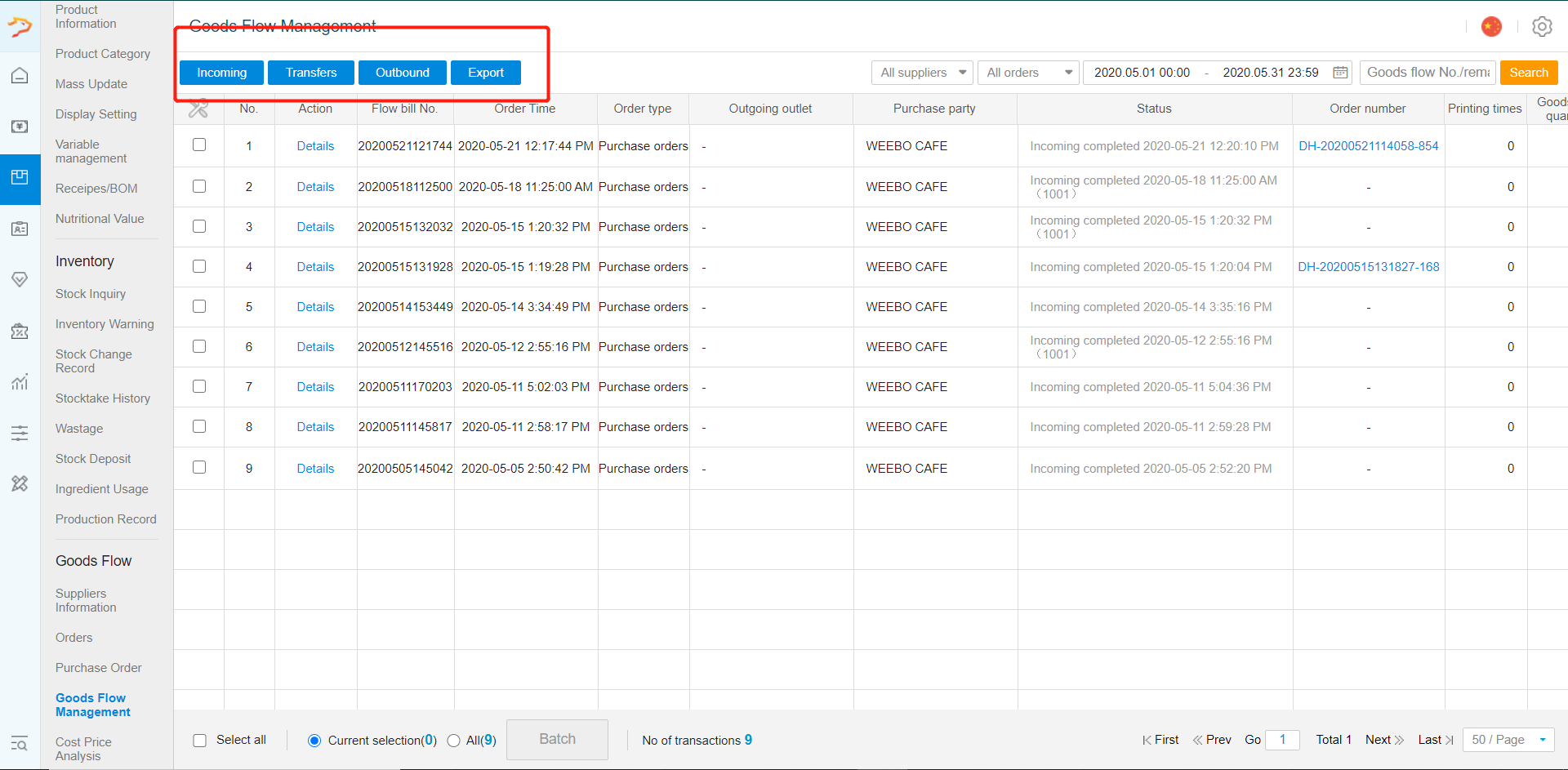
Incoming Stock- To receive new stock
Transfer Stock- To transfer stock between 2 owned outlet
Outbound- To sent out stock or to return stock to supplier
Export-To export the logistic data to excel file
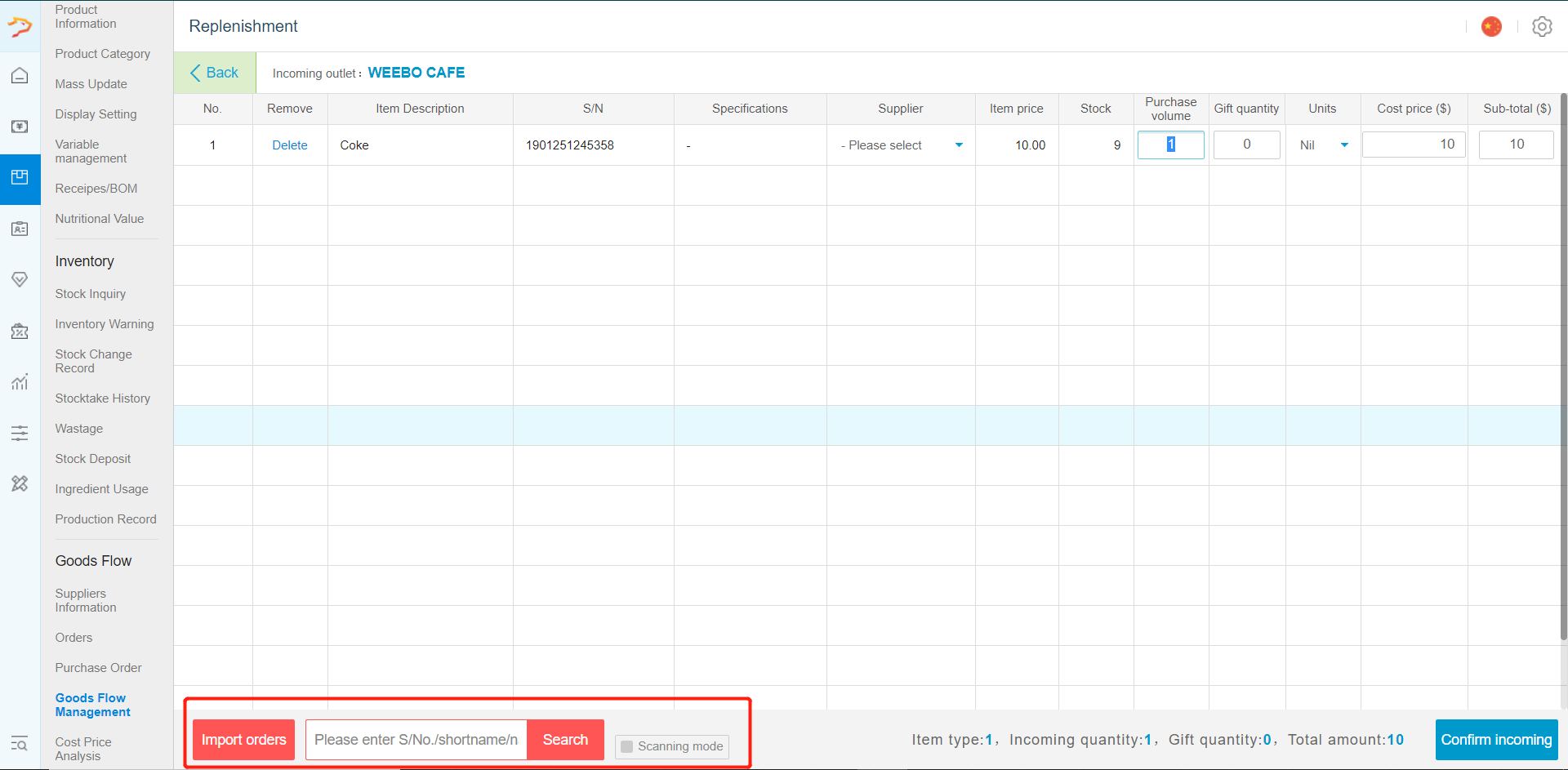
- -Click on Incoming Stock. It will bring you to a new page. Search for the product incoming.
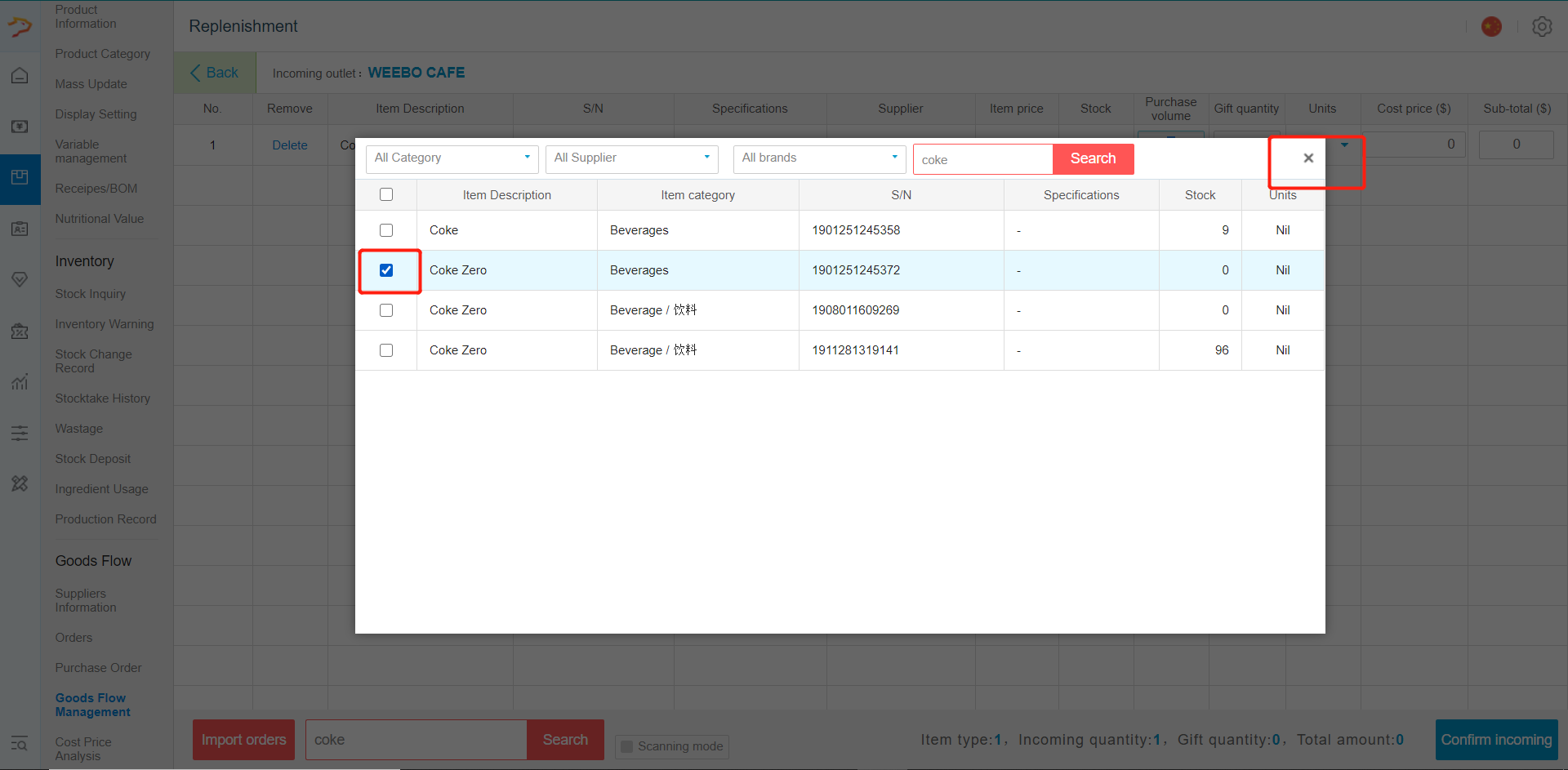
-Tick the product incoming and then close the pop out when done
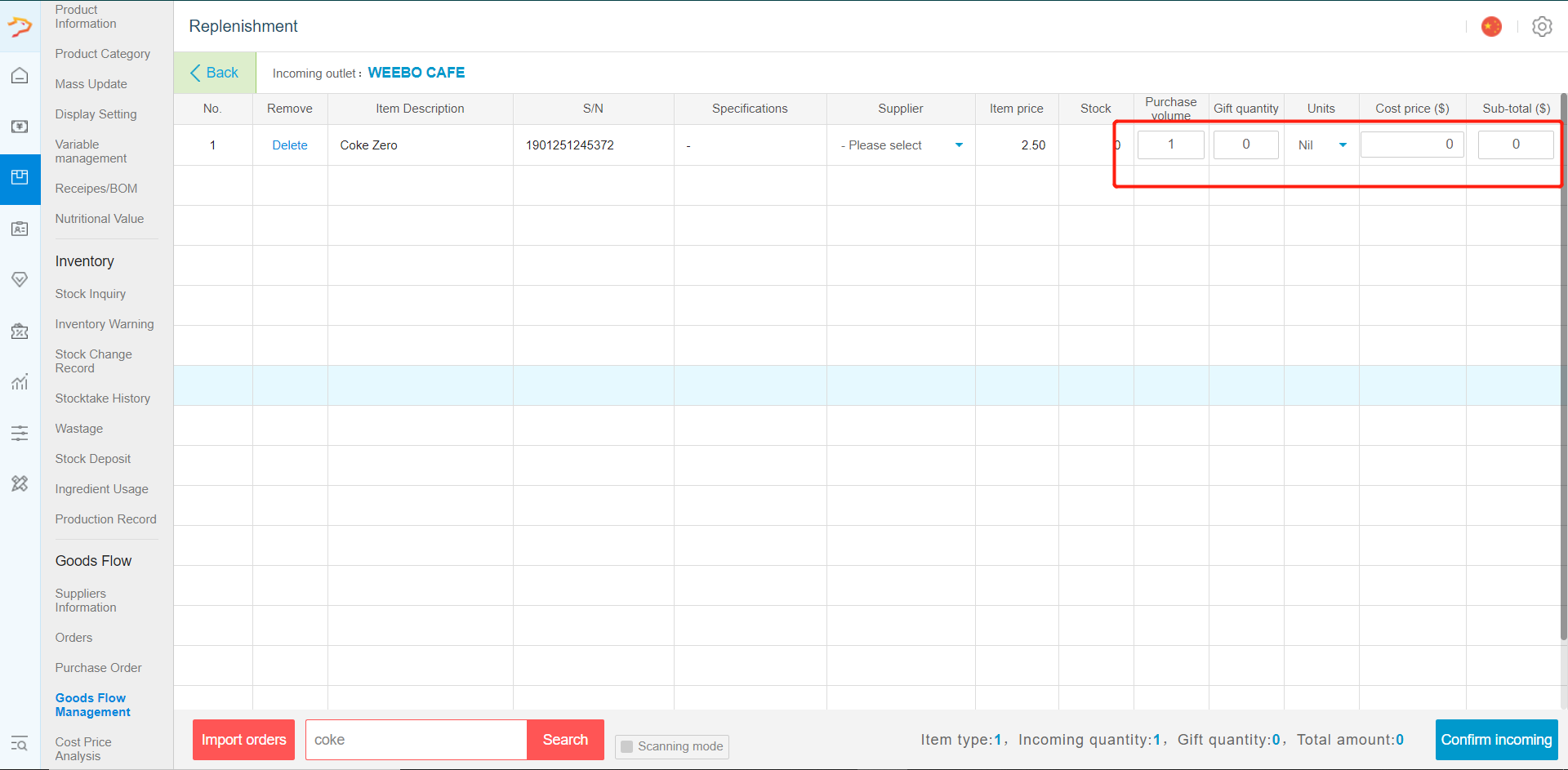
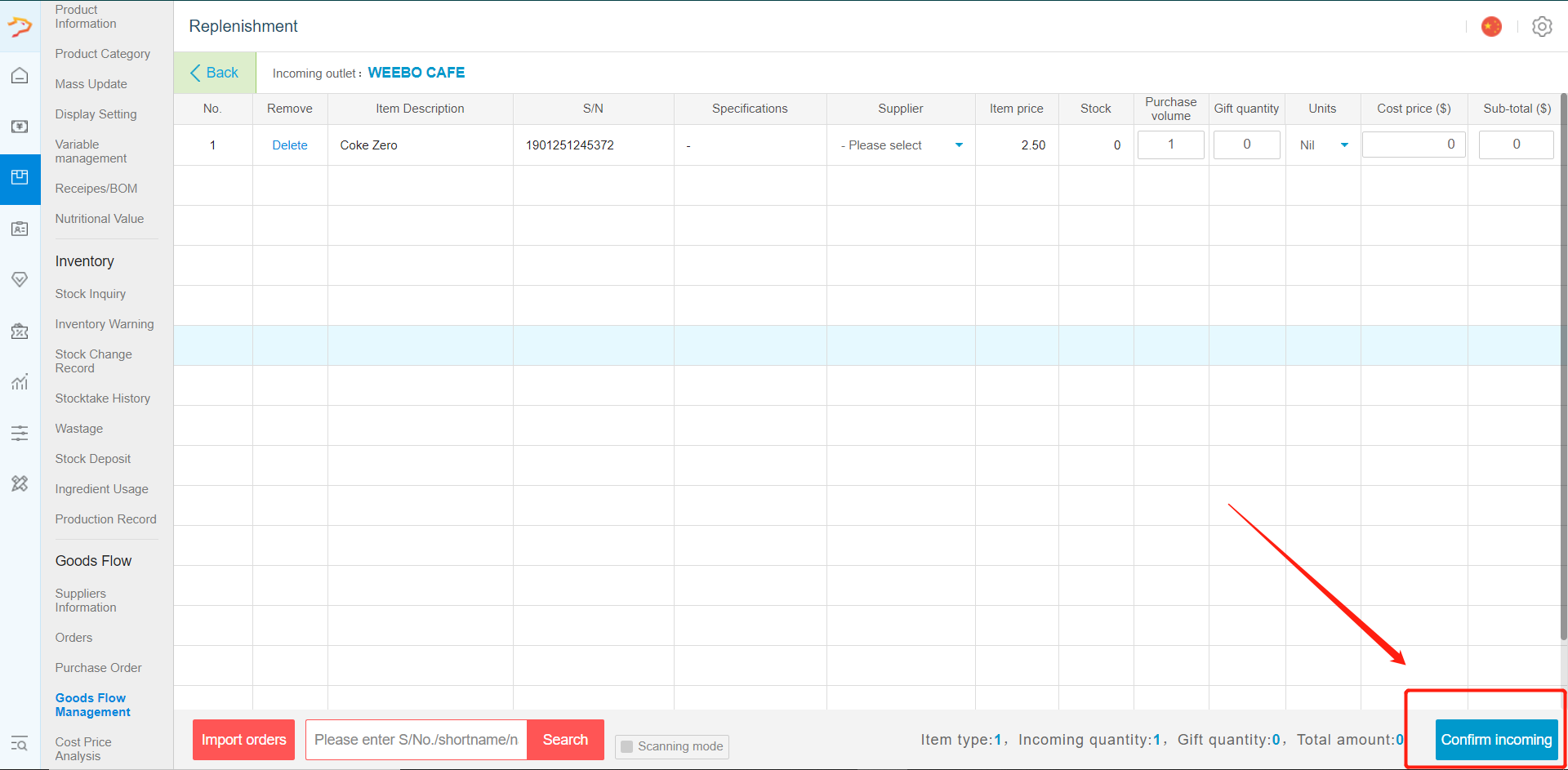
-Select the quantity incoming and the cost price. Click on "confirm incoming" when done.
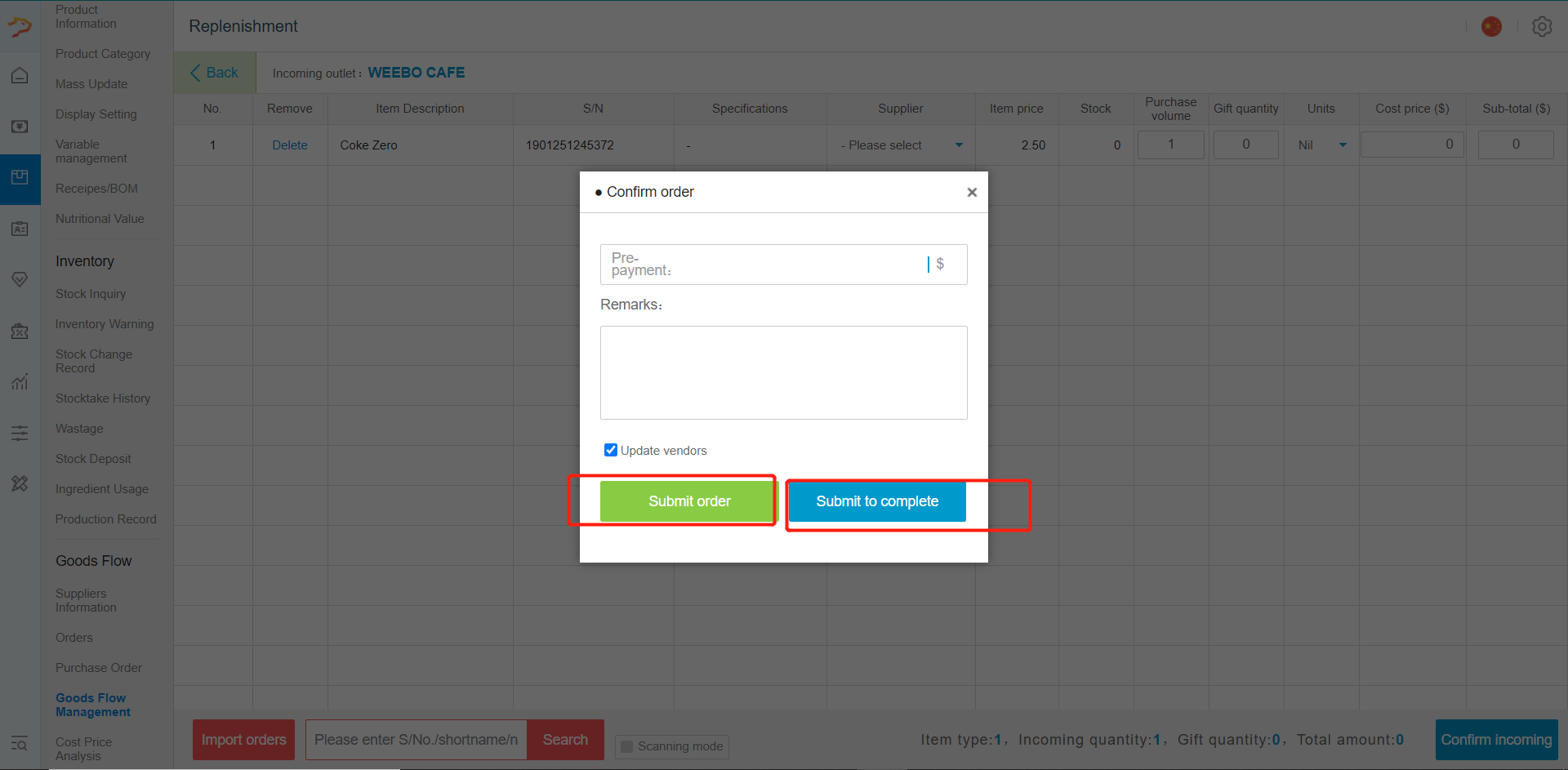
-Select Submit Order to allow confirmation of receiving on front end. Select add as incoming stock to add straight to inventory.
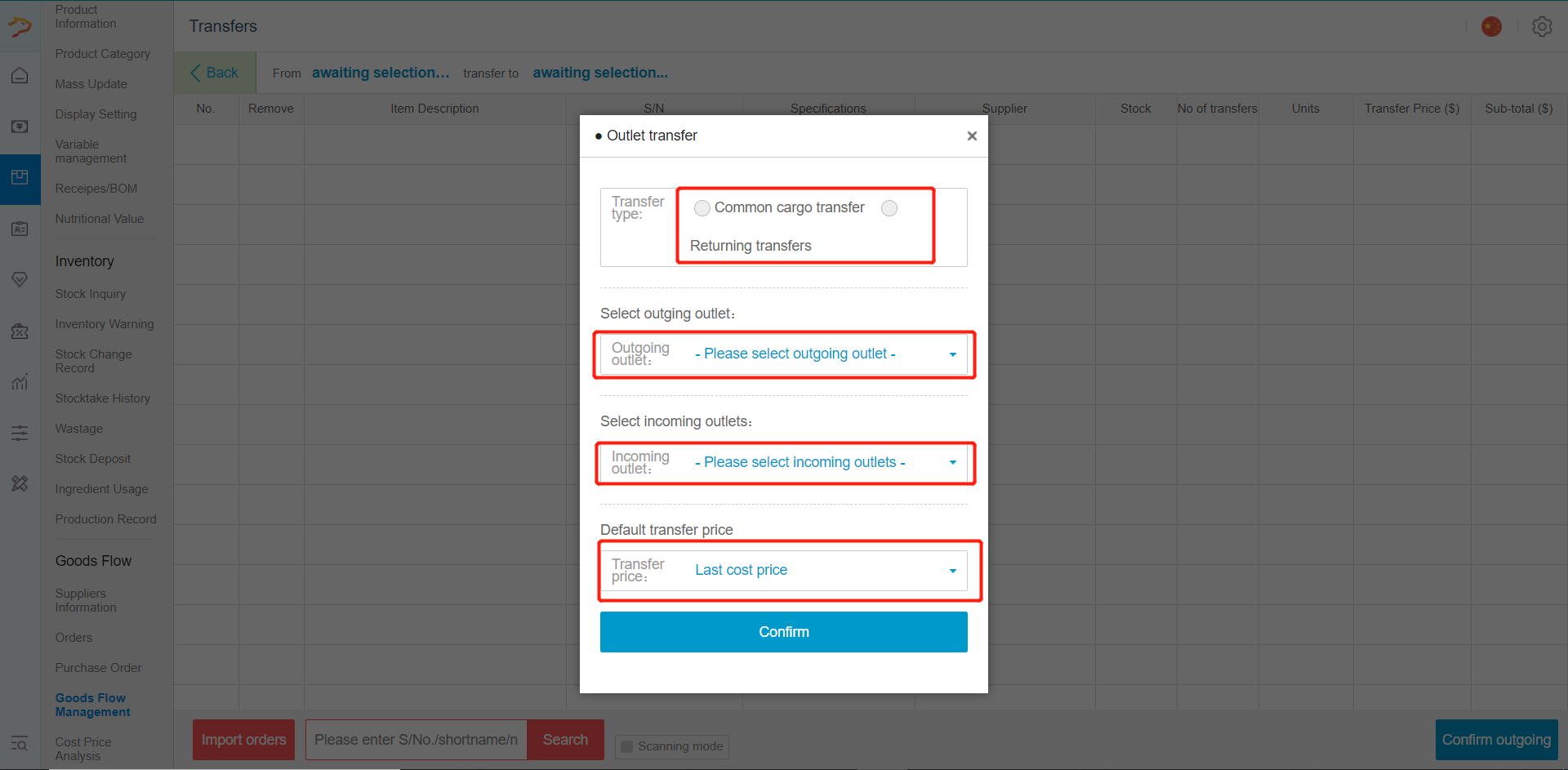
- -Select the Type of Transfer , and Click on transfer stock. Choose the outing outlet(where the stock will be going out from), incoming outlet(where the stock will be going to) and the transfer price(cost price, selling price or bulk price).
- -Search for the product transferring using the search bar.
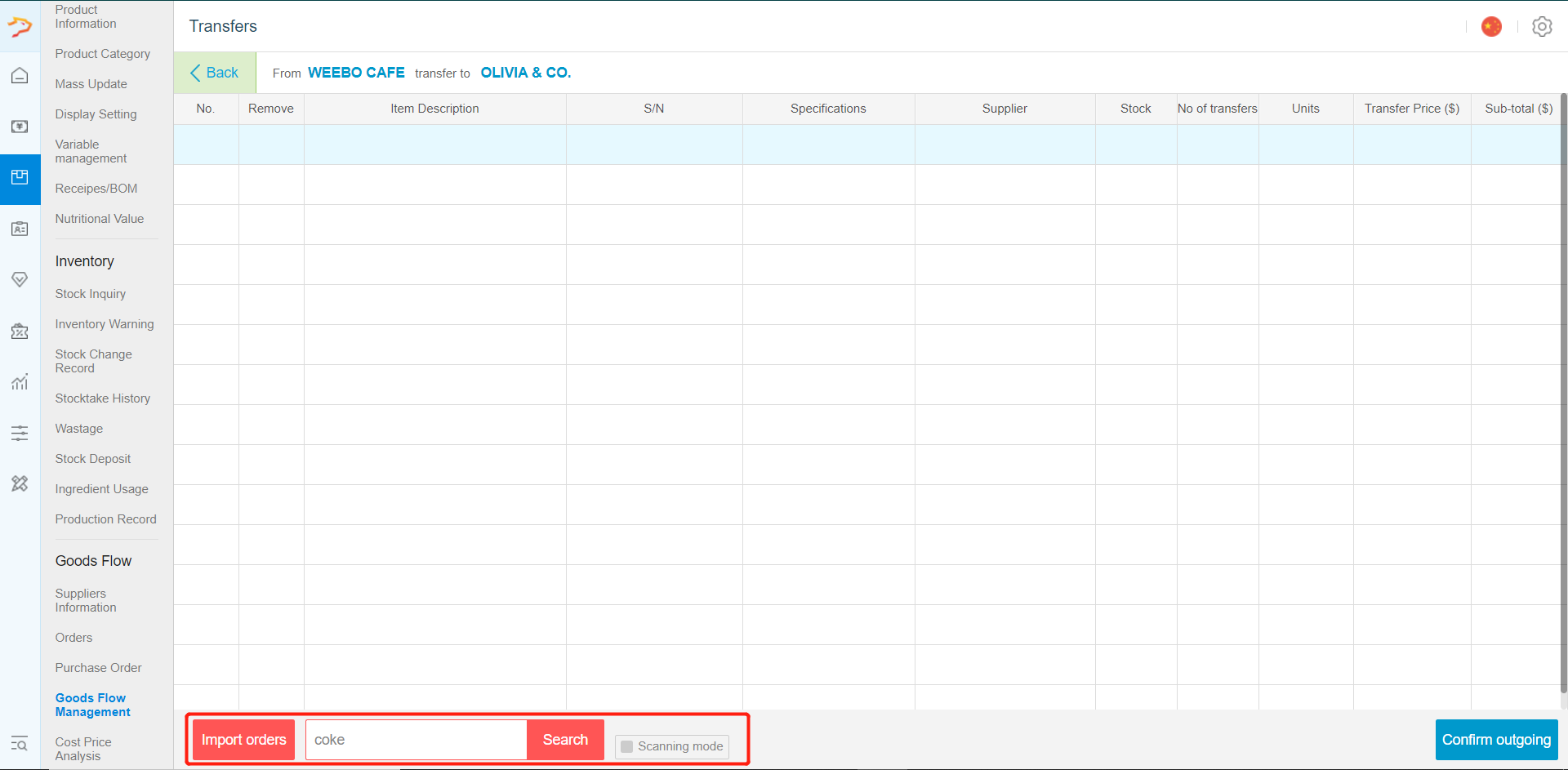
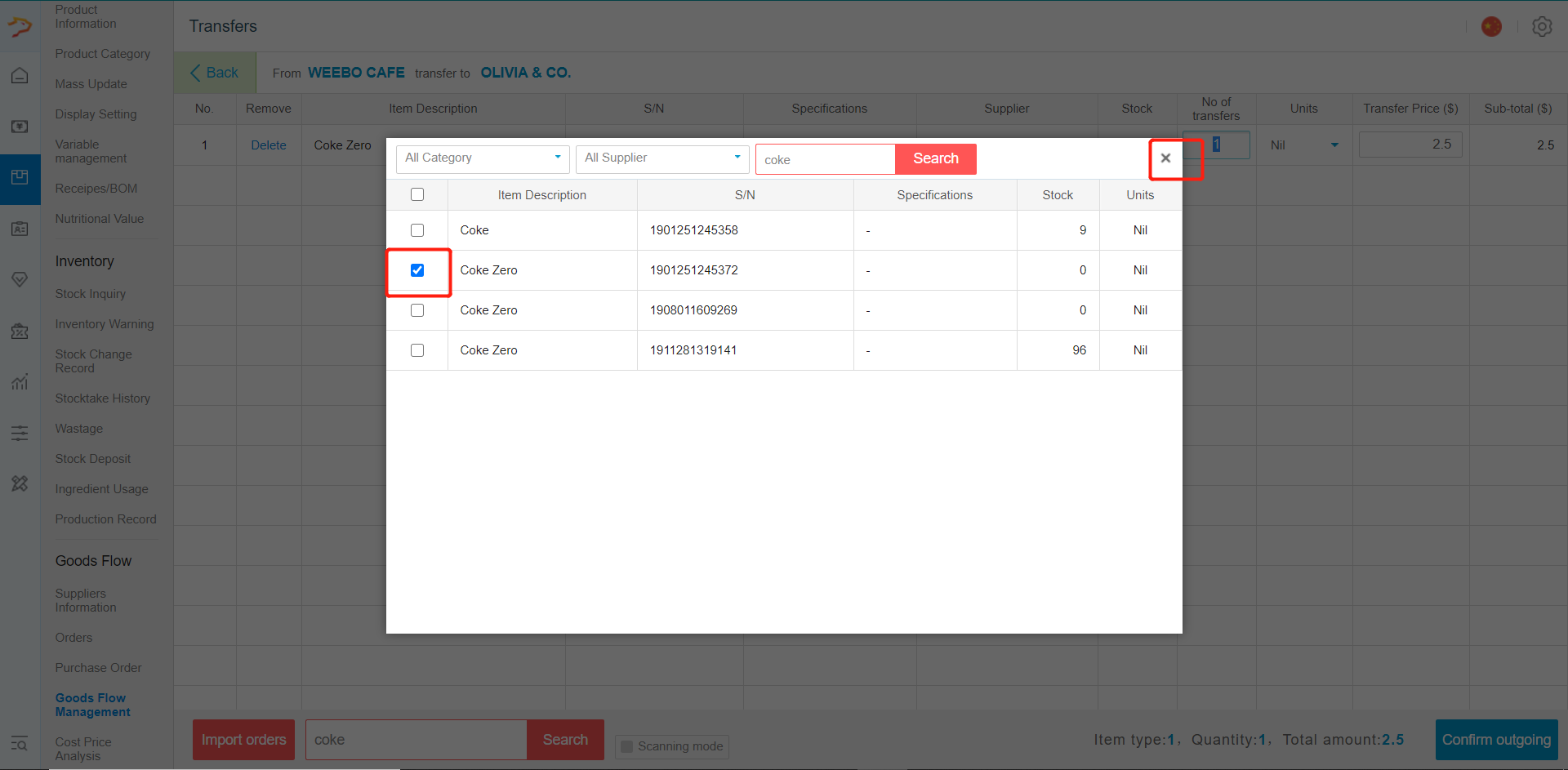
-Tick the product incoming and then close the pop out when done
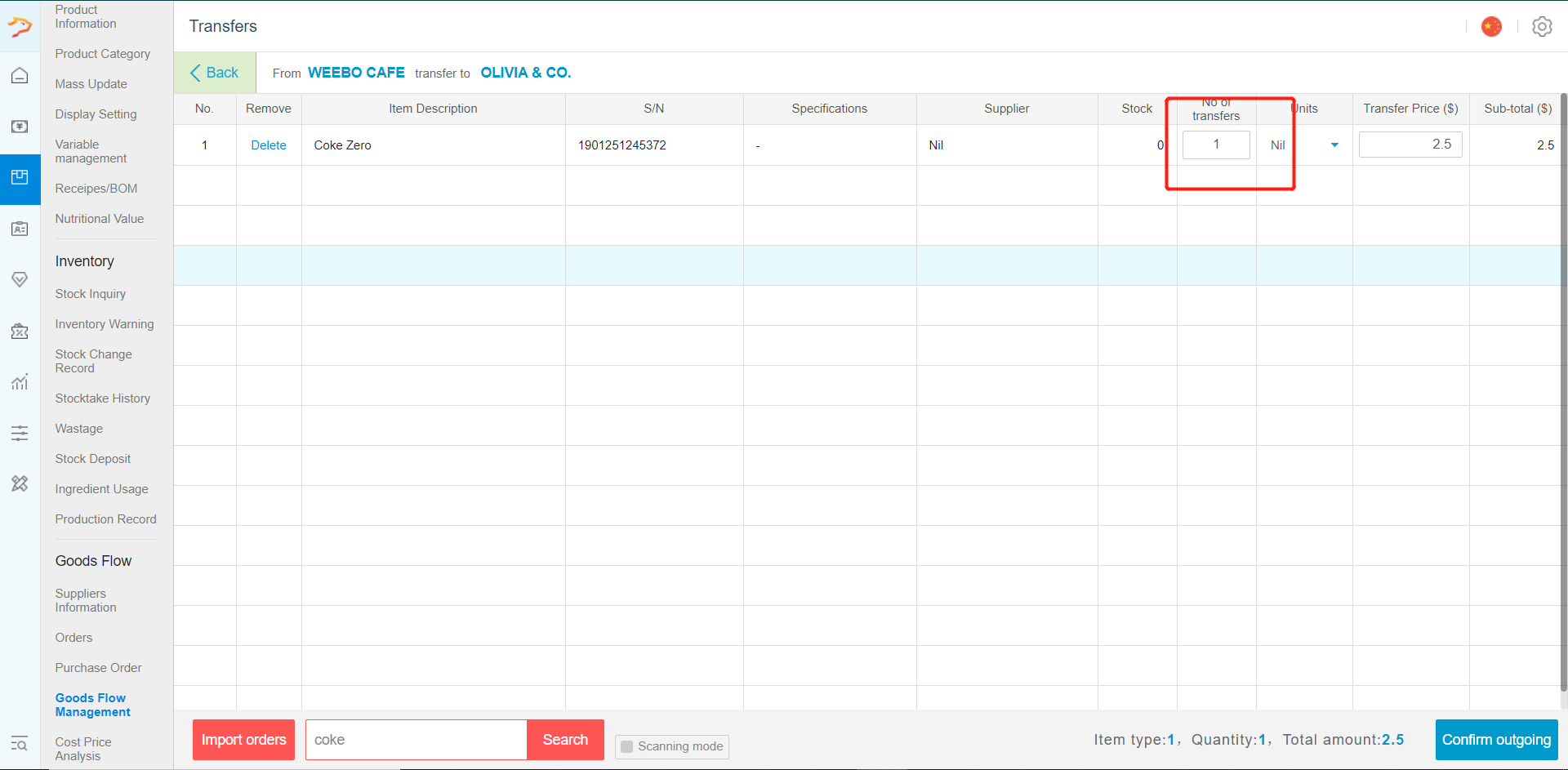
-Input the transfer amount and click on confirm outgoing
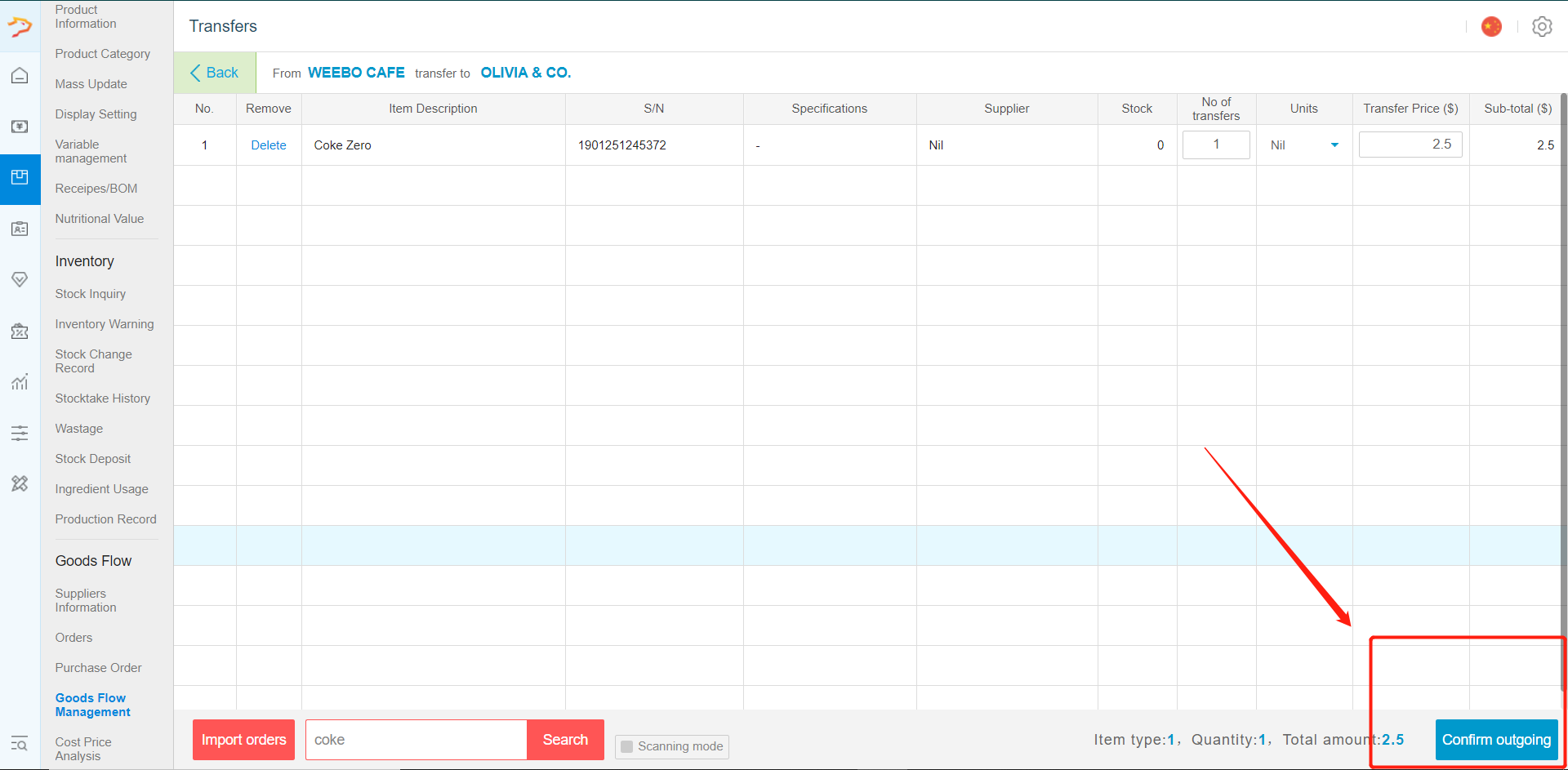
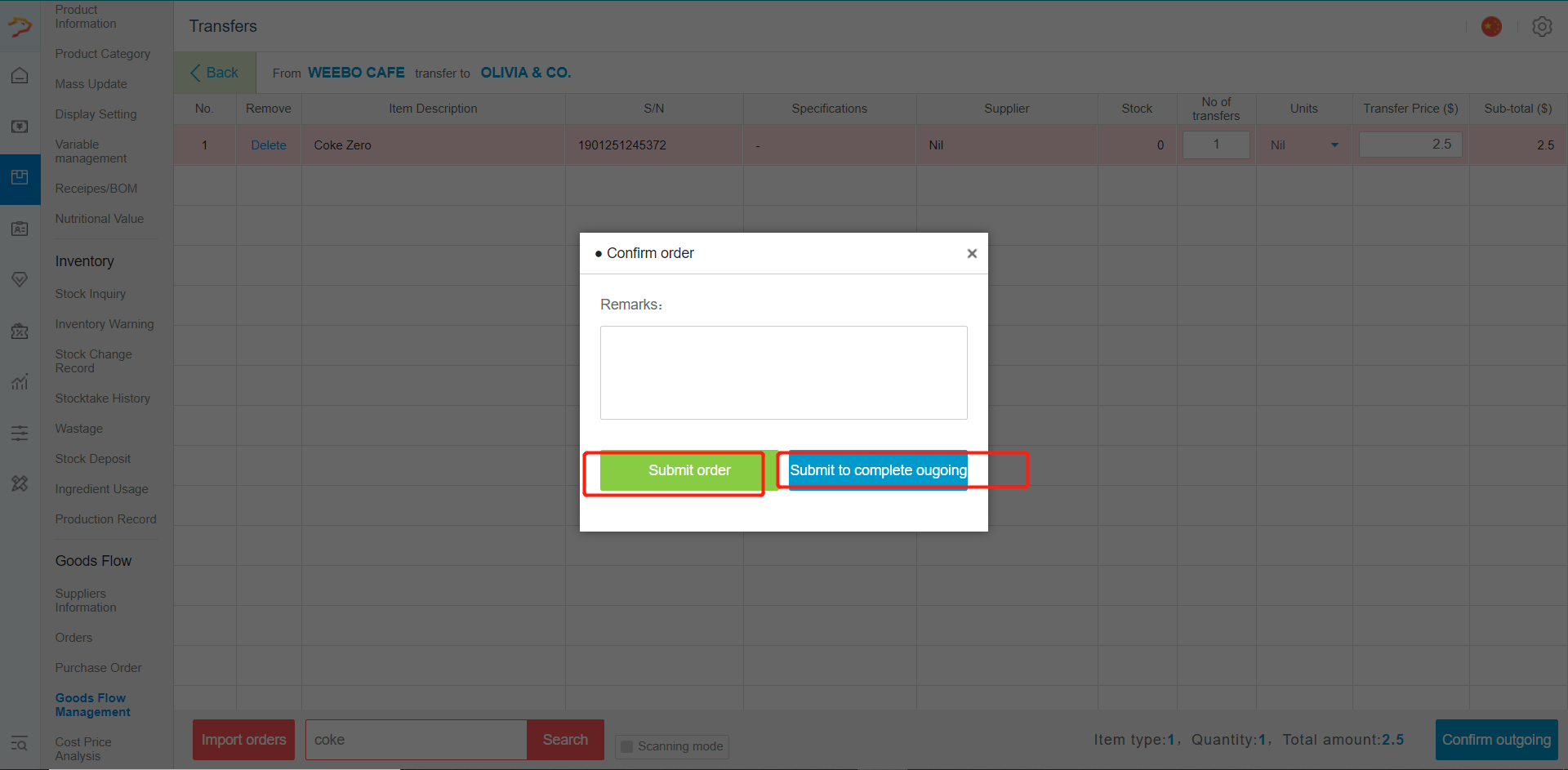
-Select Submit Order to allow confirmation on front end. Select add as outgoing stock to do the changes straight to the inventory.
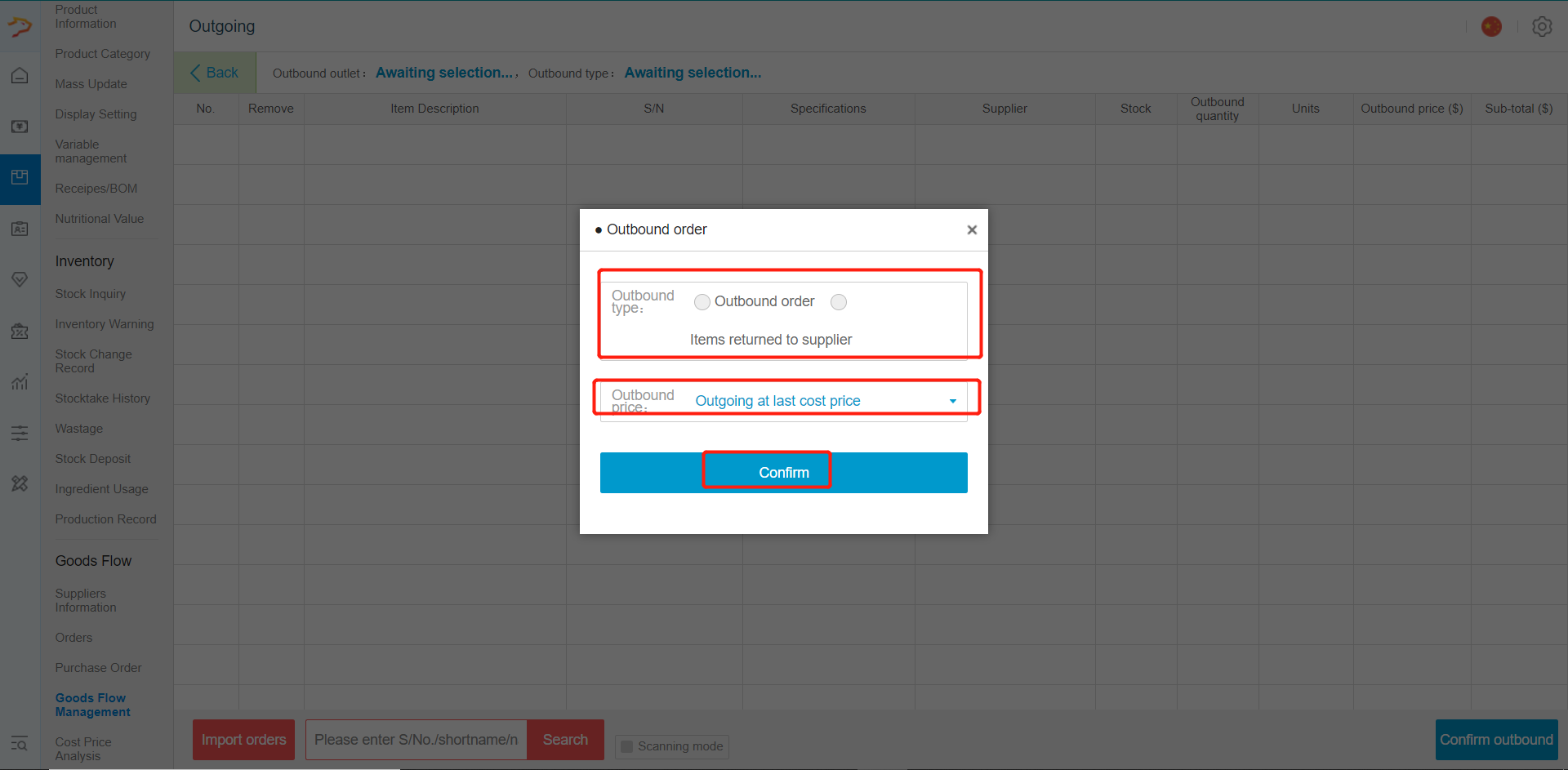
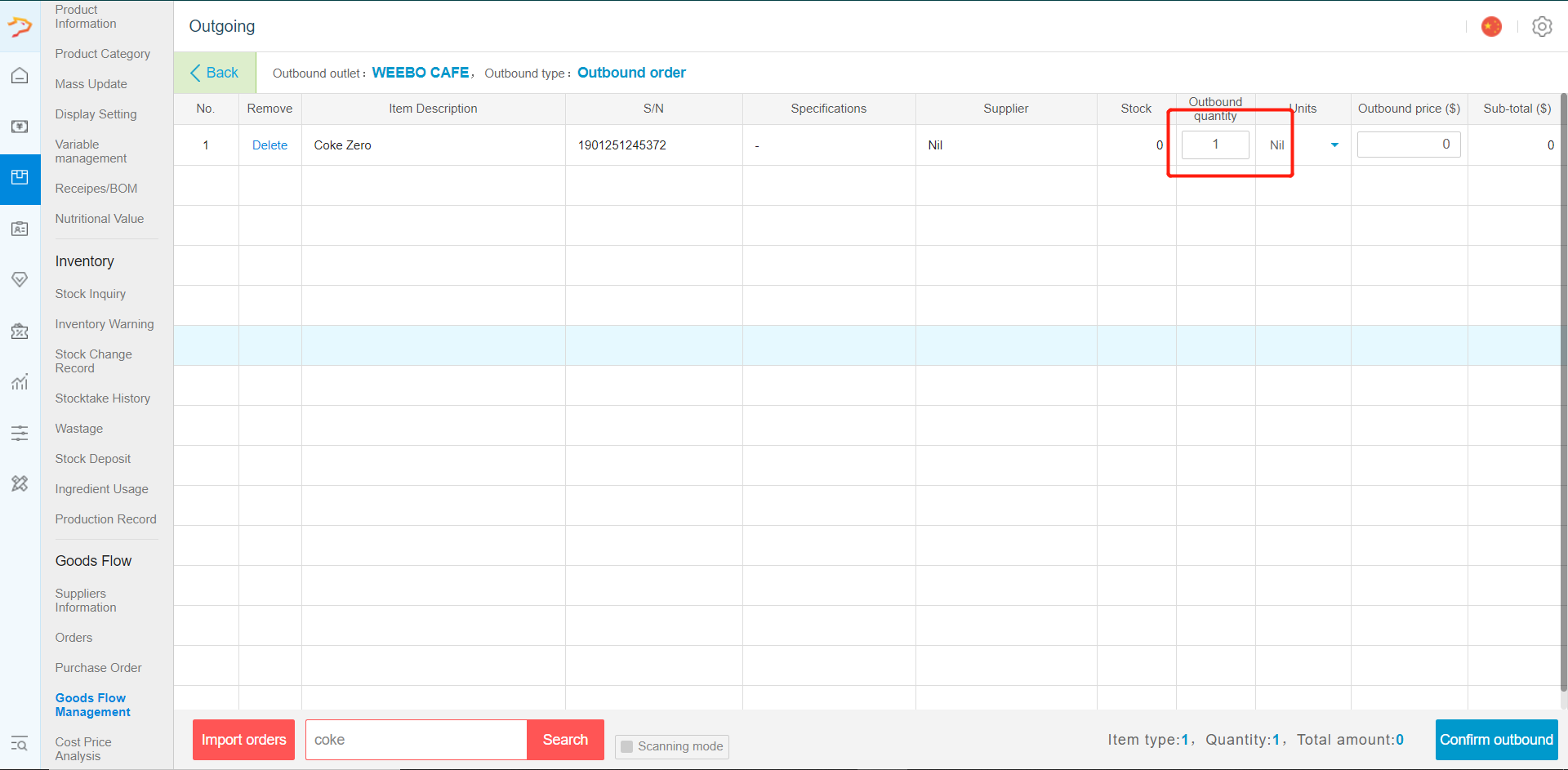
- Select "outbound" to sent out stock or return stock to suppliers. Choose between to outbound order or return to suppliers. Press confirm after done.
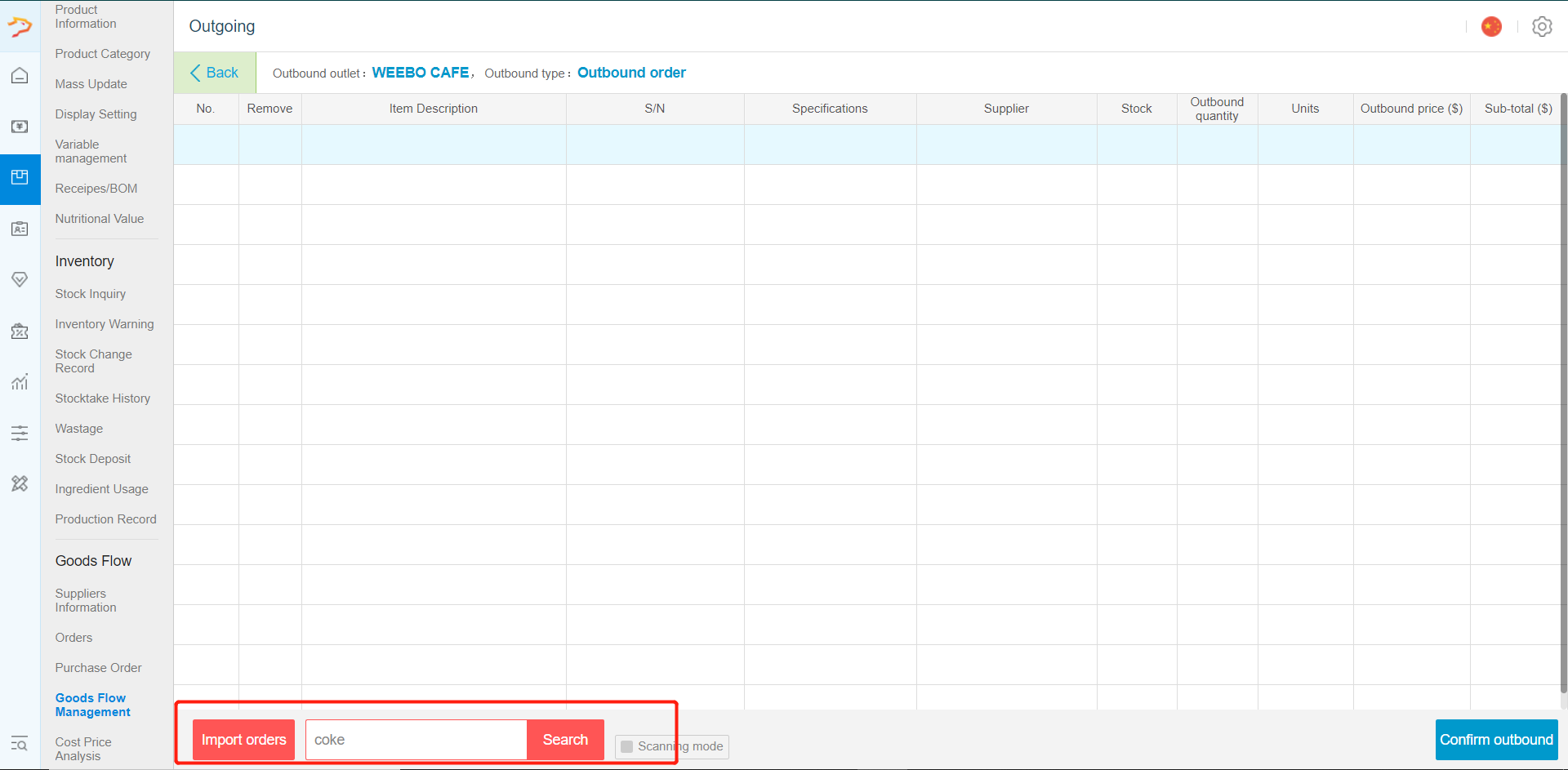
-Search for the product going out.
-Tick the product incoming and then close the pop out when done
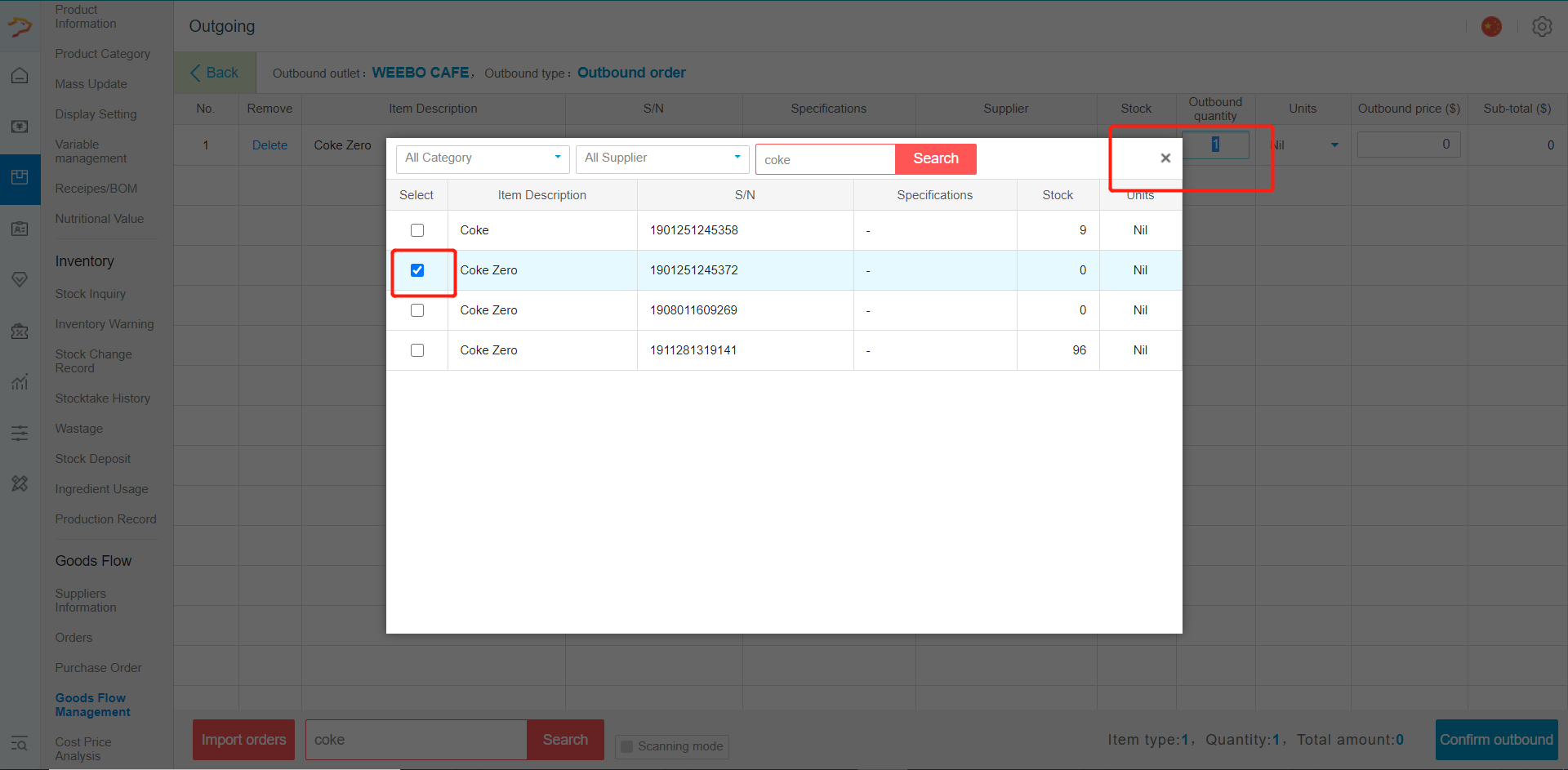
-Input the quantity and confirm outbound when done.
- Select export to export the logistic management data to excel file.
Any Enquiries? Message us!
If you have any question or concern, please fill below and we’ll get back to you shortly.
Get in Touch with Us


7 Holland Village Way, #05-03/05 Tower Lobby B, One Holland Village, Singapore 275748

Call us for a Quote

+65 8771 8700
+65 6850 5177
Stay Connected
Copyright © Weebo Pte Ltd All Rights Reserved.