
How to view variable report
Variable report provides you with an overall summary of all variable (also known as product modifiers) sold based on a timeframe (not exceeding 3 months per search) that you have set. All data viewed under variable report can be exported out of the back office in Excel file format.
Follow the steps below to view your variable report:
-
After you have logged in to your back office, click on "Sales Report" category.
-
Next, click on the "Variable Report" sub-category.
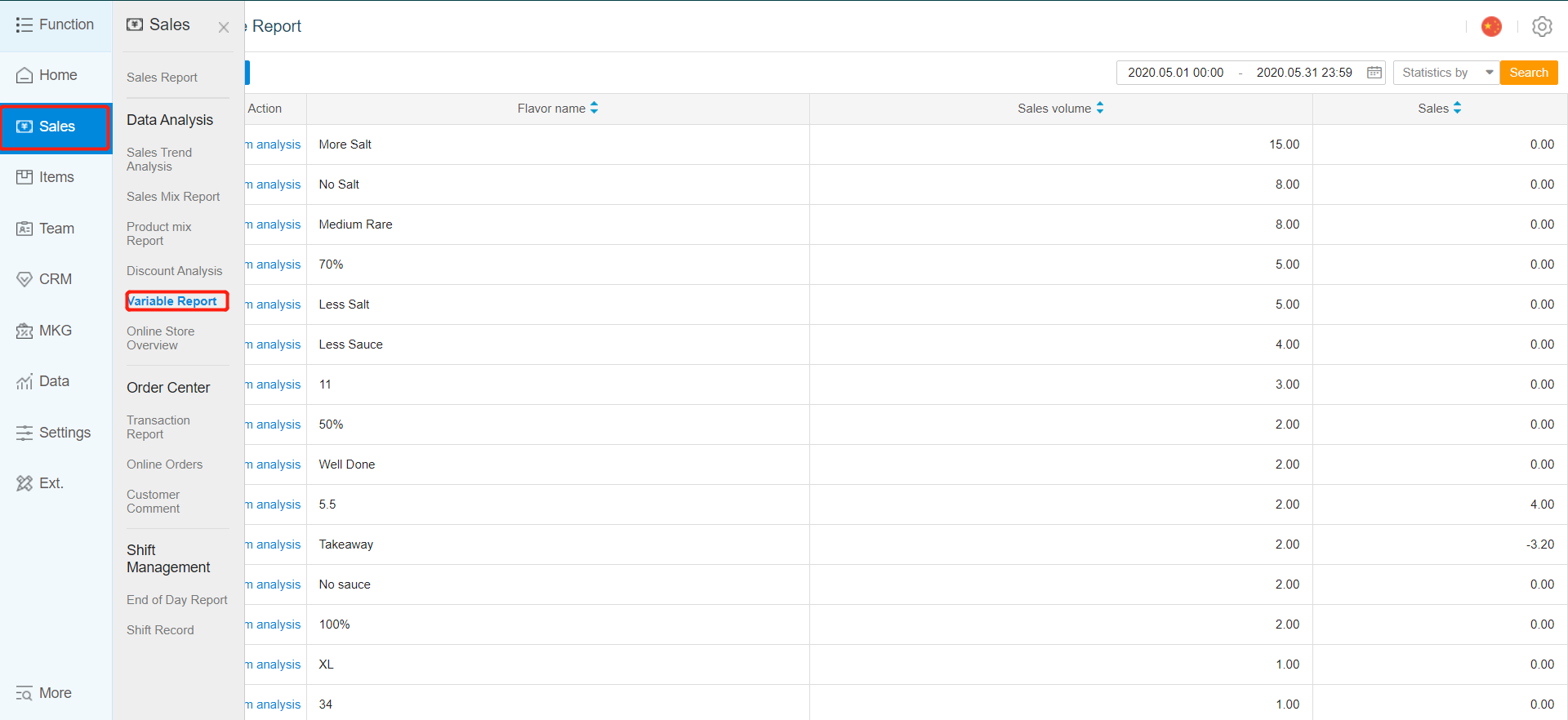
-
You can filter the time frame in which you want to display the variable report summary for by clicking on the area highlighted in red.
-
Select the "Start date" and "End date".
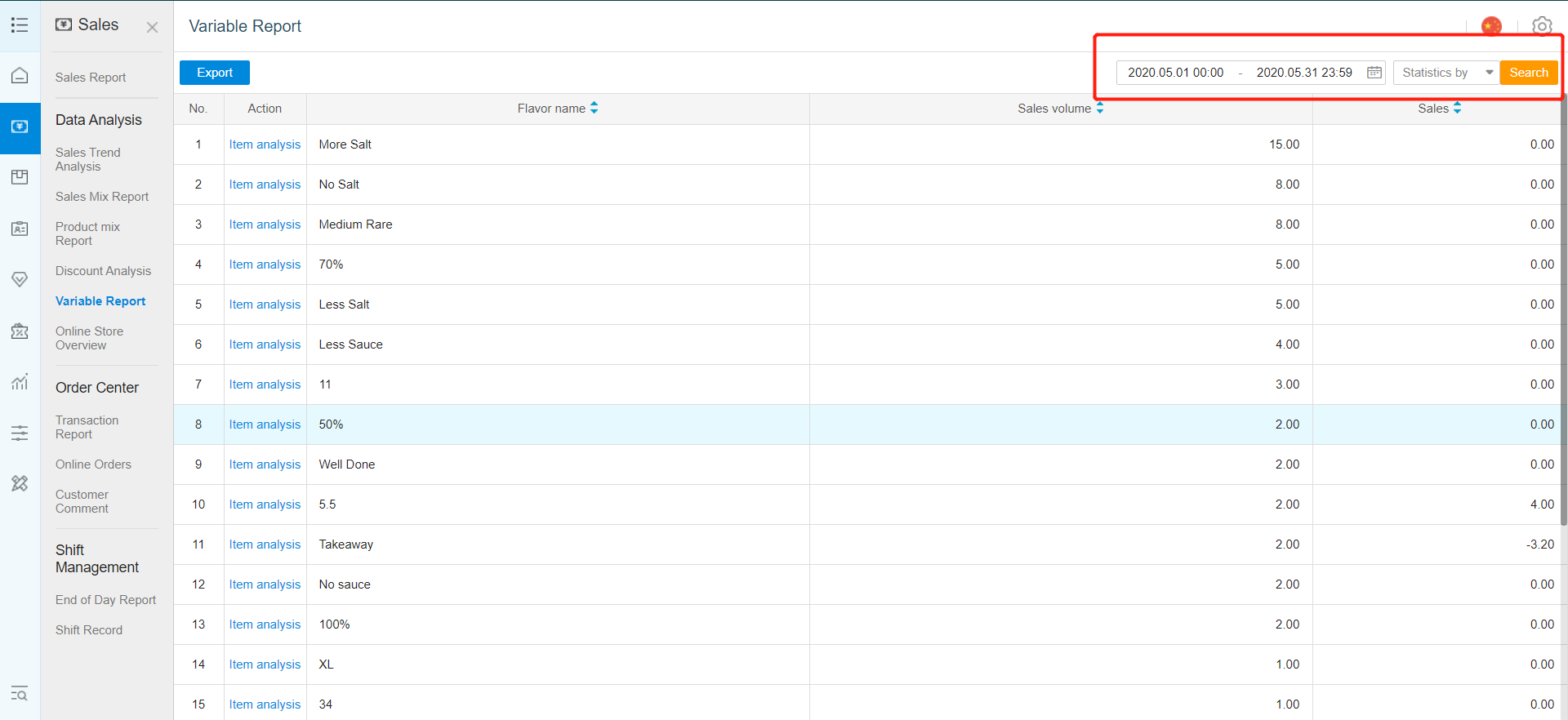
- After selecting your "Start date" and "End Date", click on "Search"
Any Enquiries? Message us!
If you have any question or concern, please fill below and we’ll get back to you shortly.
Get in Touch with Us


7 Holland Village Way, #05-03/05 Tower Lobby B, One Holland Village, Singapore 275748

Call us for a Quote

+65 8771 8700
+65 6850 5177
Stay Connected
Copyright © Weebo Pte Ltd All Rights Reserved.