
How to view member's spending history?
-
Login to you back office
-
Click on "Member Reconcillation" subcategory under the CRM main category, then enter the member's info and click on "Search"
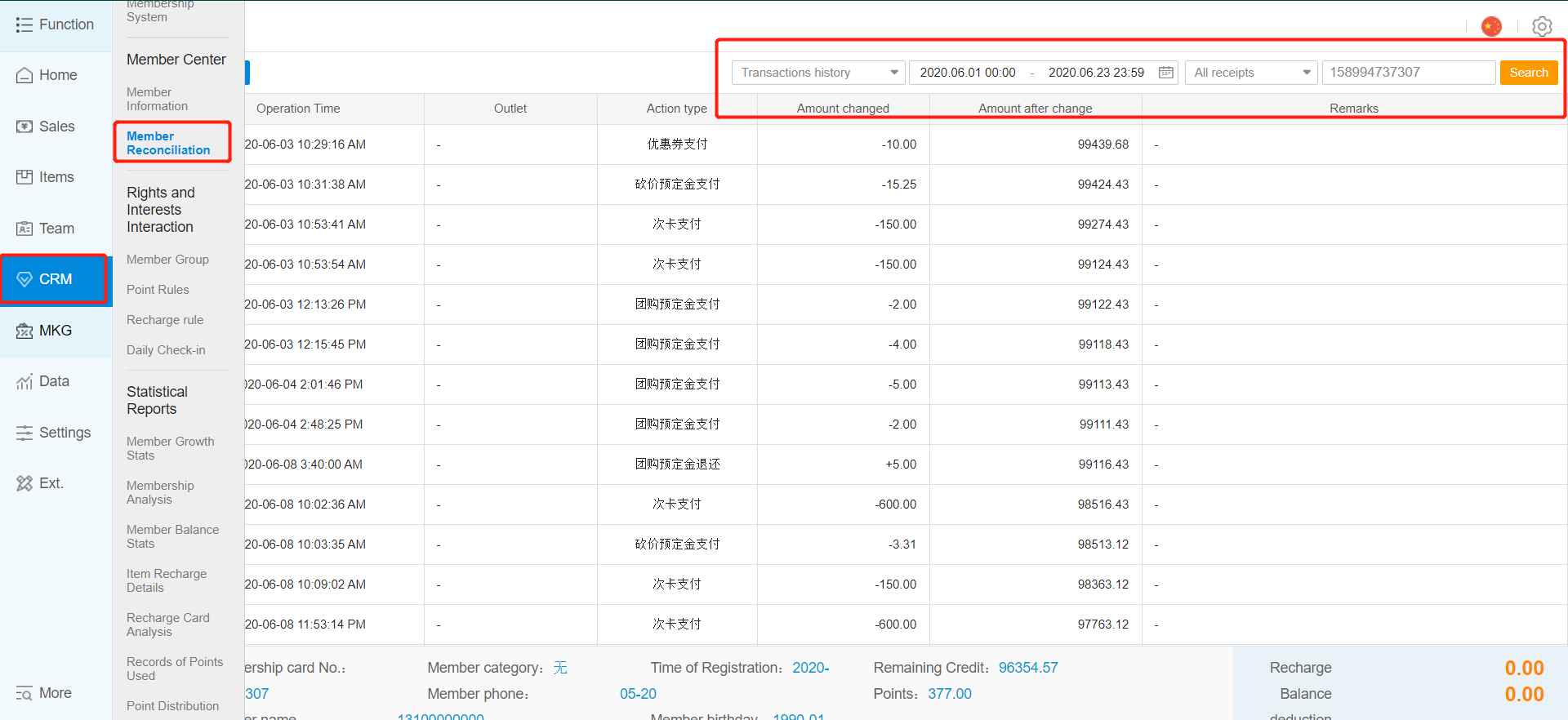
*You may use the following info to search:
1) Member's ID
2) Member's Name
3) Member's HP number
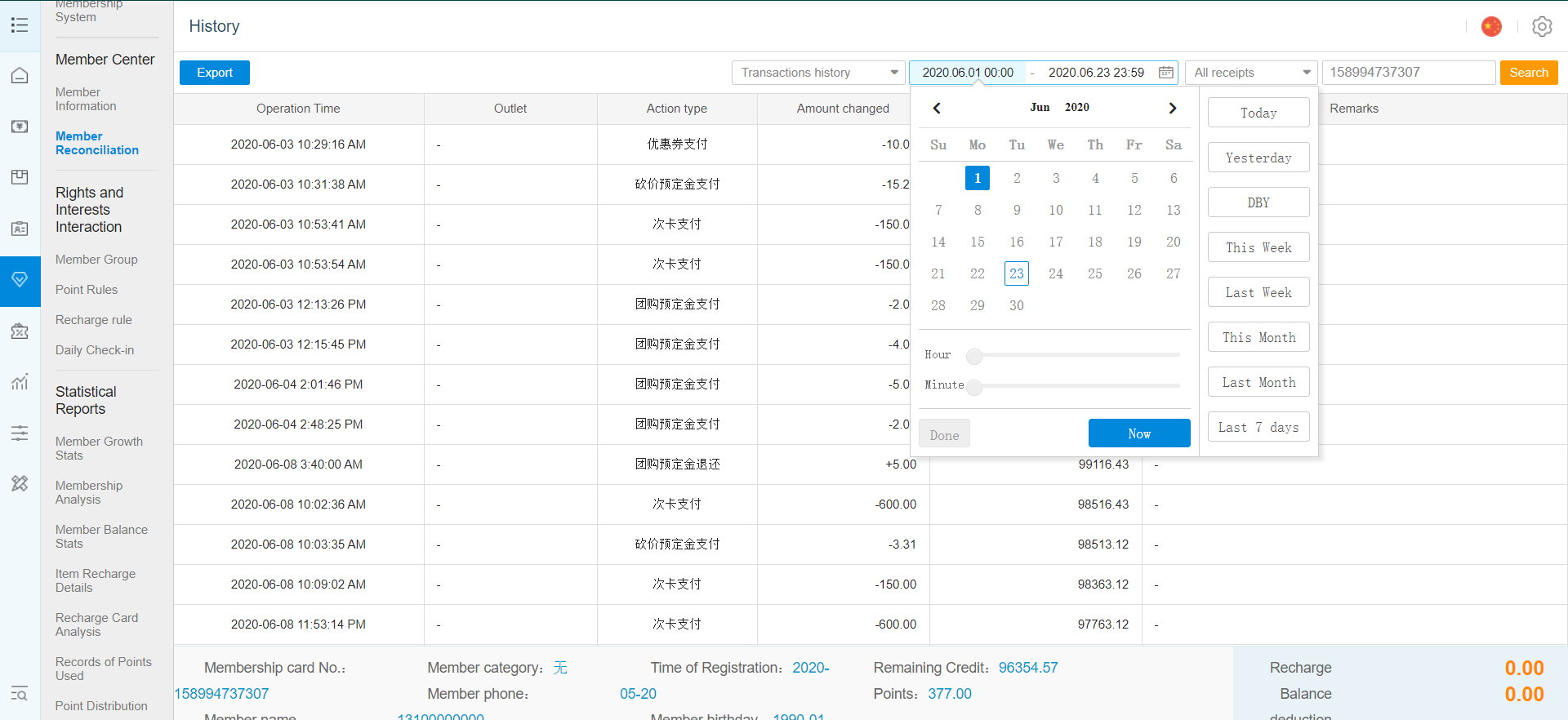
- Click on "History" and you will be brought to a new tab, select the date that you would like to view from (not exceeding 3 months per search) and click on "Search"
- You may also search for different types of member's spending history by changing the filter here
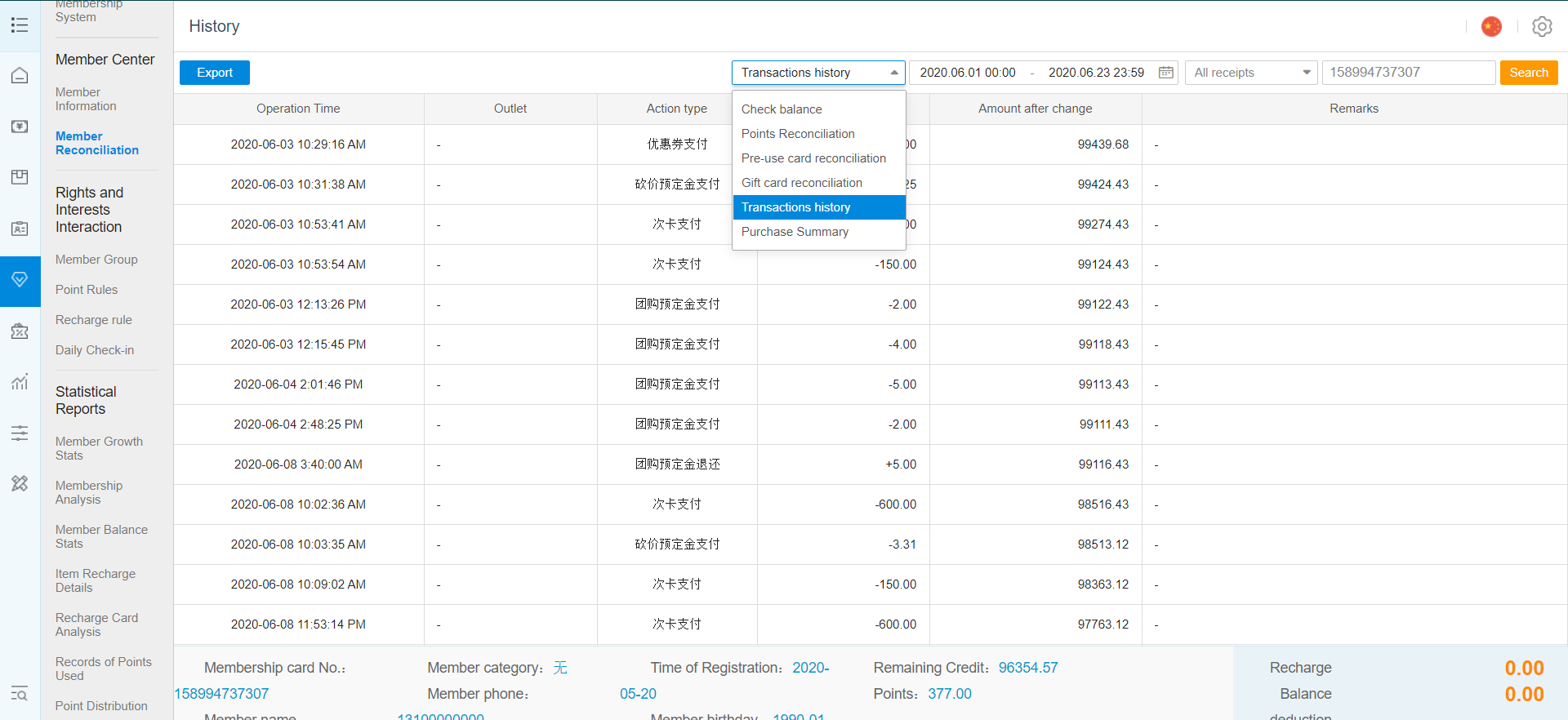
Check common balance; Member's recharge and stored value usage
Points Reconciliation; Member's points and point usage
Per-use card audit; Member's per-use card purchases and usage
Transactions history; Member's transactional history
Purchase summary; Member's "product mix" report
Any Enquiries? Message us!
If you have any question or concern, please fill below and we’ll get back to you shortly.
Get in Touch with Us


7 Holland Village Way, #05-03/05 Tower Lobby B, One Holland Village, Singapore 275748

Call us for a Quote

+65 8771 8700
+65 6850 5177
Stay Connected
Copyright © Weebo Pte Ltd All Rights Reserved.