
How to update app?
For Imin Model
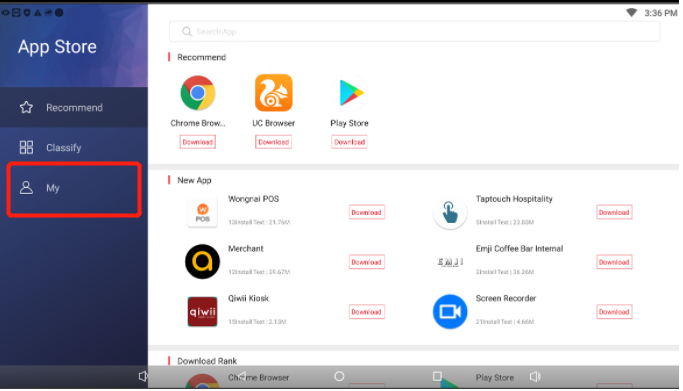
Minimize the app and select App Store
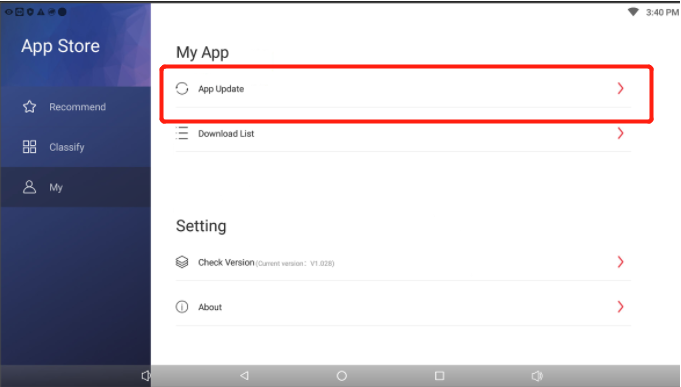
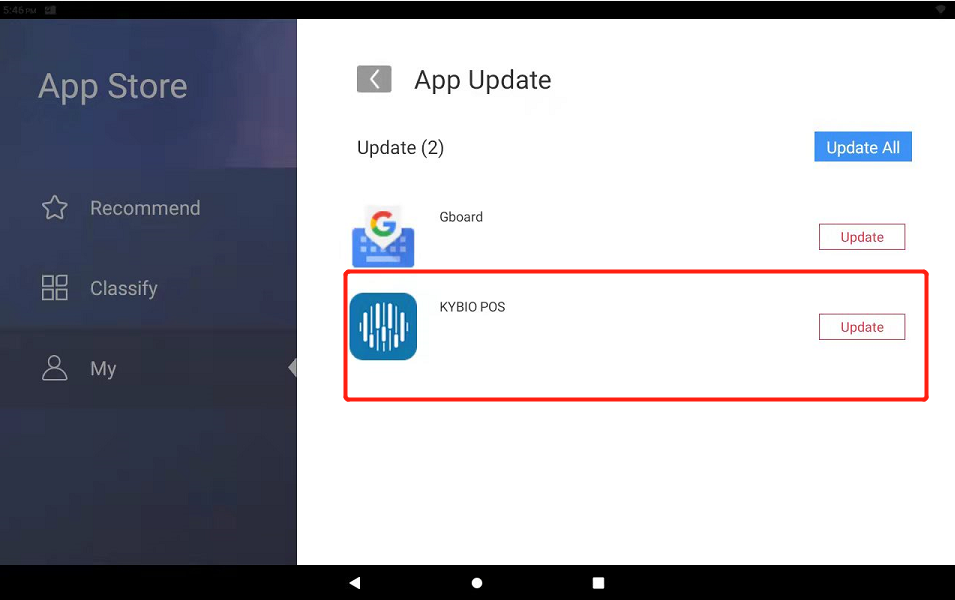
You can click on My to look for app update. This will shows which app has a new update available.
Do note you will not be able to downgrade the app back using the app store once updated.
For Landi Model
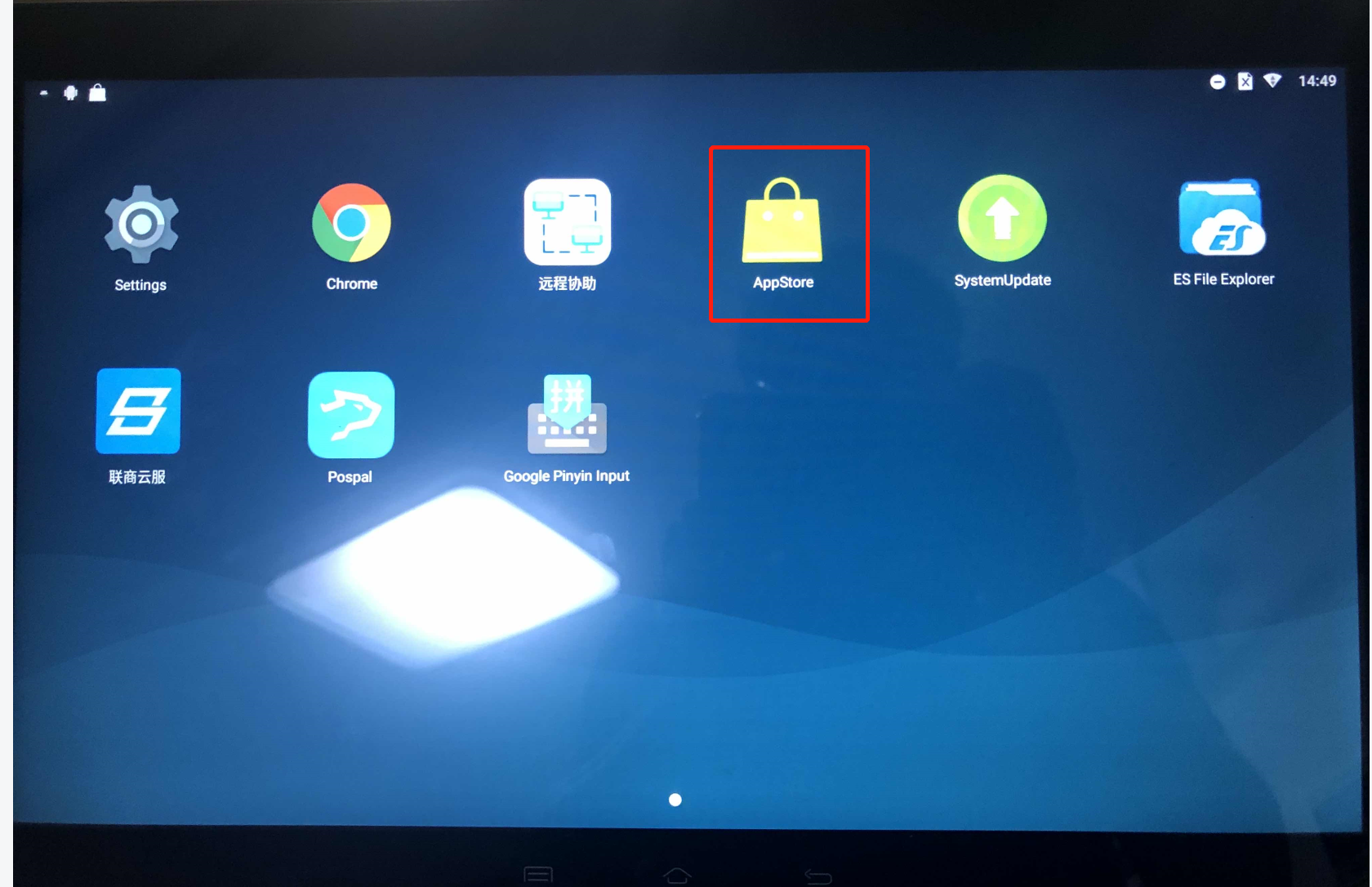
- Click on "Apps store"
- Click on "Updated"
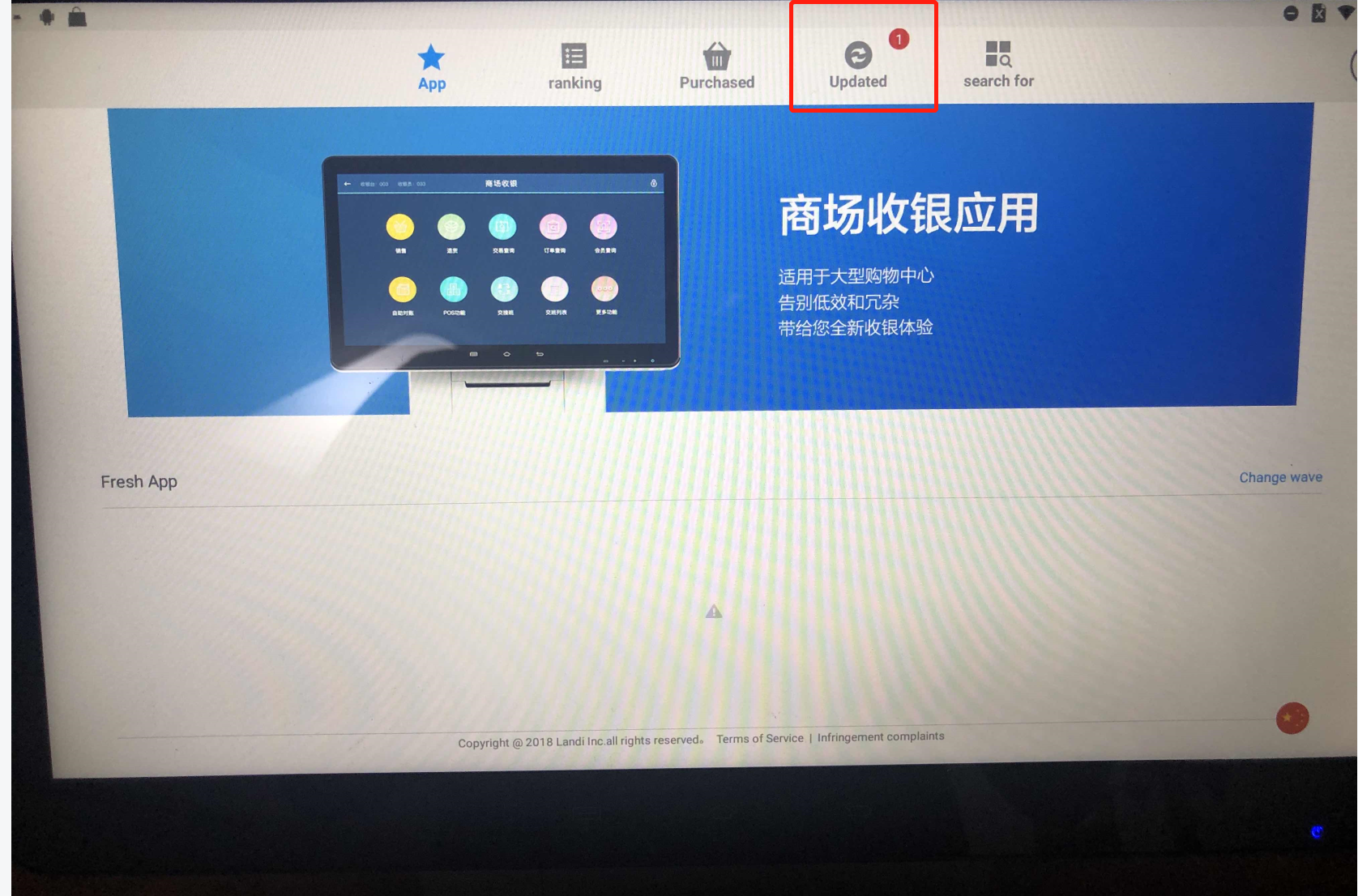
- Click Update
Need help? WhatsApp us +65 8508 9618
Any Enquiries? Message us!
If you have any question or concern, please fill below and we’ll get back to you shortly.
Get in Touch with Us


7 Holland Village Way, #05-03/05 Tower Lobby B, One Holland Village, Singapore 275748

Call us for a Quote

+65 8771 8700
+65 6850 5177
Stay Connected
Copyright © Weebo Pte Ltd All Rights Reserved.