
How to set up member tier ?
Go to CRM>>Member group
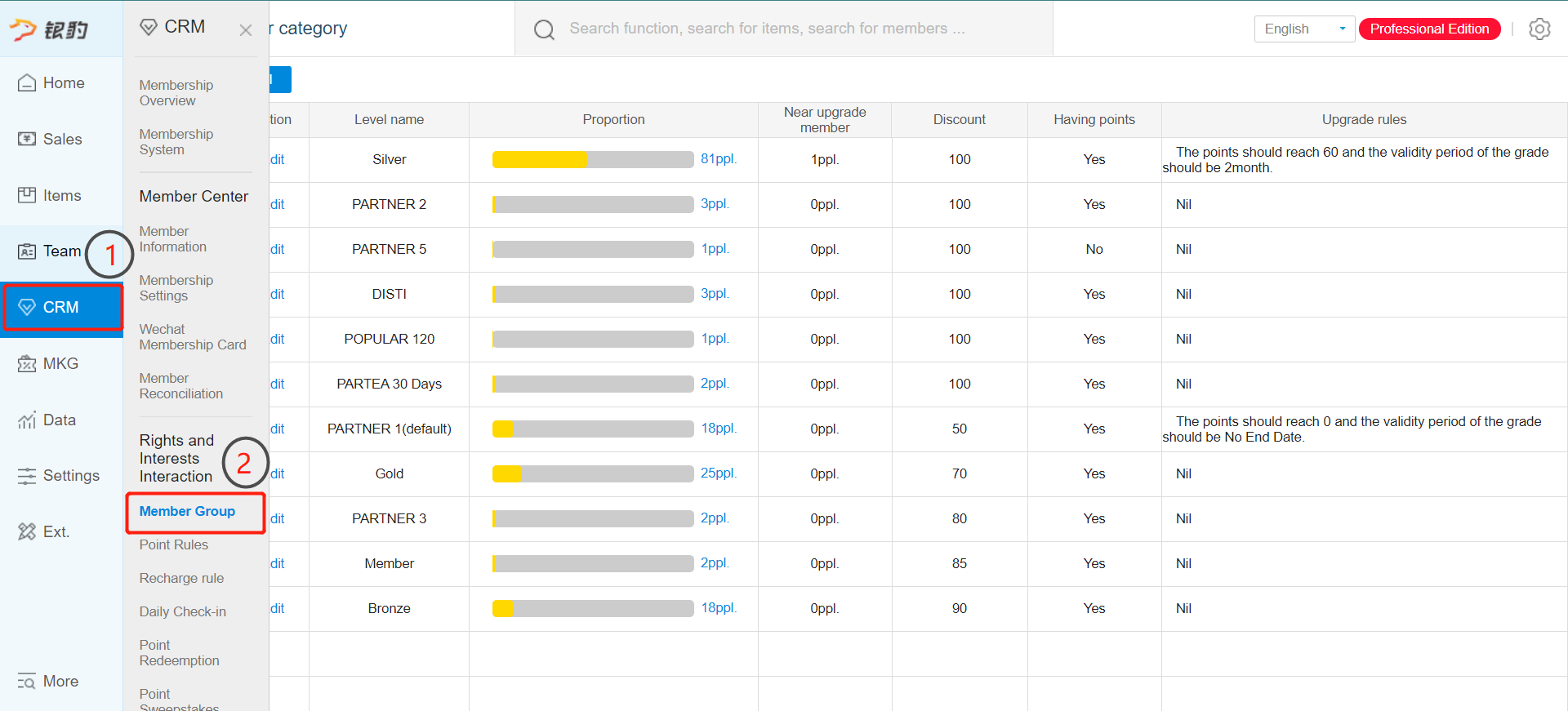
Note that only master account(if you have one) are able to edit the tier
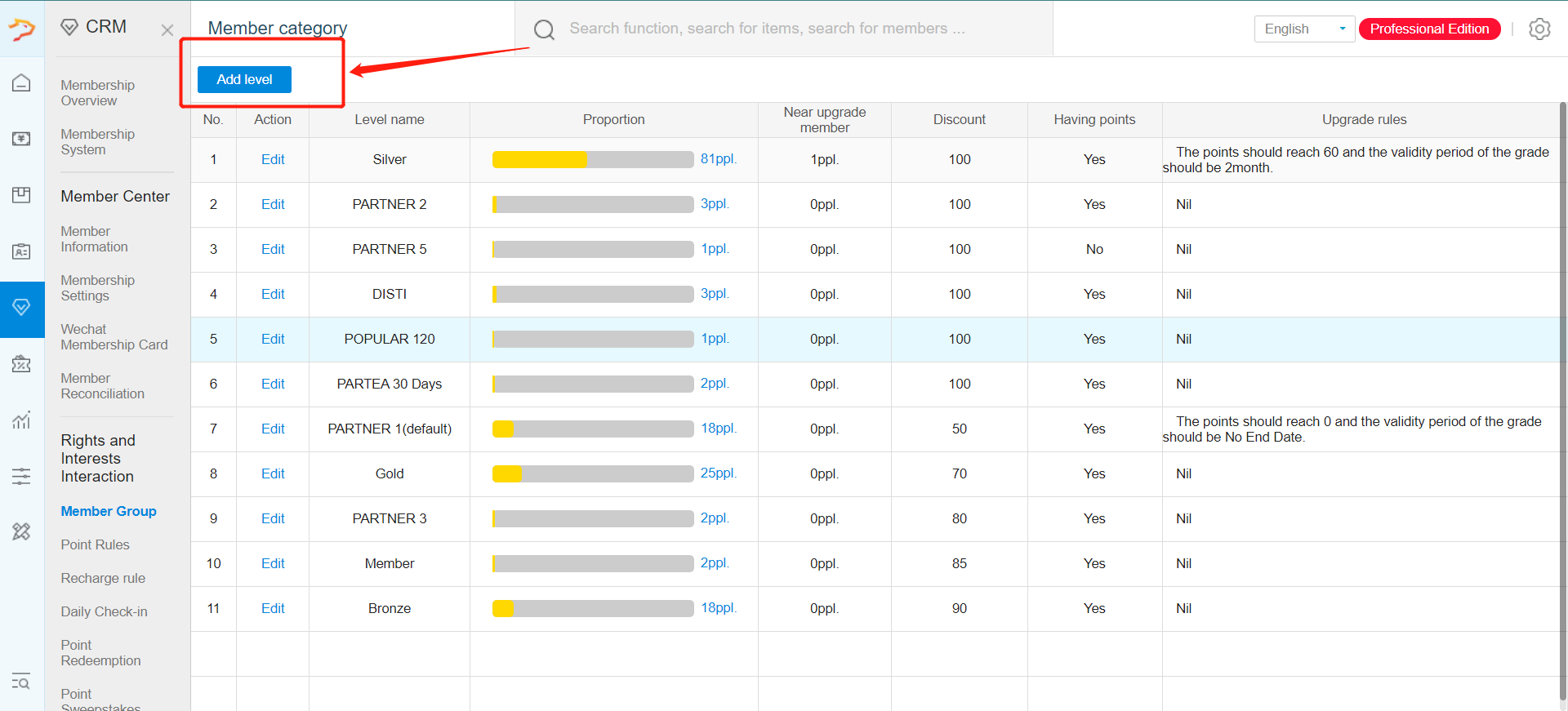
Click on add level to add new tiering
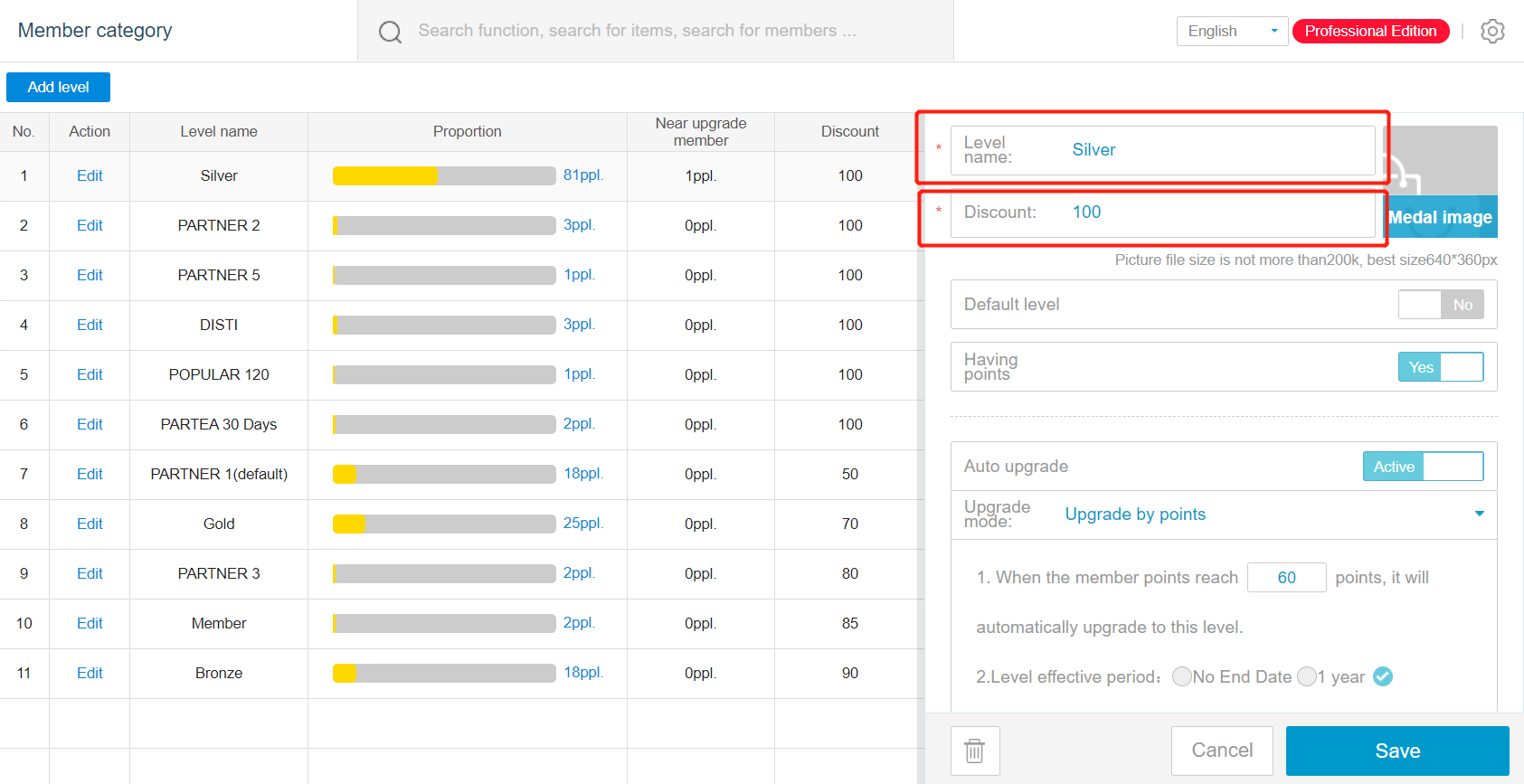
Input the name and discount amount
If input 100 = no discount , 75 =15% discount
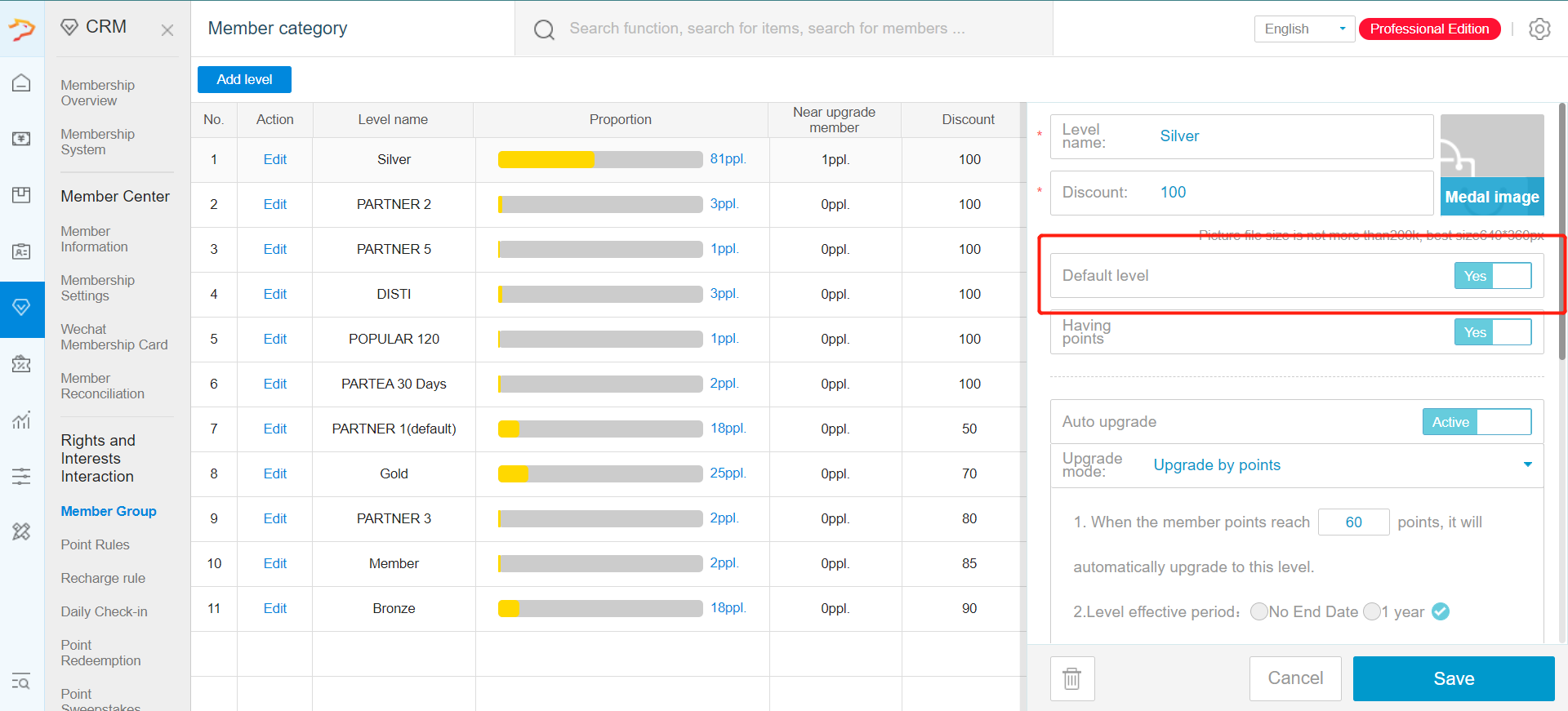
Create one tier as the default level, where new member will join the group.
When creating default level, activate the default level
Afterward create the higher level tier .
Enable Auto upgrade to allow member to upgrade their tier when certain condition are reached
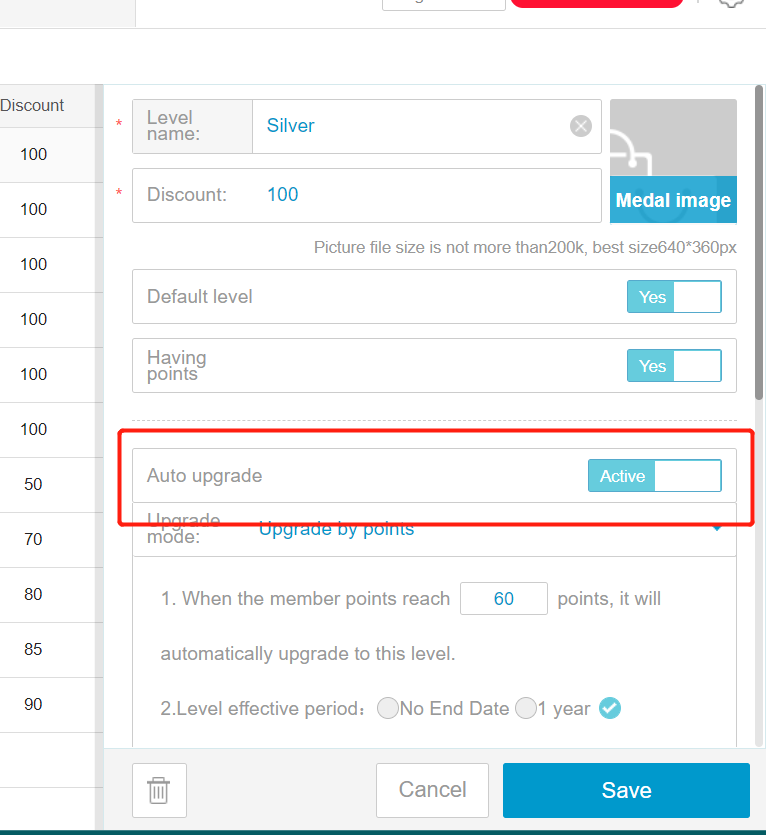
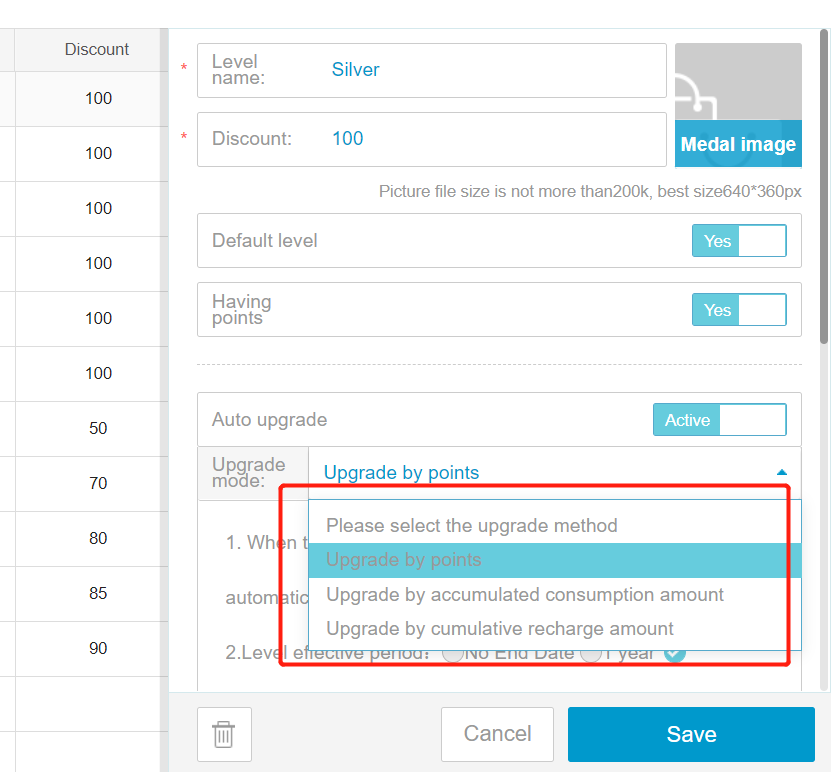
You can upgrade by points, consumption amount or total recharge amount
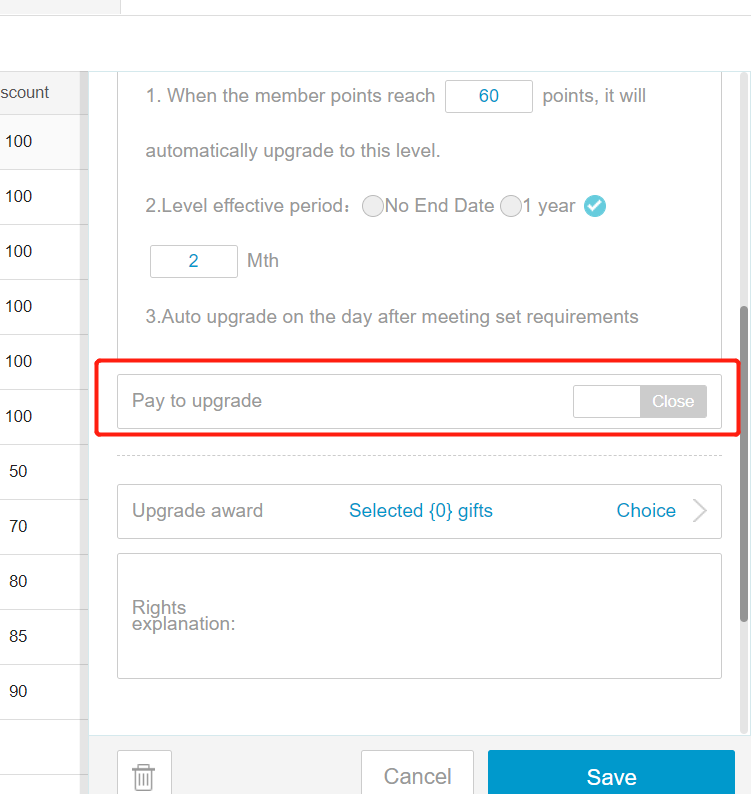
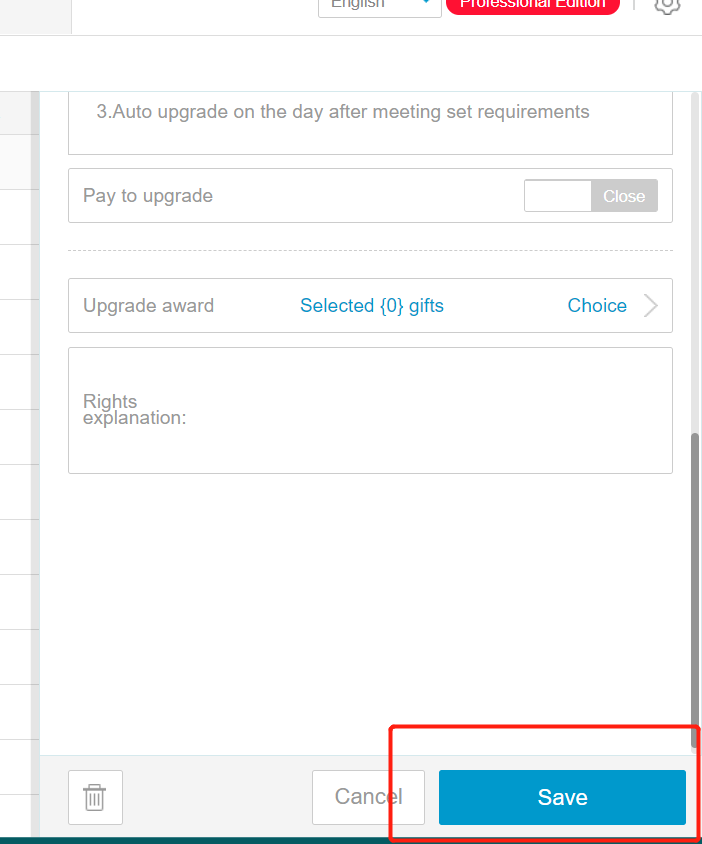
Pay to upgrade is for member to be able to pay for higher tier membership
Upgrade award is to award gift when certain tier are reached. This is to promote member to reach for higher tier
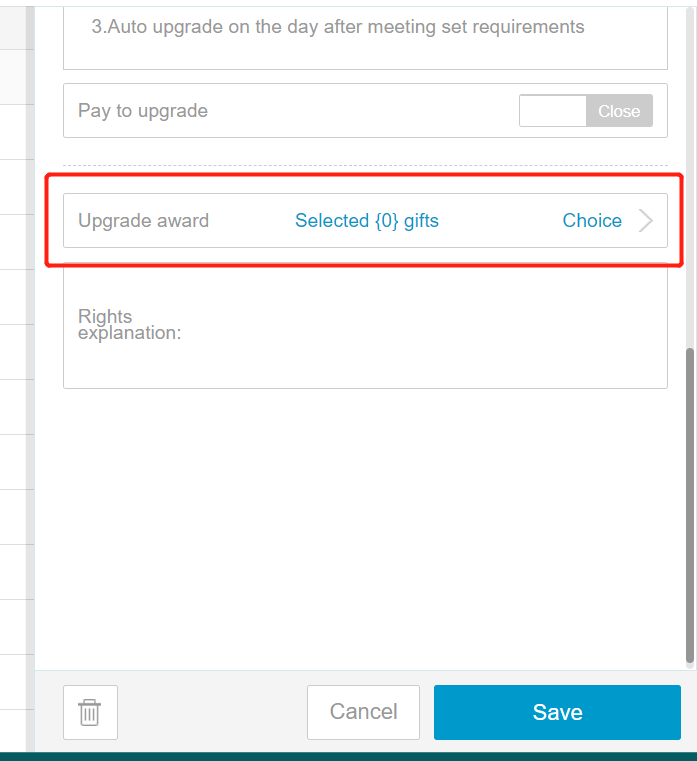
Remember to click on save when completing each tier.
Any Enquiries? Message us!
If you have any question or concern, please fill below and we’ll get back to you shortly.
Get in Touch with Us


7 Holland Village Way, #05-03/05 Tower Lobby B, One Holland Village, Singapore 275748

Call us for a Quote

+65 8771 8700
+65 6850 5177
Stay Connected
Copyright © Weebo Pte Ltd All Rights Reserved.