
How to set up GST and Service Charge
For GST and Service Charge, go to backend Settings>>System>>System Settings.
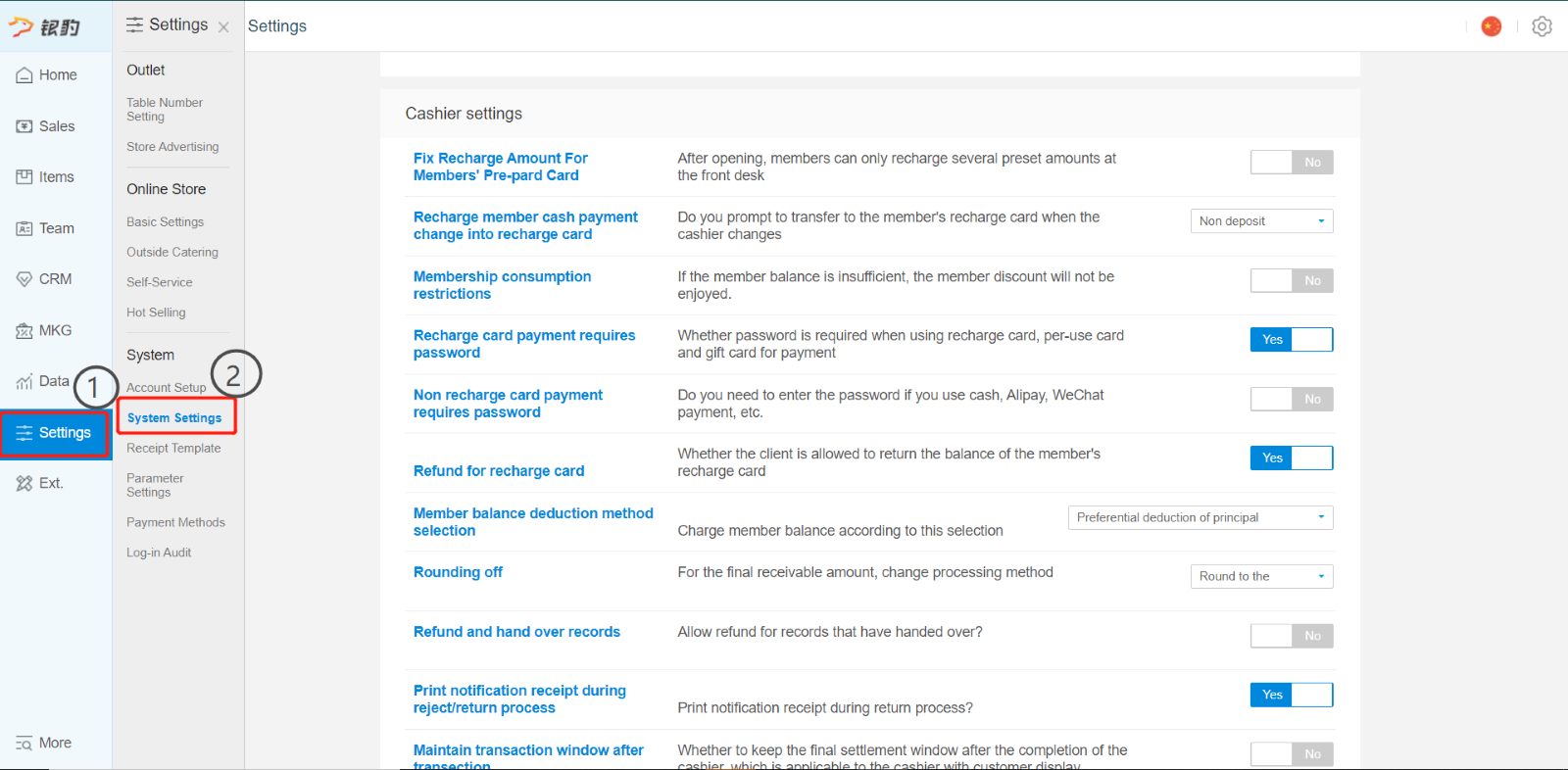
Scroll down to Sales Tax and service charge setting.
Click on edit to edit the amount.
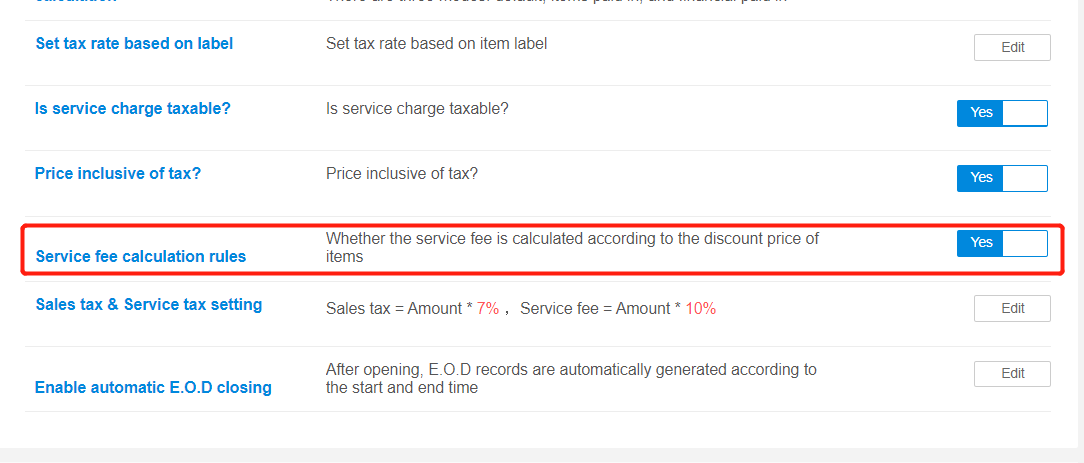
If GST and service charge are applicable, change sales tax to 7% and service charge to 10%.
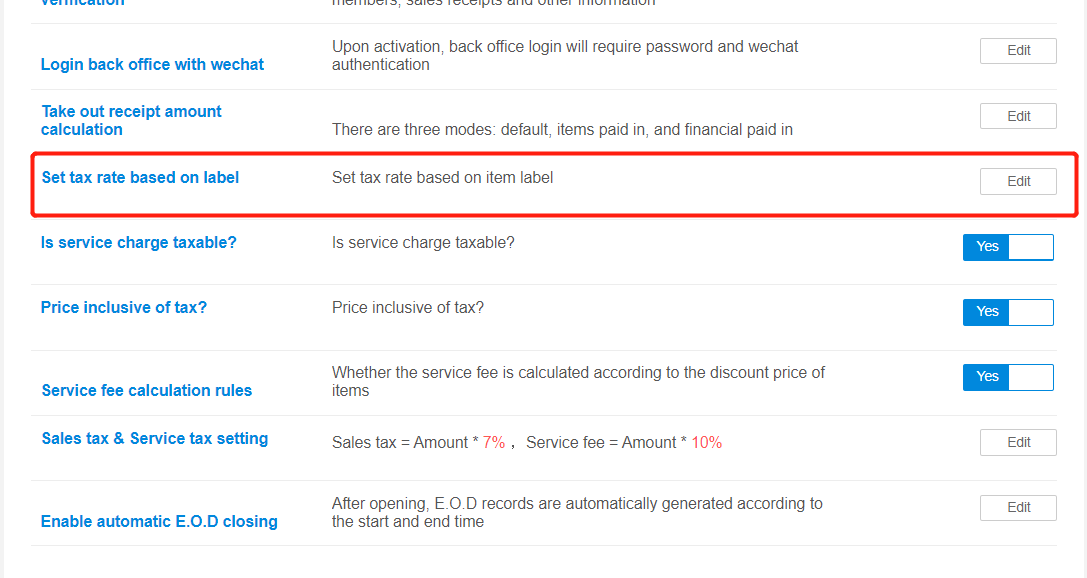
If there are alcohol that does not have GST. You can set tax rate base on item label. Label the alcohol will a label and set zero tax rate for that label.
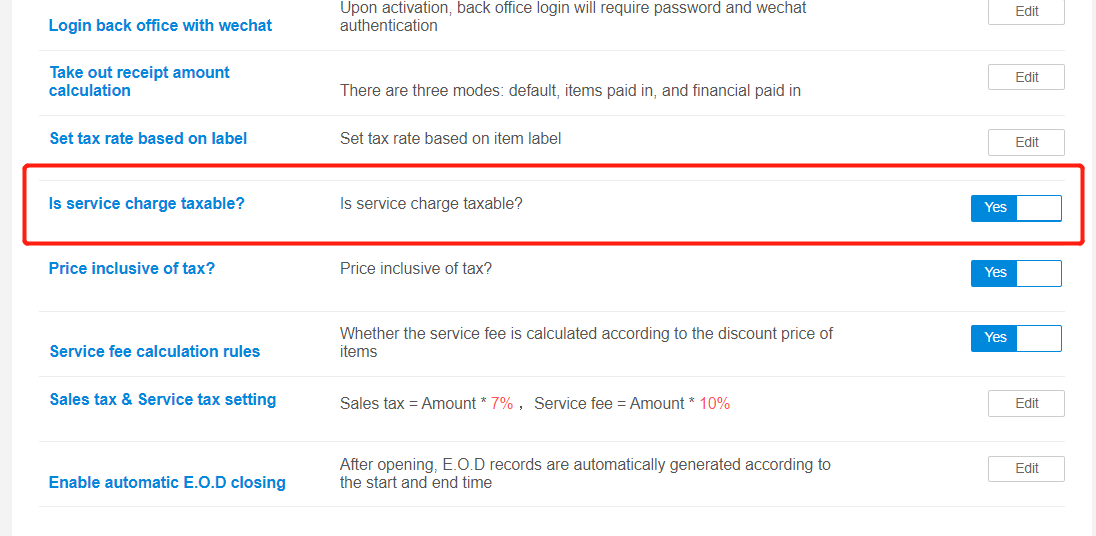
If service charge is taxable, activate service charge taxable.
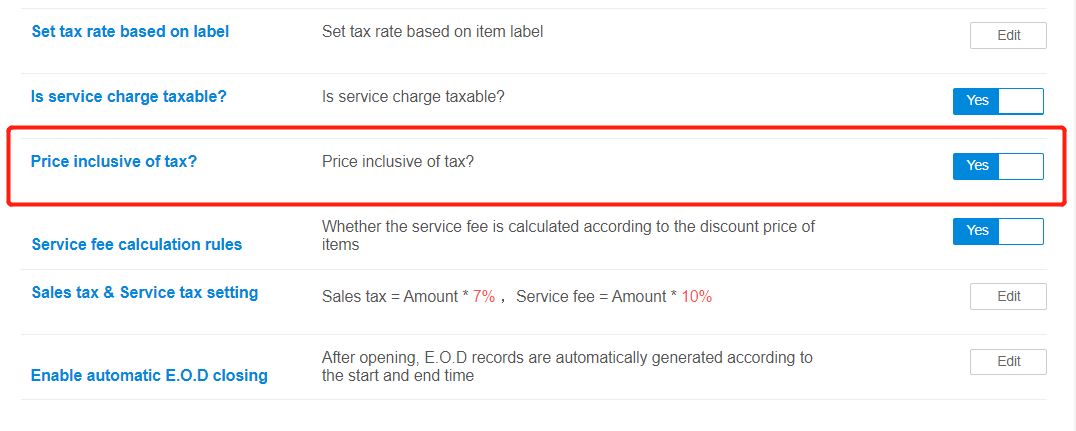
If GST is price inclusive, activate price inclusive of tax. If exclusive, deactivate it.
If the service charge will make calculation after the discount price, then activate service fee calculation rules.
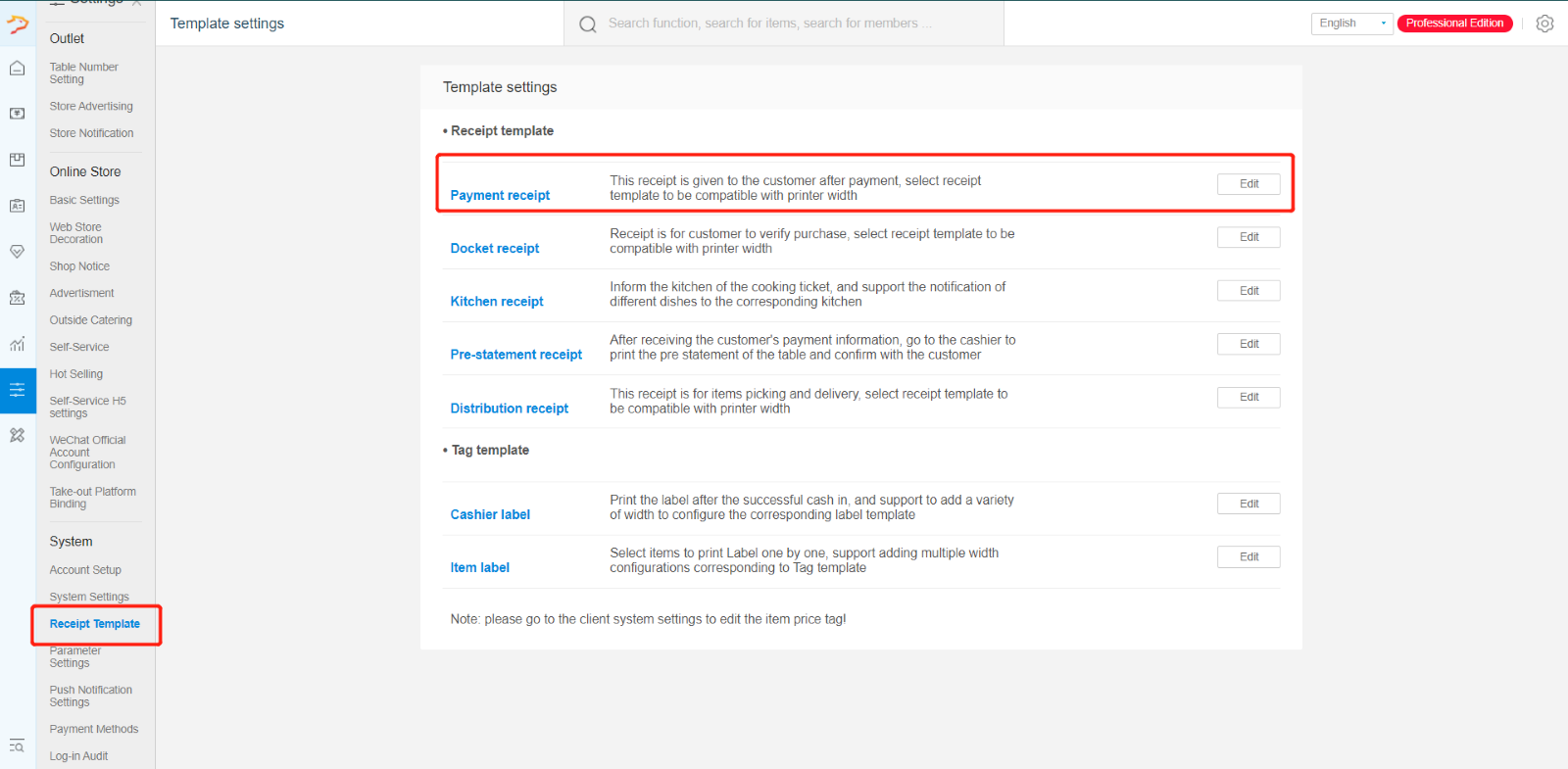
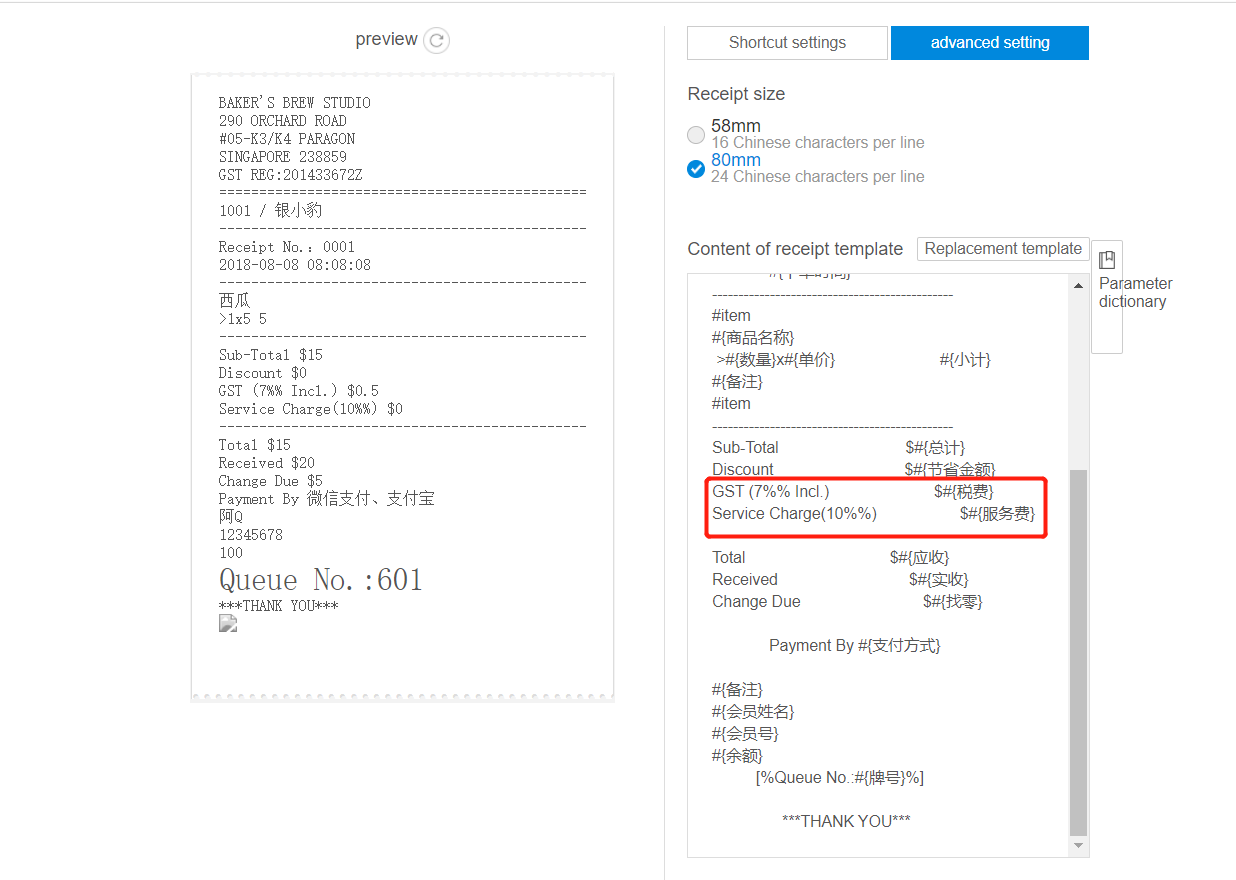
Remember to add in receipt template the parameter for GST and service charge:
GST: #{税费}
Service Charge: #{服务费}
Any Enquiries? Message us!
If you have any question or concern, please fill below and we’ll get back to you shortly.
Get in Touch with Us


7 Holland Village Way, #05-03/05 Tower Lobby B, One Holland Village, Singapore 275748

Call us for a Quote

+65 8771 8700
+65 6850 5177
Stay Connected
Copyright © Weebo Pte Ltd All Rights Reserved.