
How to set up customer’s store review in the online store?
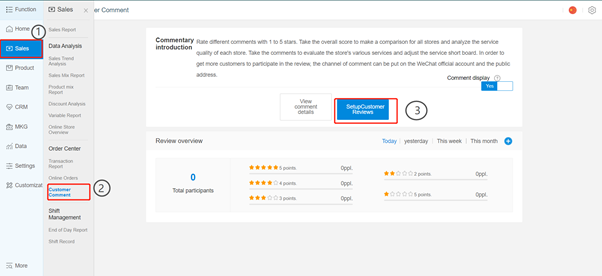
First , click Sales ---> Customer Comment ---> Setup Customer Reviews
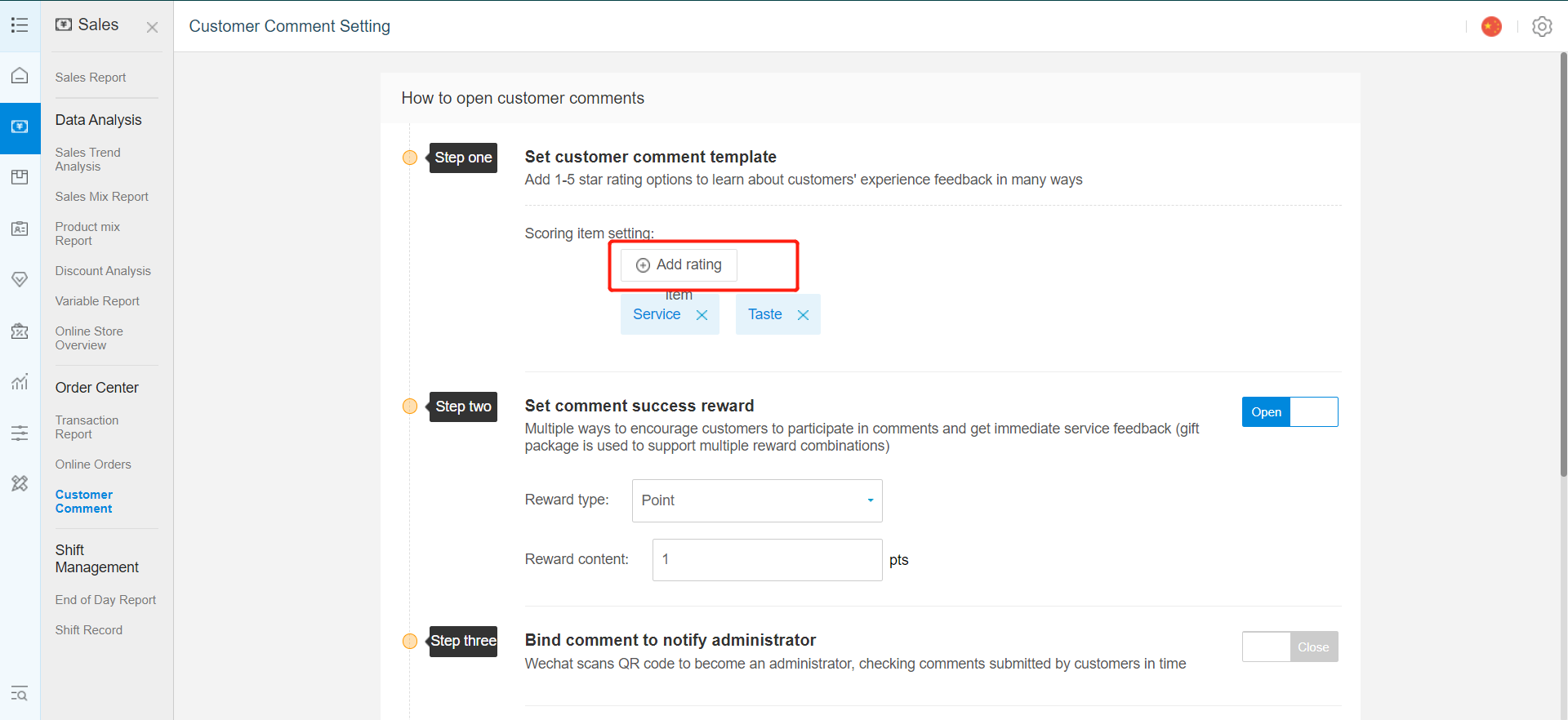
click Add Rating
-
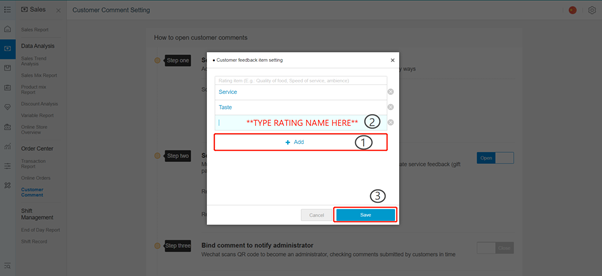
Click Add to add new rating
-
type in rating name ( eg. Service , Taste or others).
-
Confirm and click Save
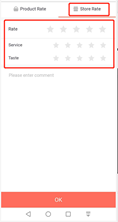
Every order completed , customer can give store rating based on the rating you set in web store.
Need help? WhatsApp us +65 8508 9618
Any Enquiries? Message us!
If you have any question or concern, please fill below and we’ll get back to you shortly.
Get in Touch with Us


7 Holland Village Way, #05-03/05 Tower Lobby B, One Holland Village, Singapore 275748

Call us for a Quote

+65 8771 8700
+65 6850 5177
Stay Connected
Copyright © Weebo Pte Ltd All Rights Reserved.