
How to set point system / cash rebates
Point system and cash rebates would be helpful in creating loyalty in customer.
Follow the steps to create point system.
Login to your back office
- Select CRM category, then select Point Rules in sub category.
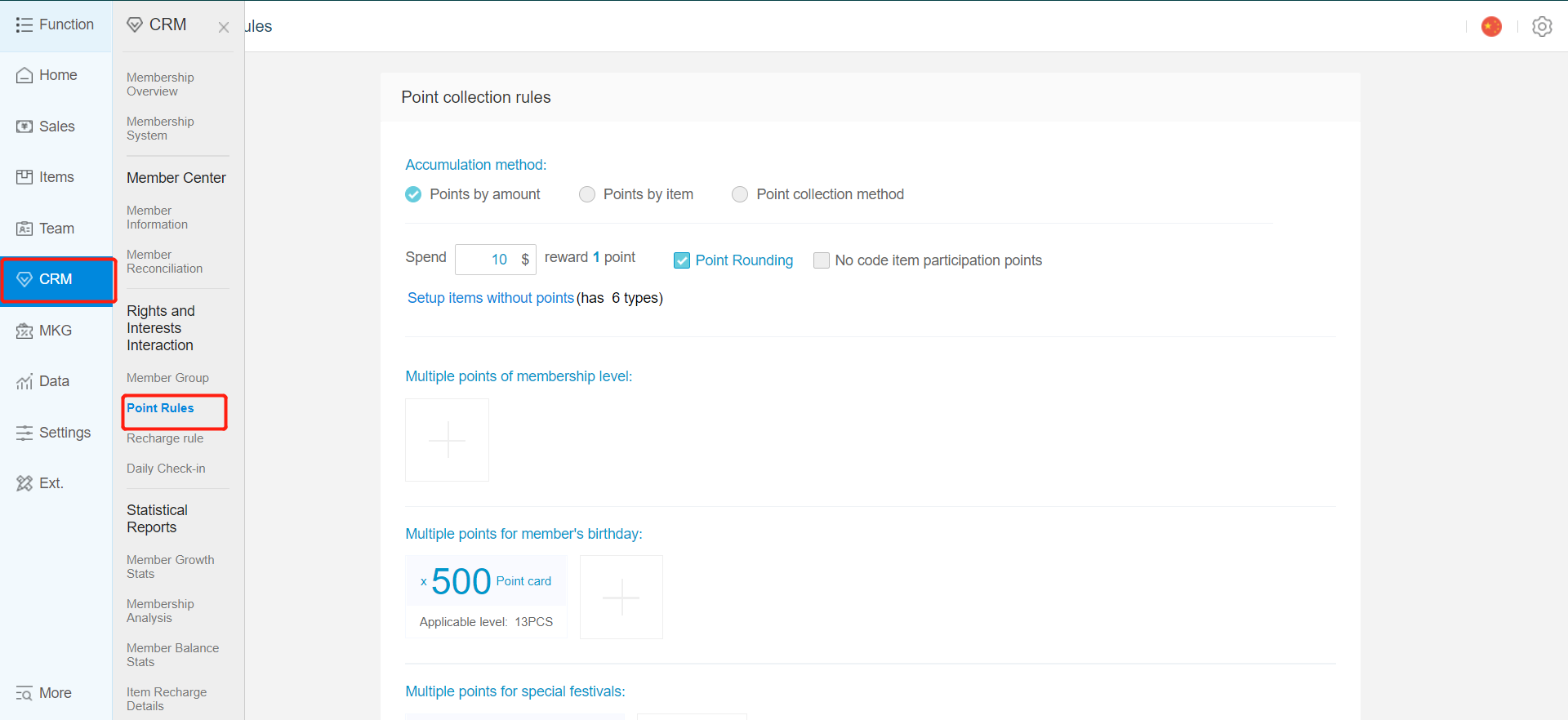
- There is the option of setting the point method on awarding points based on amount spent or based on product.
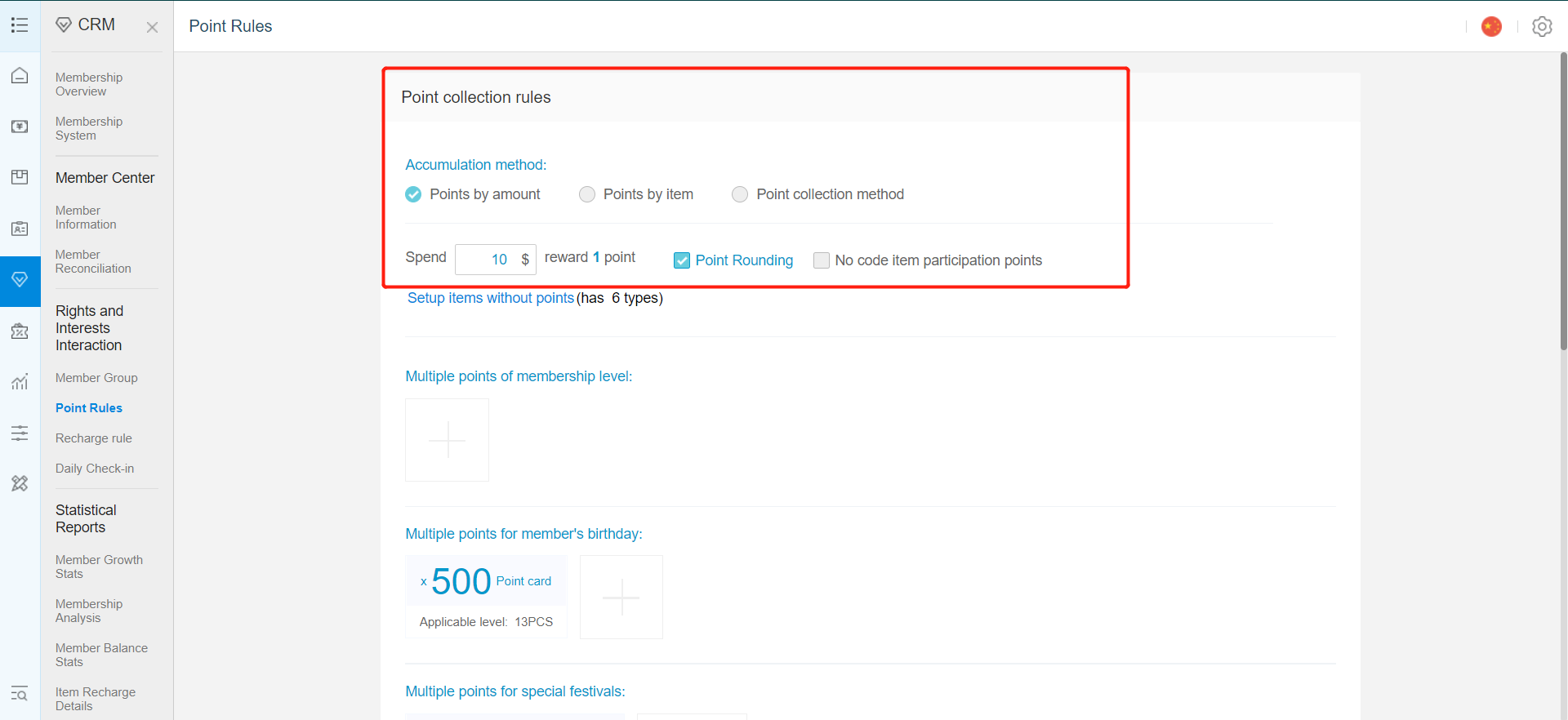
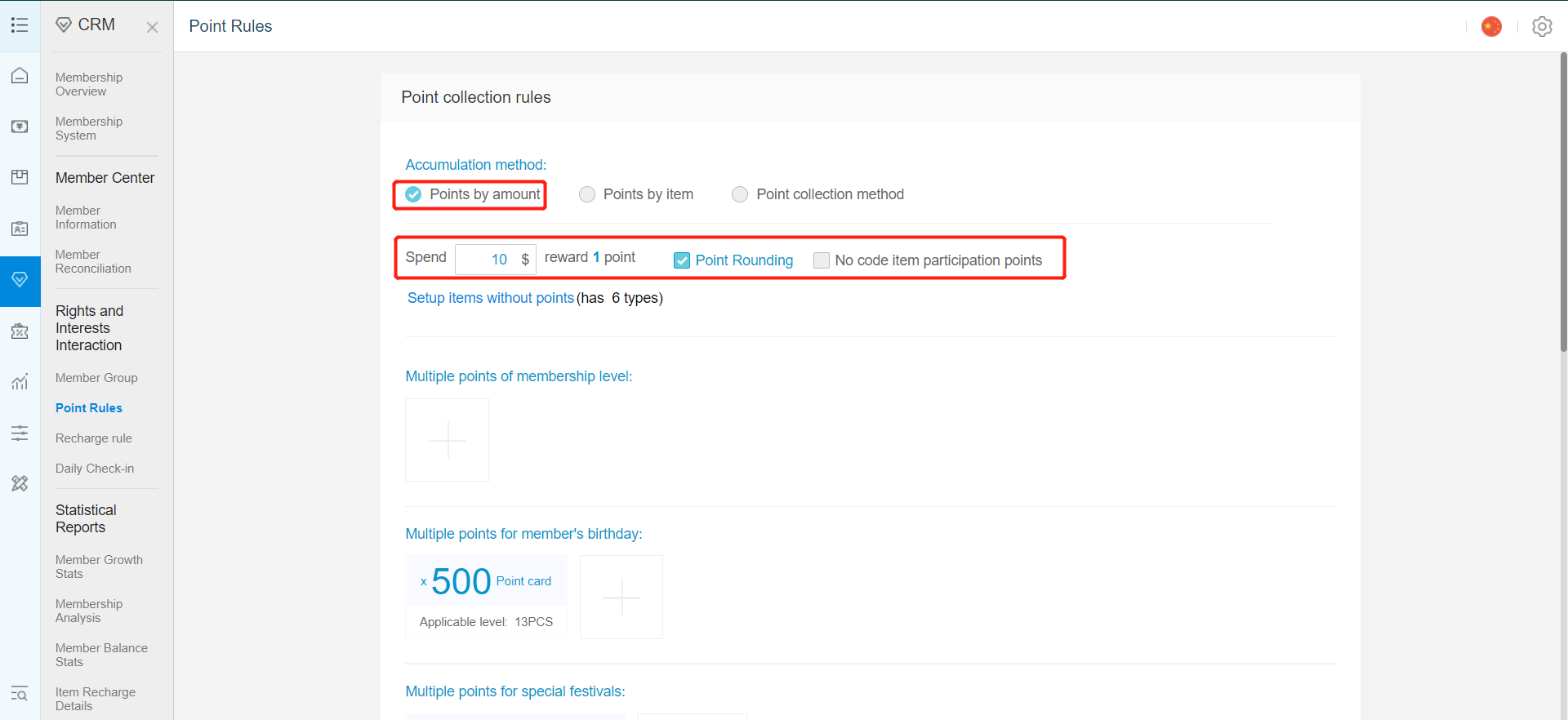
- For points based on amount spent, you could set the amount required to gain 1 points.
- For reward base on product, you could set the point according to the product or the category
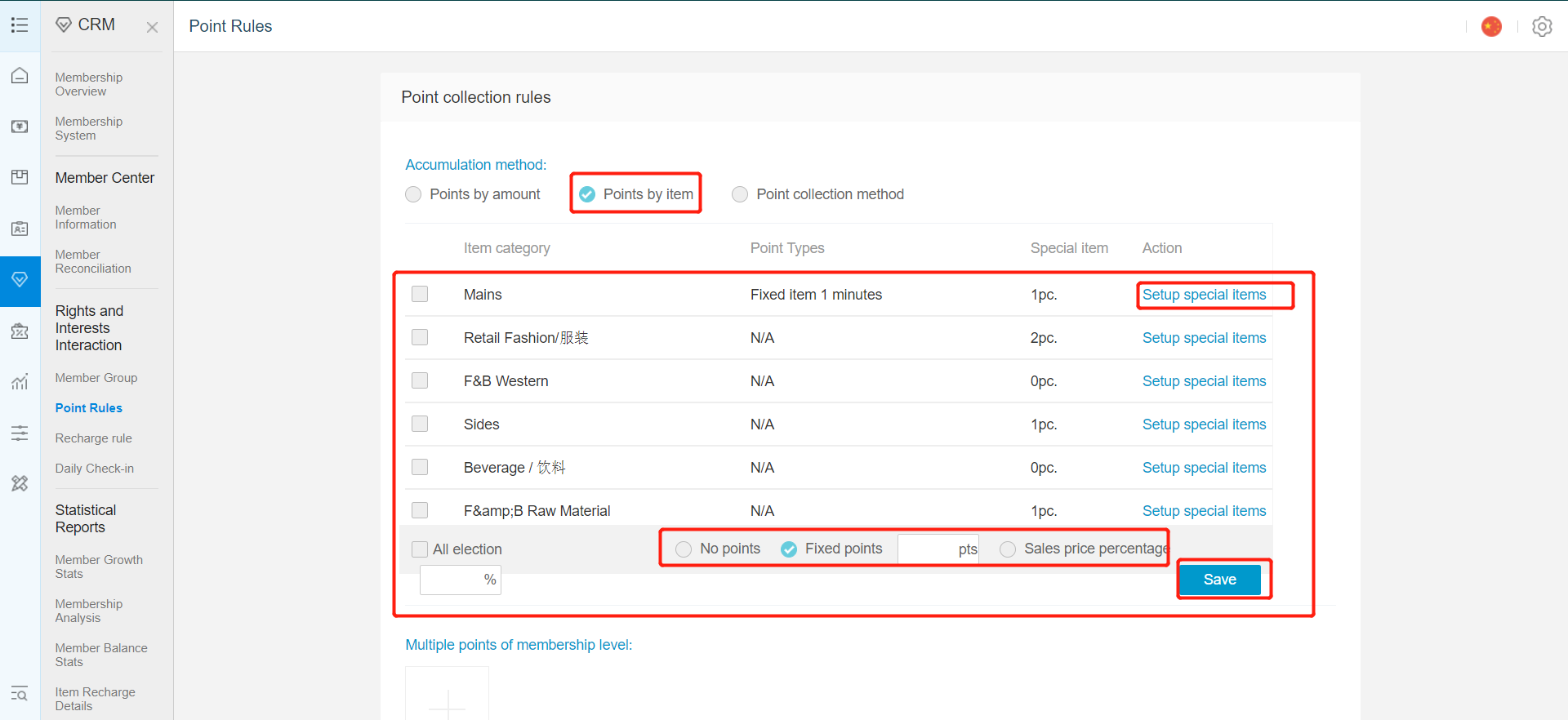
- If you want to set single /bulk of item to earn point , can click on "Setup special items" to select items.
Bsides that ,you could chose the type of point award for each category. To be based on fixed point or sales.
- In point system, there is the option of item redemption or cash rebate.
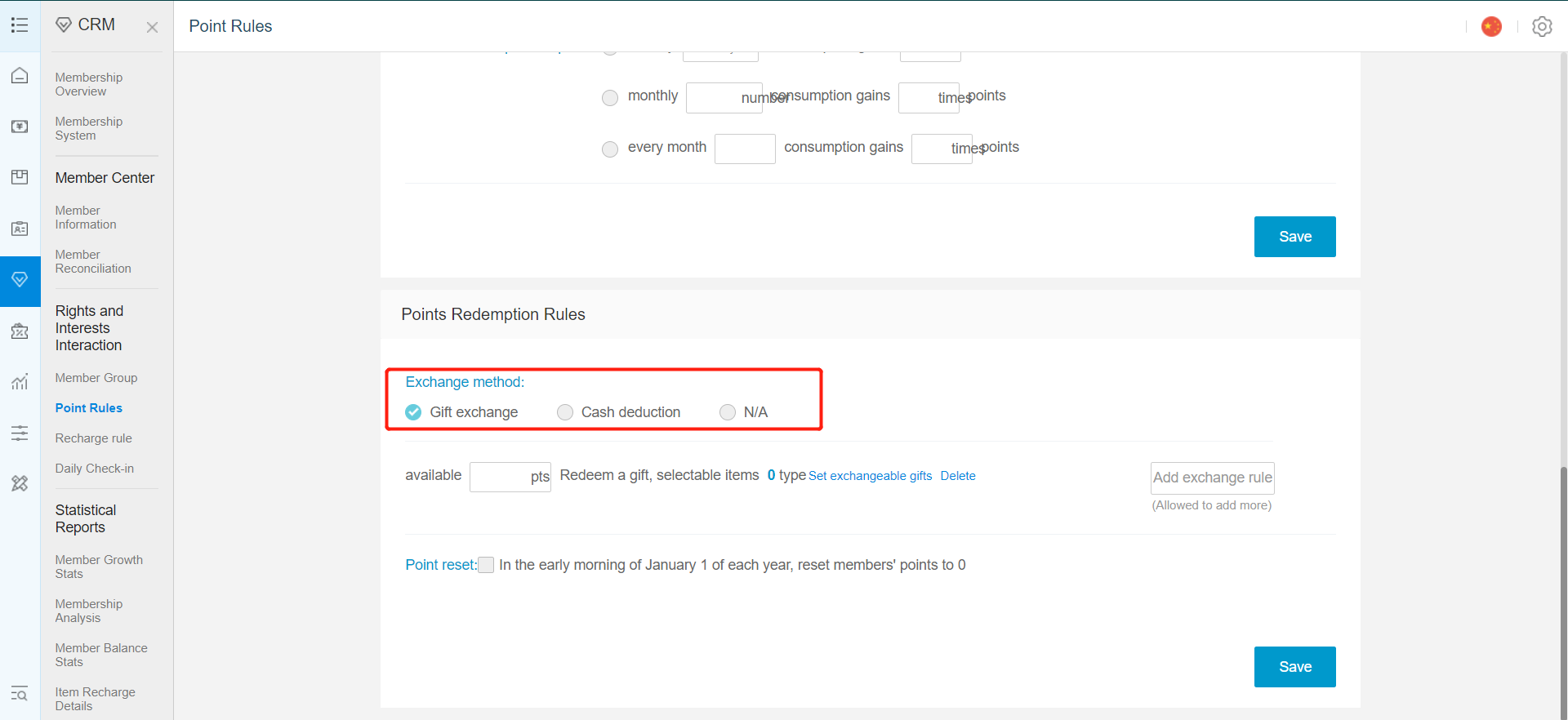
- For item redemption, you could set the rule on the item exchanged and points require.
To set the item that could be exchanged, click on add exchangeable gifts.
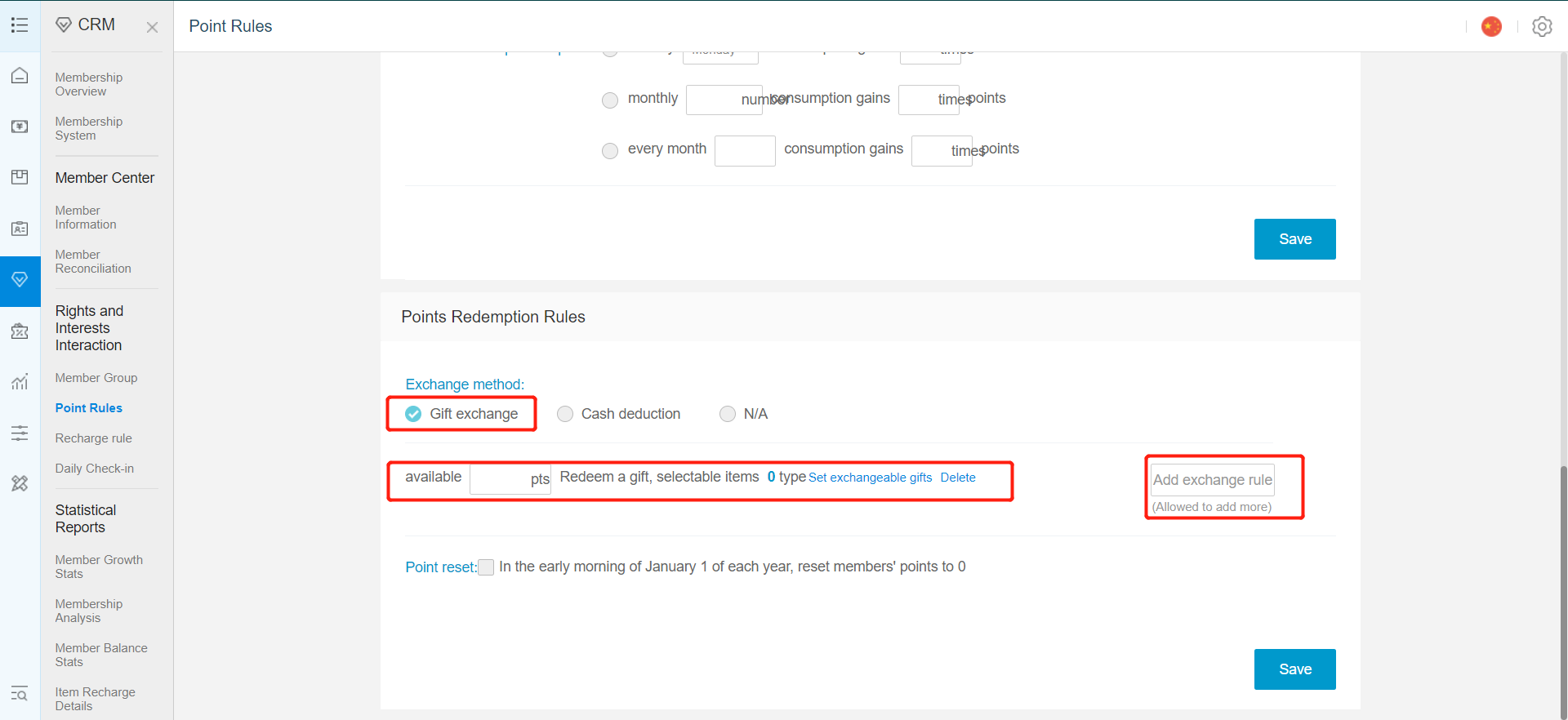
- Click on add item
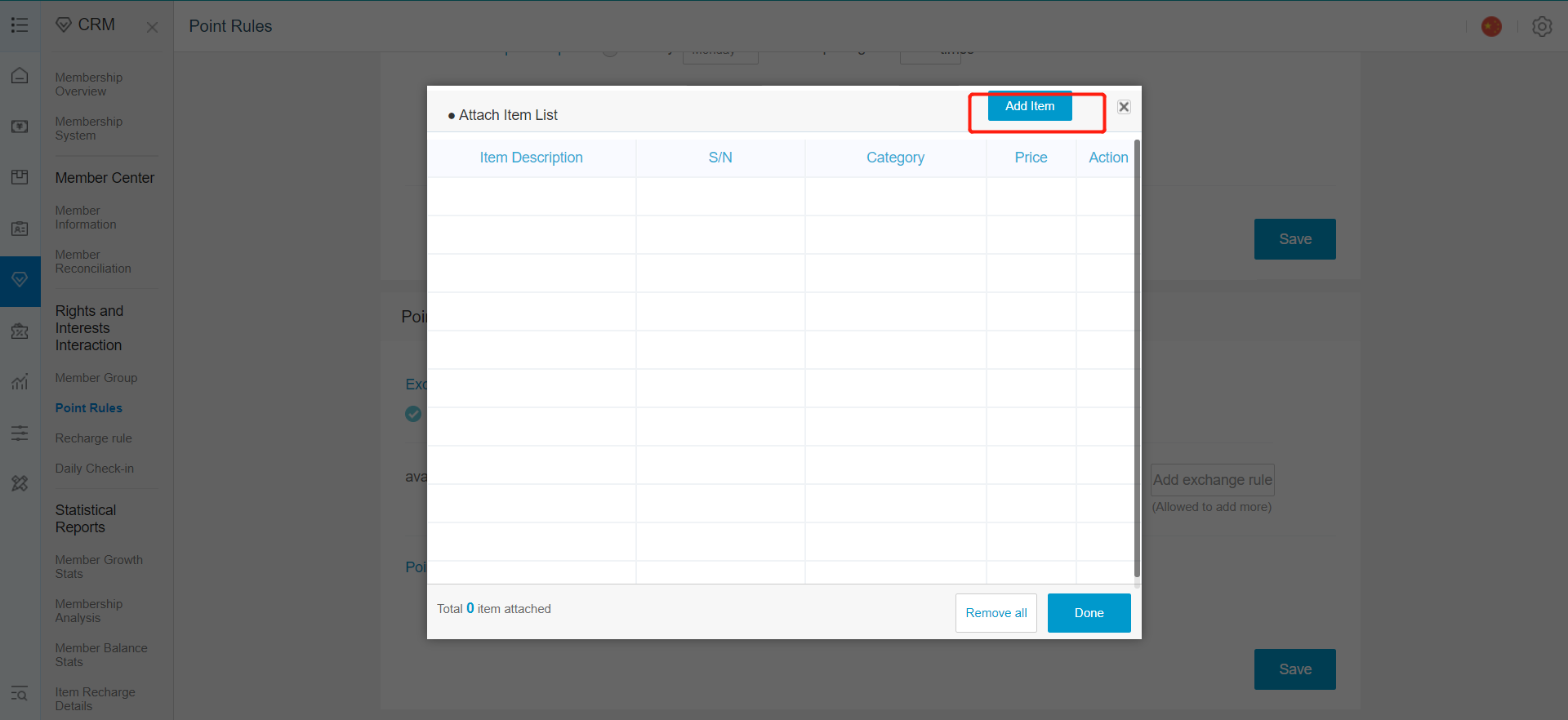
-
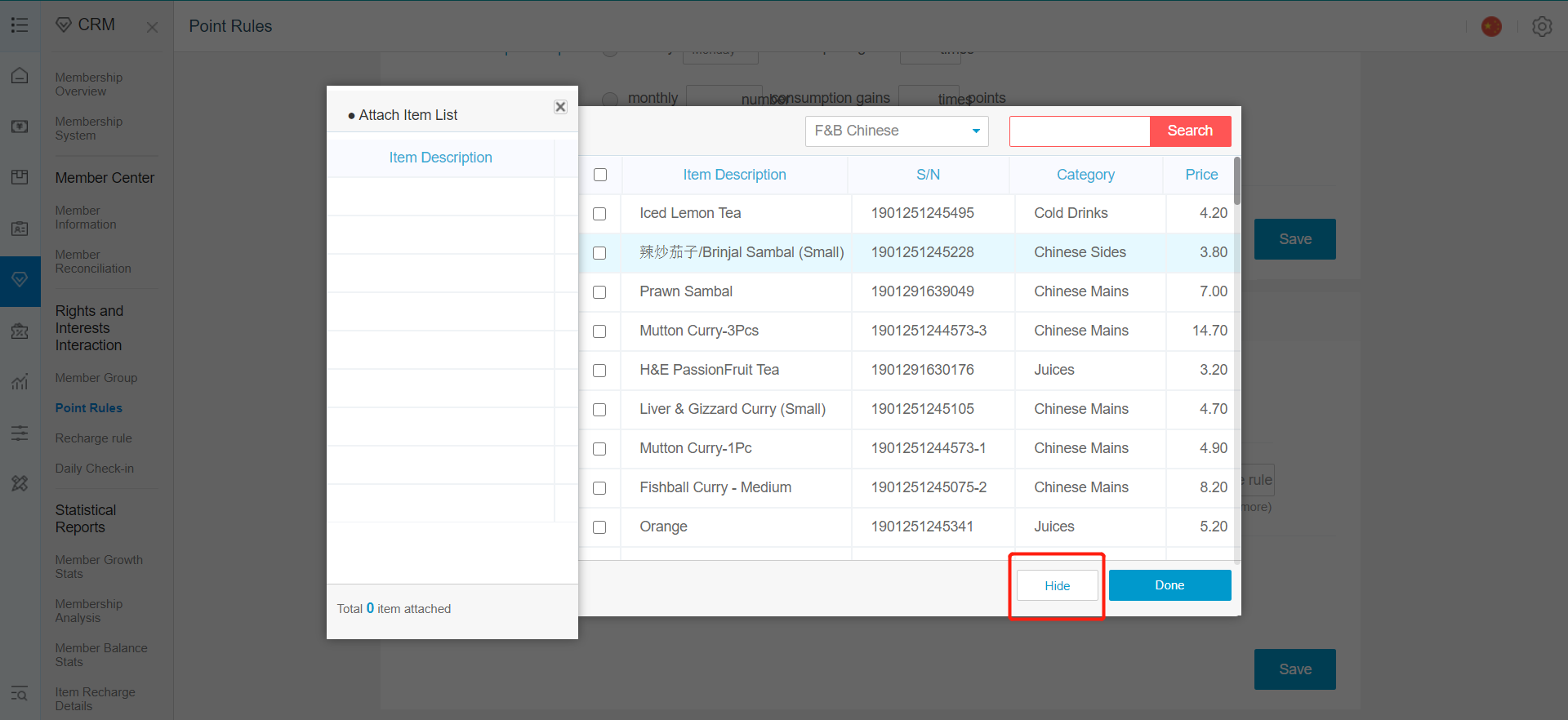
Search for item in the search bar
-
Click on add to add the item.
-
Click Done
-
Click on Hide to go back.
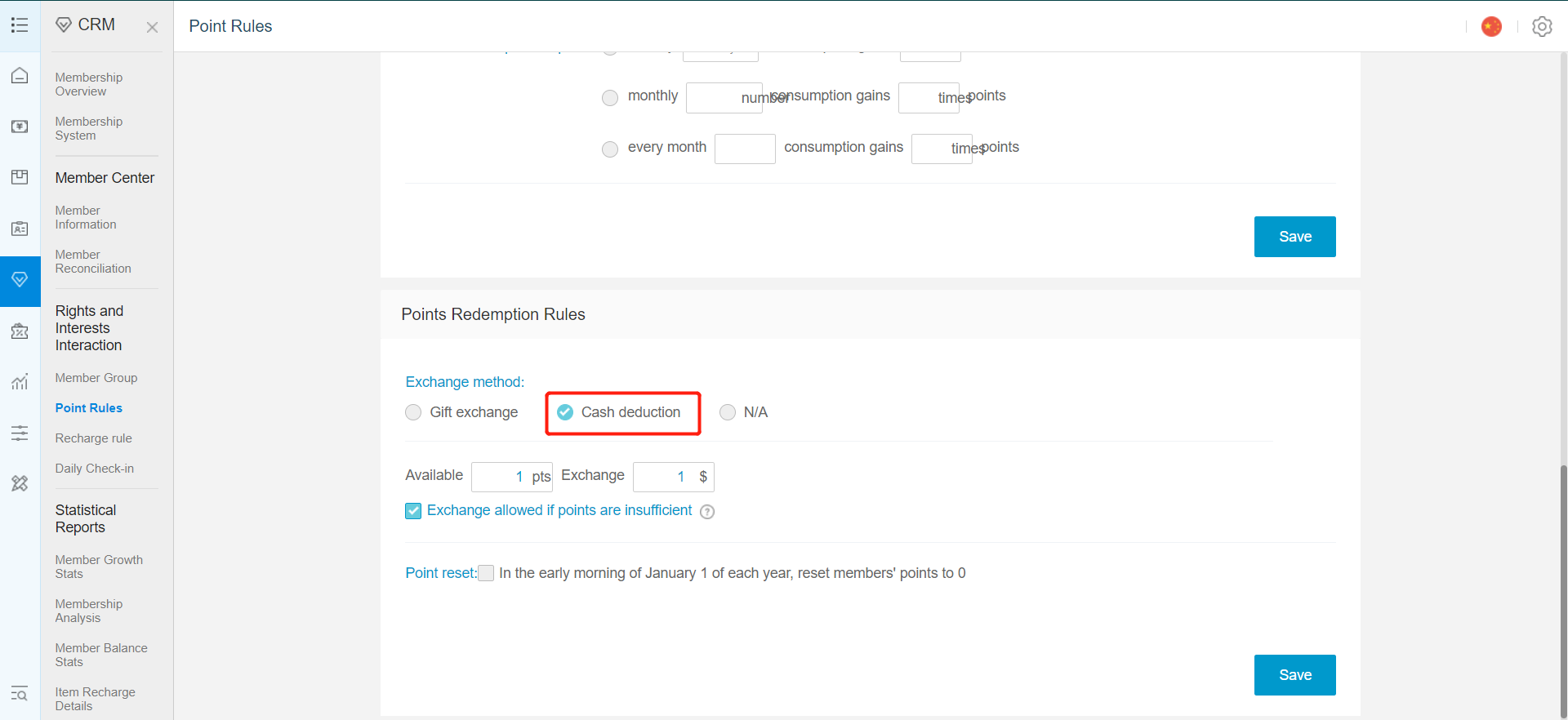
- For cash rebate, select cash deduction.
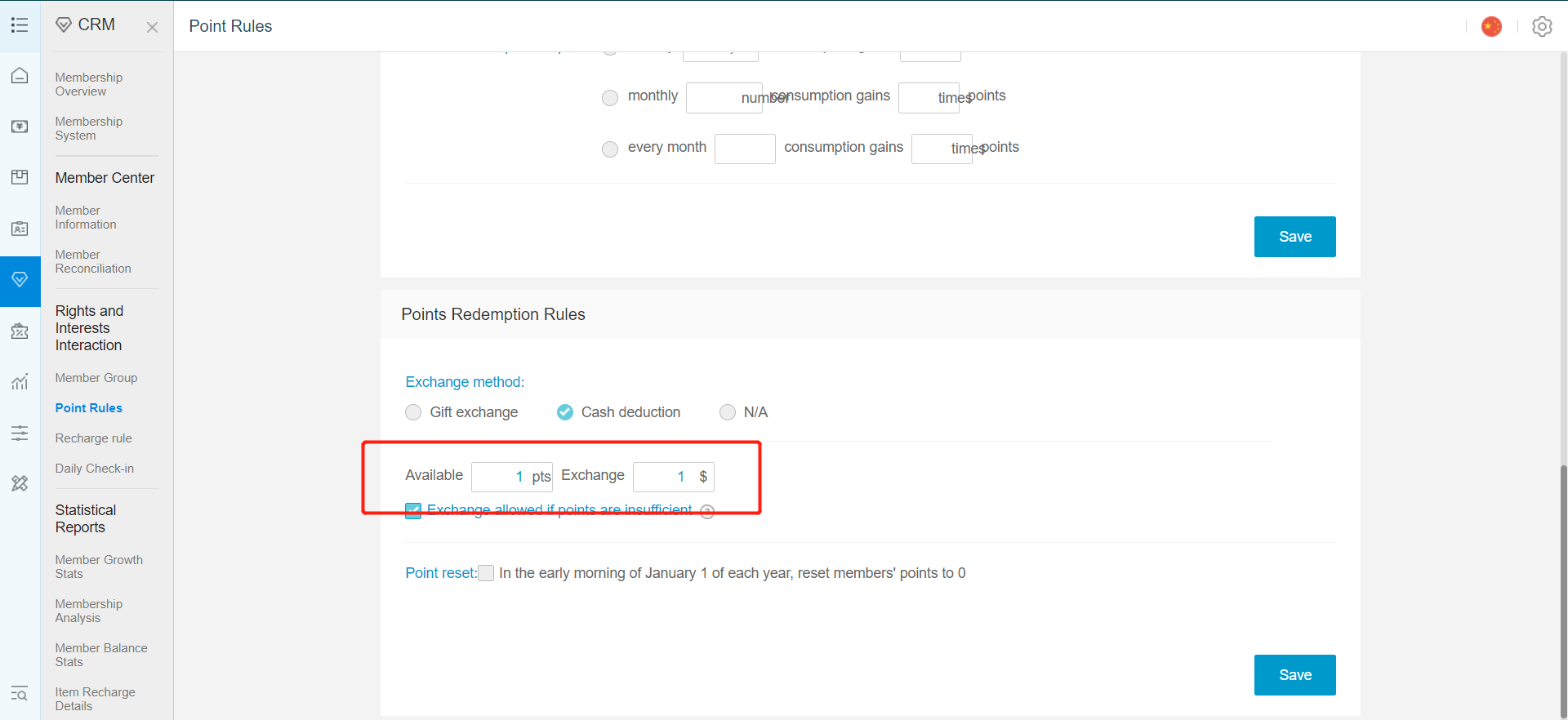
- Then set the amount of rebate given for set amount of points.
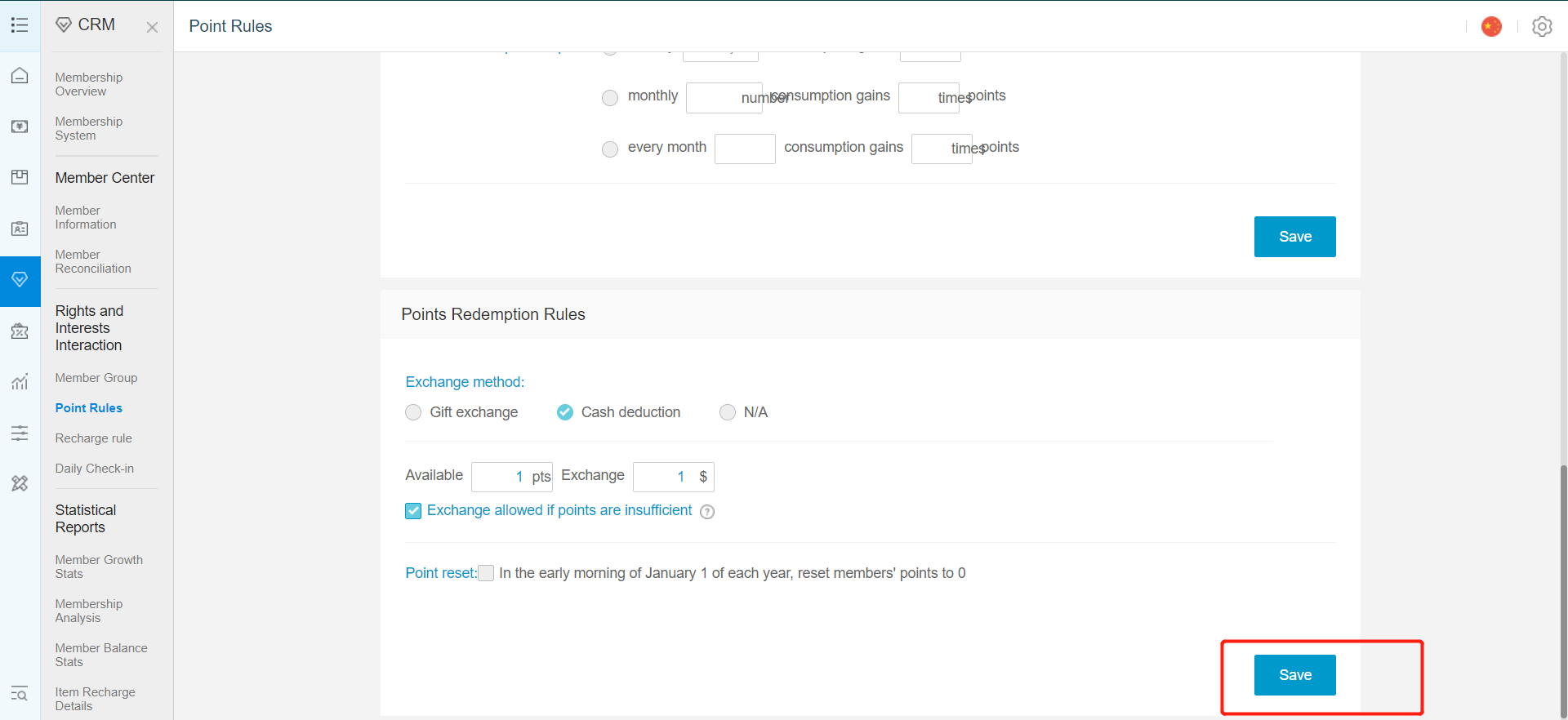
- Click on save when every setting is done.
Need help? WhatsApp us +65 8508 9618
Any Enquiries? Message us!
If you have any question or concern, please fill below and we’ll get back to you shortly.
Get in Touch with Us


7 Holland Village Way, #05-03/05 Tower Lobby B, One Holland Village, Singapore 275748

Call us for a Quote

+65 8771 8700
+65 6850 5177
Stay Connected
Copyright © Weebo Pte Ltd All Rights Reserved.