
How to mass import product from excel
Go to backend and login
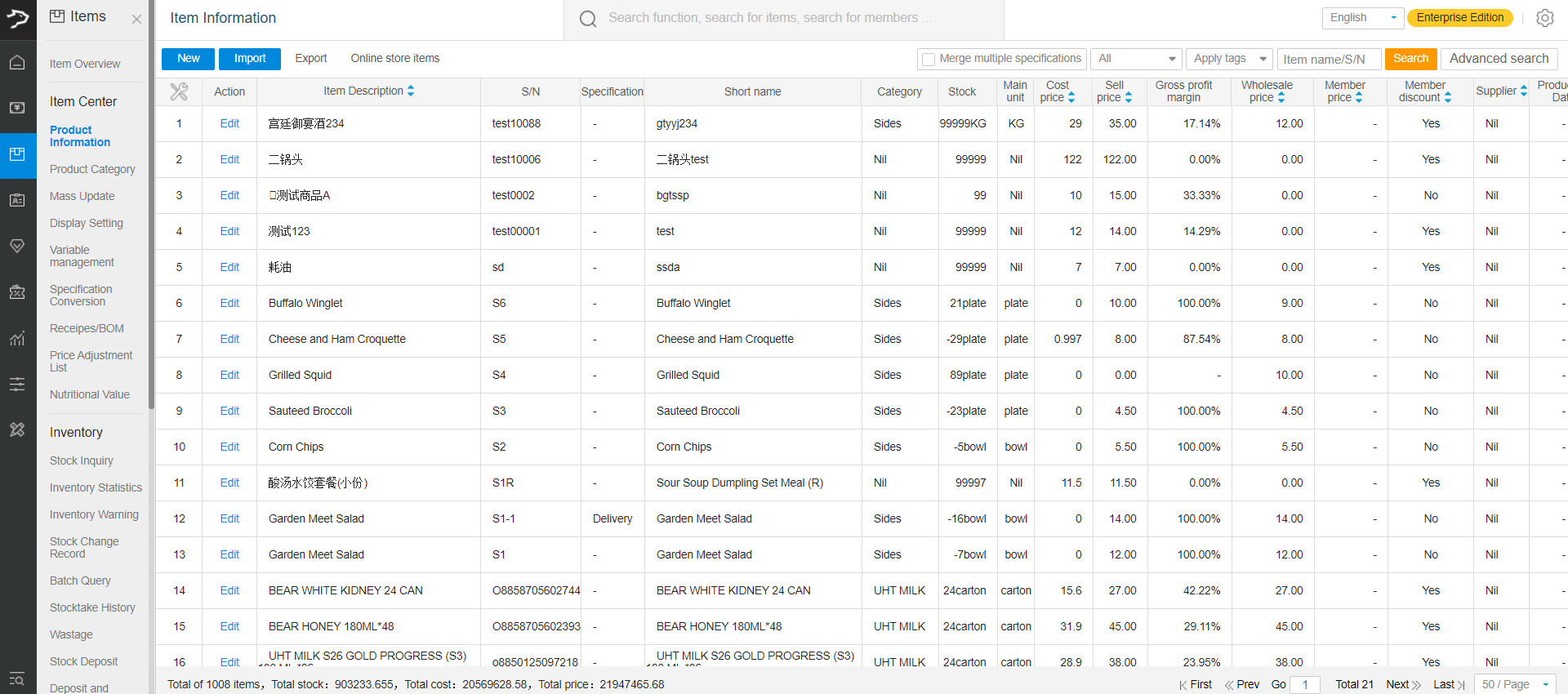
Go to items>product information
Click on import
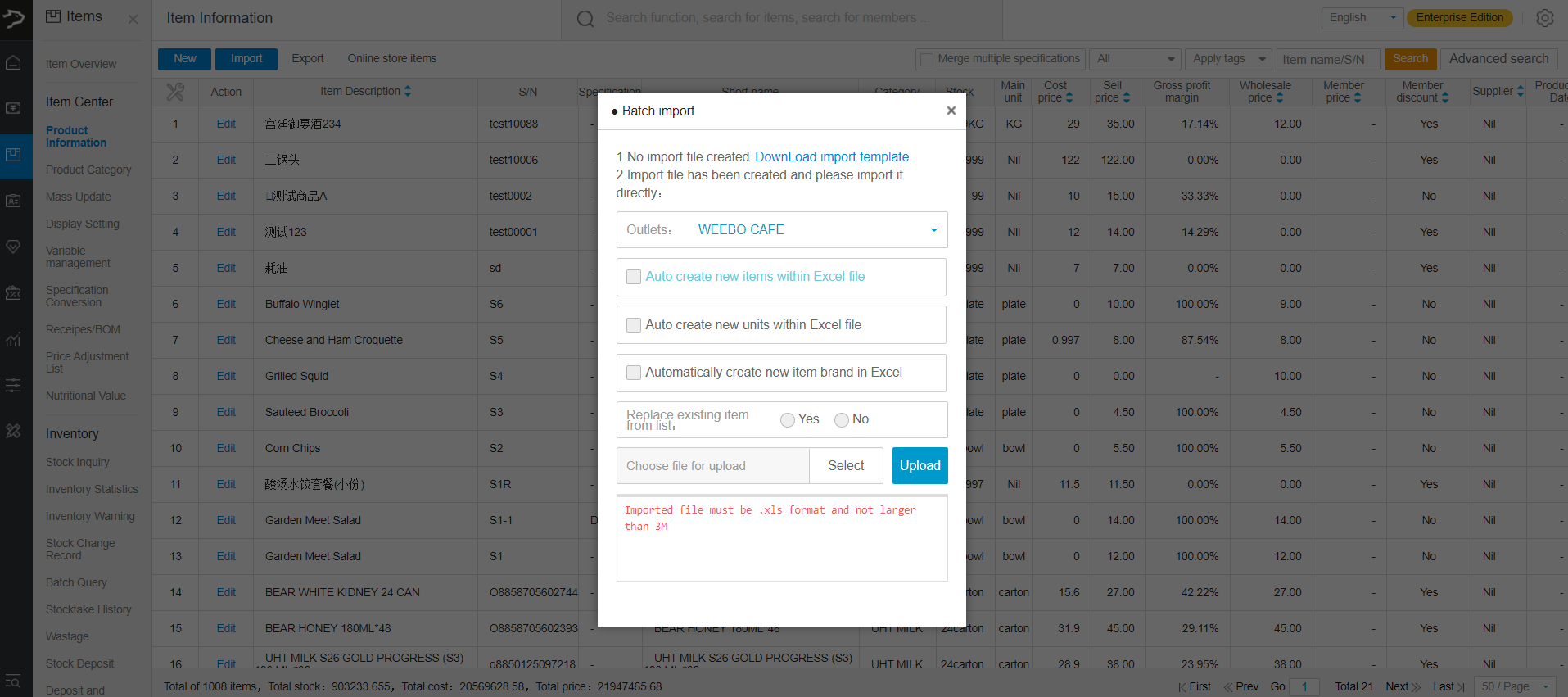
Tick the boxes accordingly (if unsure, just tick all)
Select whether to replace existing item information. (select yes to update product information according to barcode number)(select no when creating new item)
Click on select to select your files
Click on upload to complete the upload
Wait for the upload to finish. If upload fail, it will prompt an error message below
You can click on download import template to get a template excel and fill it up accordingly.
Note: The max amount of item you can upload at a time is 1500.
Note: The file must be in xls format and less than 3m
Note: The barcode number should only be filled with Numbers (you can add a few alphabet and a dash. Eg. S1000-1)
Note: You need to filled up all compulsory field(you can fill up stock and cost price as zero if you do not require them)
Note: Ensure all prices field and stock amount are in number format.
May use the file format we attached below.
Attachments (1)
The template file is no longer attached here; WhatsApp us and we will send it to you.
Any Enquiries? Message us!
If you have any question or concern, please fill below and we’ll get back to you shortly.
Get in Touch with Us


7 Holland Village Way, #05-03/05 Tower Lobby B, One Holland Village, Singapore 275748

Call us for a Quote

+65 8771 8700
+65 6850 5177
Stay Connected
Copyright © Weebo Pte Ltd All Rights Reserved.