
How to enable cash change for mix payment on POS?
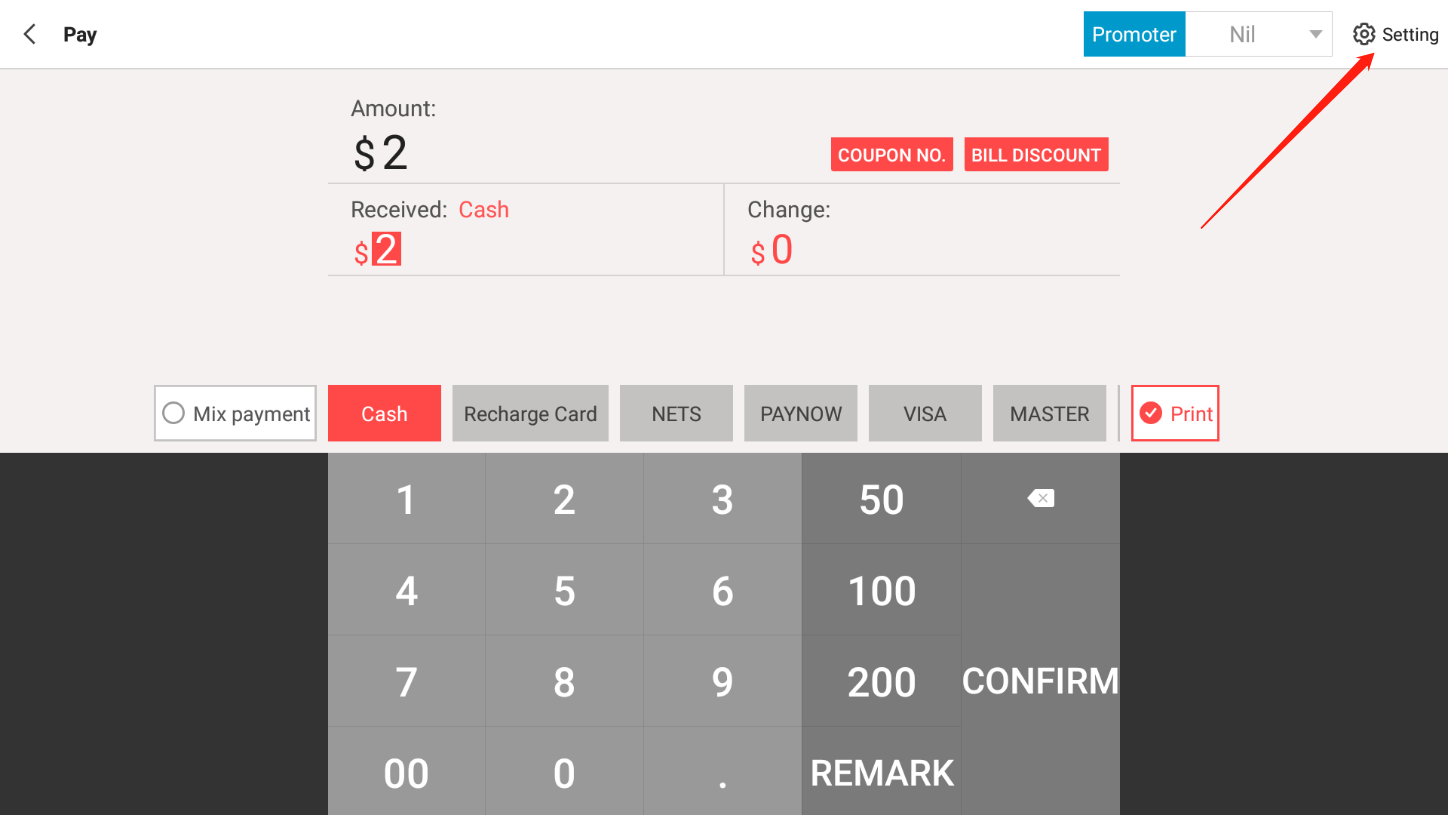
During mix payment, you could mix cash and other payment method. To enable it to calculate the change during this situation, you need to go to payment transaction page.
Step 1: Click on top right corner Setting.
Step 2: Activate Cash change of combination payment
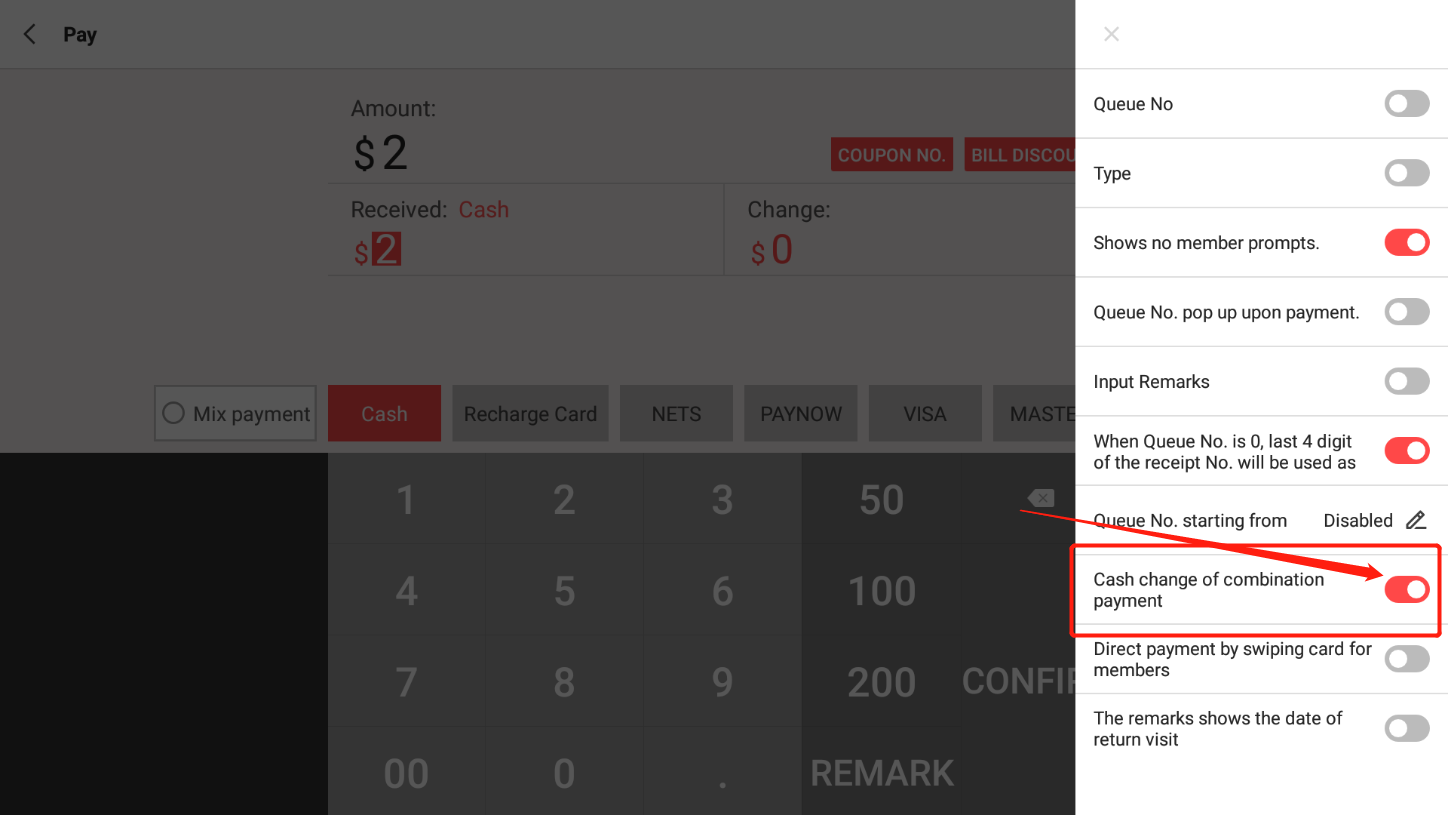
Step 3: You will change have to input the amount each payment received and the change will be calculated for you.
Need help? WhatsApp us +65 8508 9618
Any Enquiries? Message us!
If you have any question or concern, please fill below and we’ll get back to you shortly.
Get in Touch with Us


7 Holland Village Way, #05-03/05 Tower Lobby B, One Holland Village, Singapore 275748

Call us for a Quote

+65 8771 8700
+65 6850 5177
Stay Connected
Copyright © Weebo Pte Ltd All Rights Reserved.