
How to edit existing item(s) - single or mass update
How to edit item individually
- Access Product Information from Item Tab
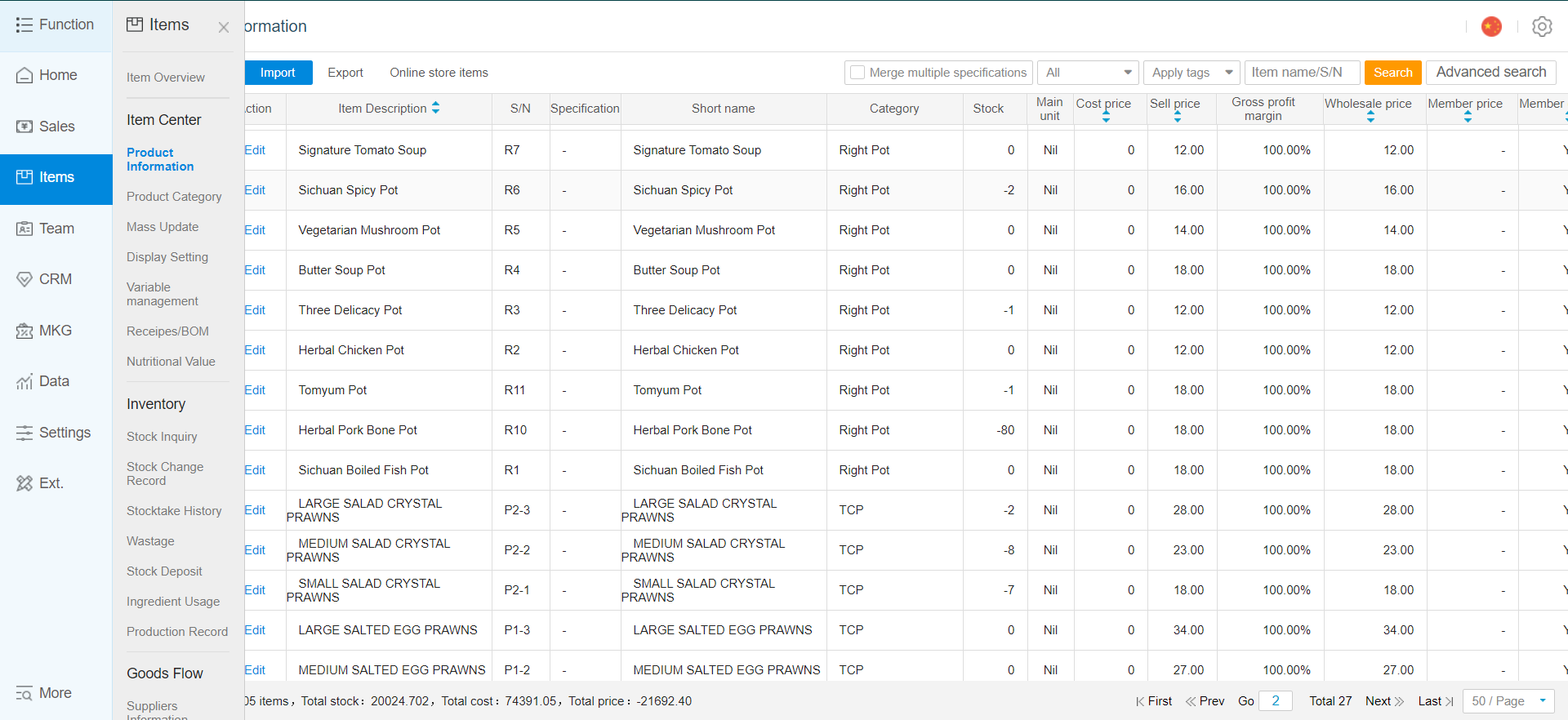
- Click on edit to edit information regarding item
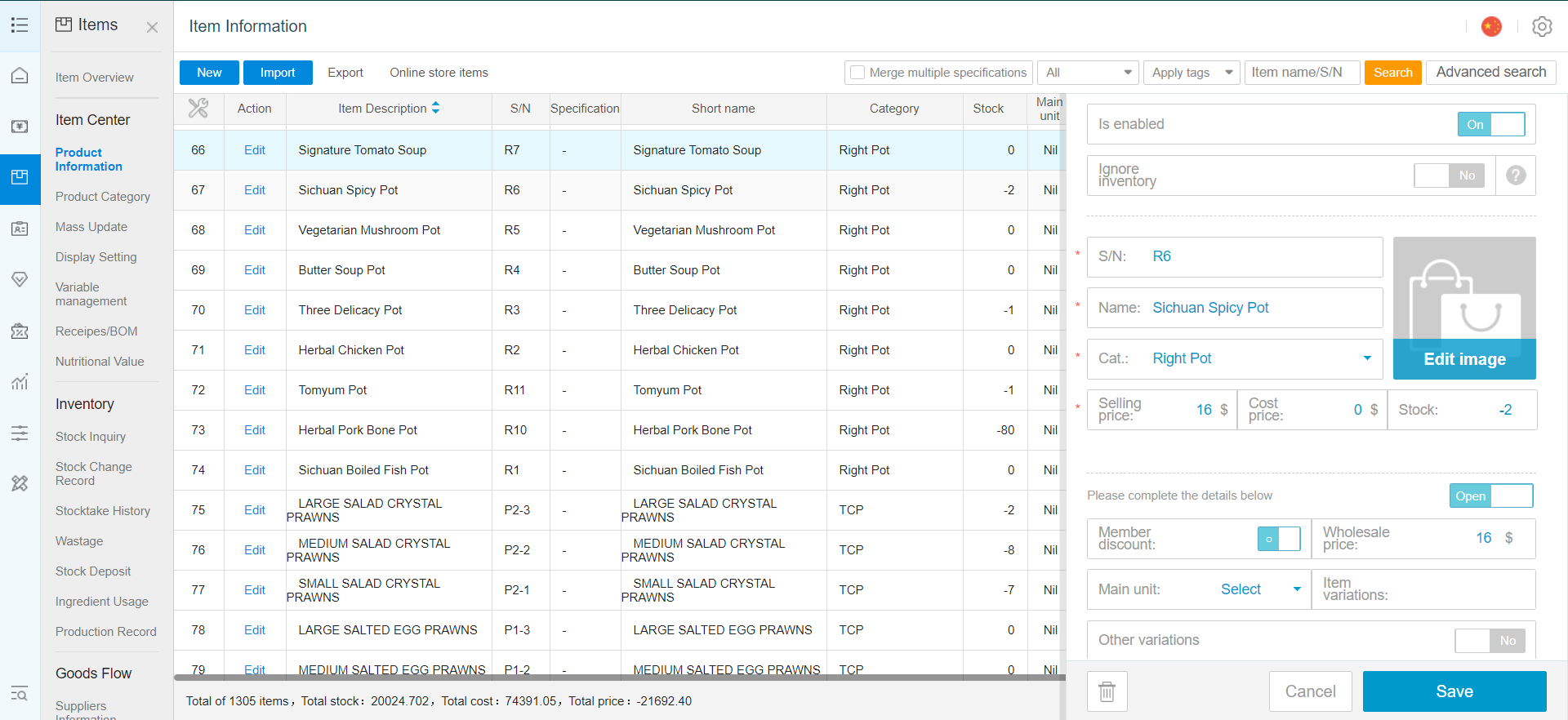
How to edit item(s) in batch using mass update
- Access Mass Update from Item Tab
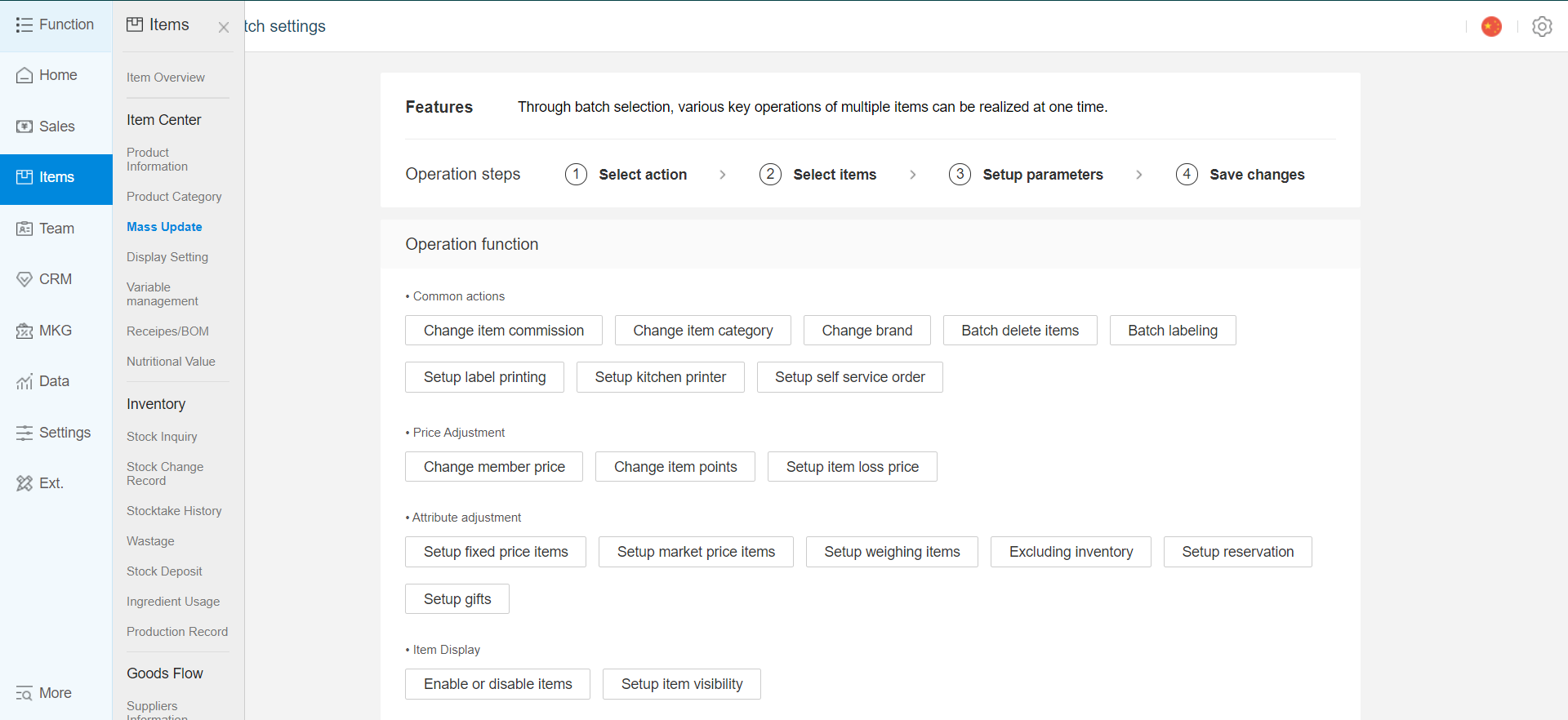
- Select items to apply mass update for, or use all
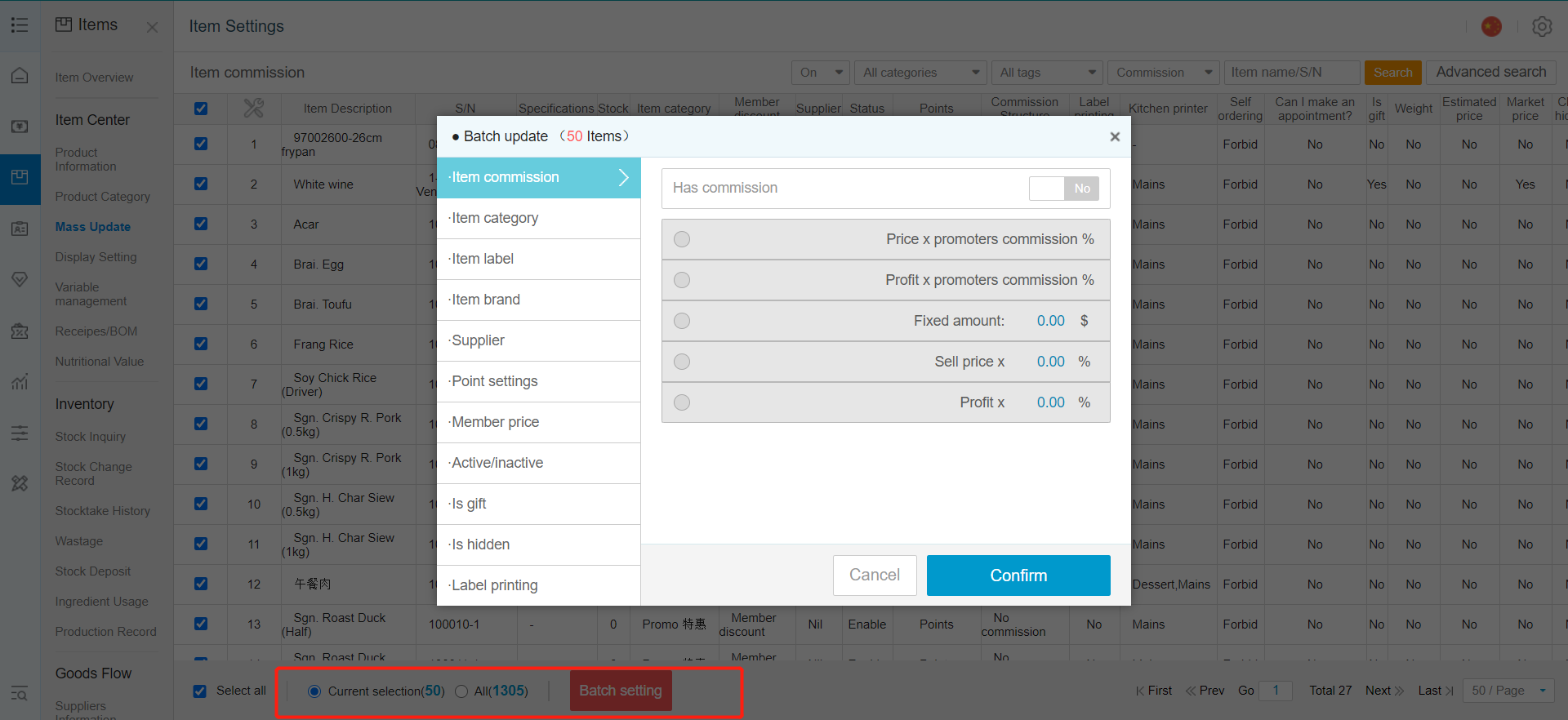
Item Commission : Commission setting for promoters
Product Category : Change item(s) category
Item Label : Assign or remove labels
Supplier : Assign supplier
Points Settings : Points accumulation for item(s)
Members Discount : Discount settings for member
Active / Inactive : show or hide from frontend product listing
Free gift? : Allow item to be given as a free gift 0$
Hide? : Hide from backend product list
Label Printing : Label Printing settings
Kitchen Printer : Assign item(s) to kitchen printer
Self Ordering : Not available
Pre-booking : Not available
Weighing Scale : Not available
Fix Price : Enable item fixed price, no discount under all conditions
Market Price : Enable market price function
Remove item
Reported Loss Price
Excluding inventory
Any Enquiries? Message us!
If you have any question or concern, please fill below and we’ll get back to you shortly.
Get in Touch with Us


7 Holland Village Way, #05-03/05 Tower Lobby B, One Holland Village, Singapore 275748

Call us for a Quote

+65 8771 8700
+65 6850 5177
Stay Connected
Copyright © Weebo Pte Ltd All Rights Reserved.