
How to create a frequency card / per-use card
-
Login To Back Office; Dashboard
-
Select Per-use Card under CRM Tab
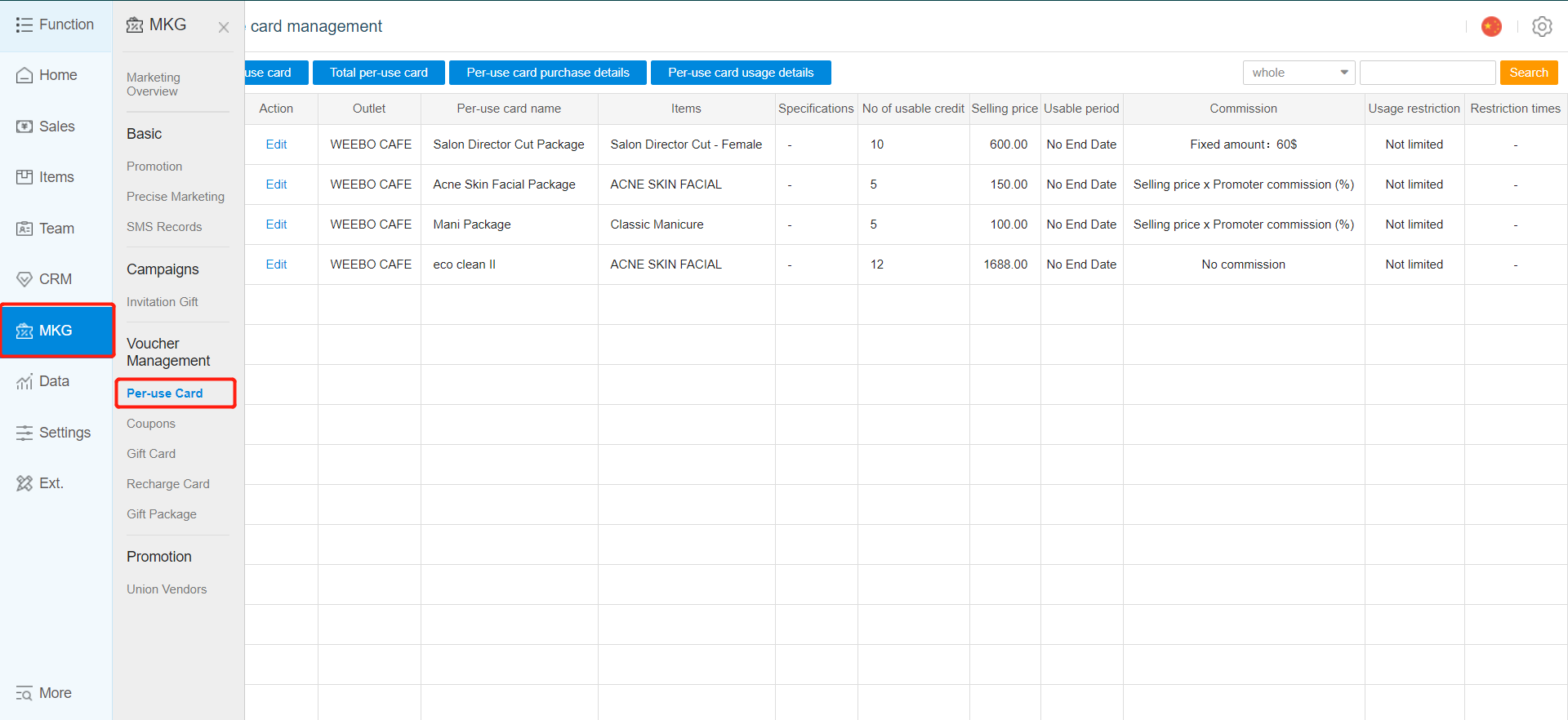
- Click Add Per -Use Card
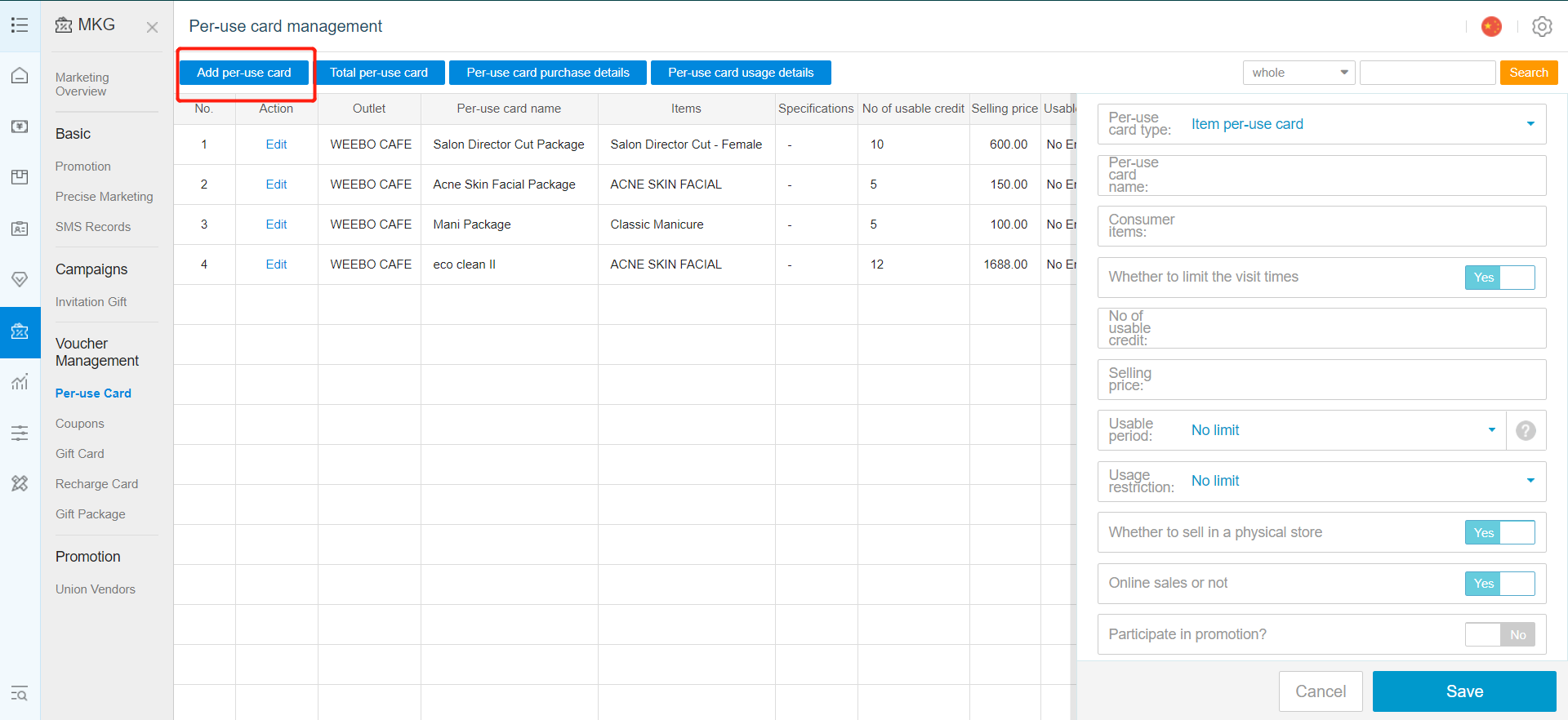
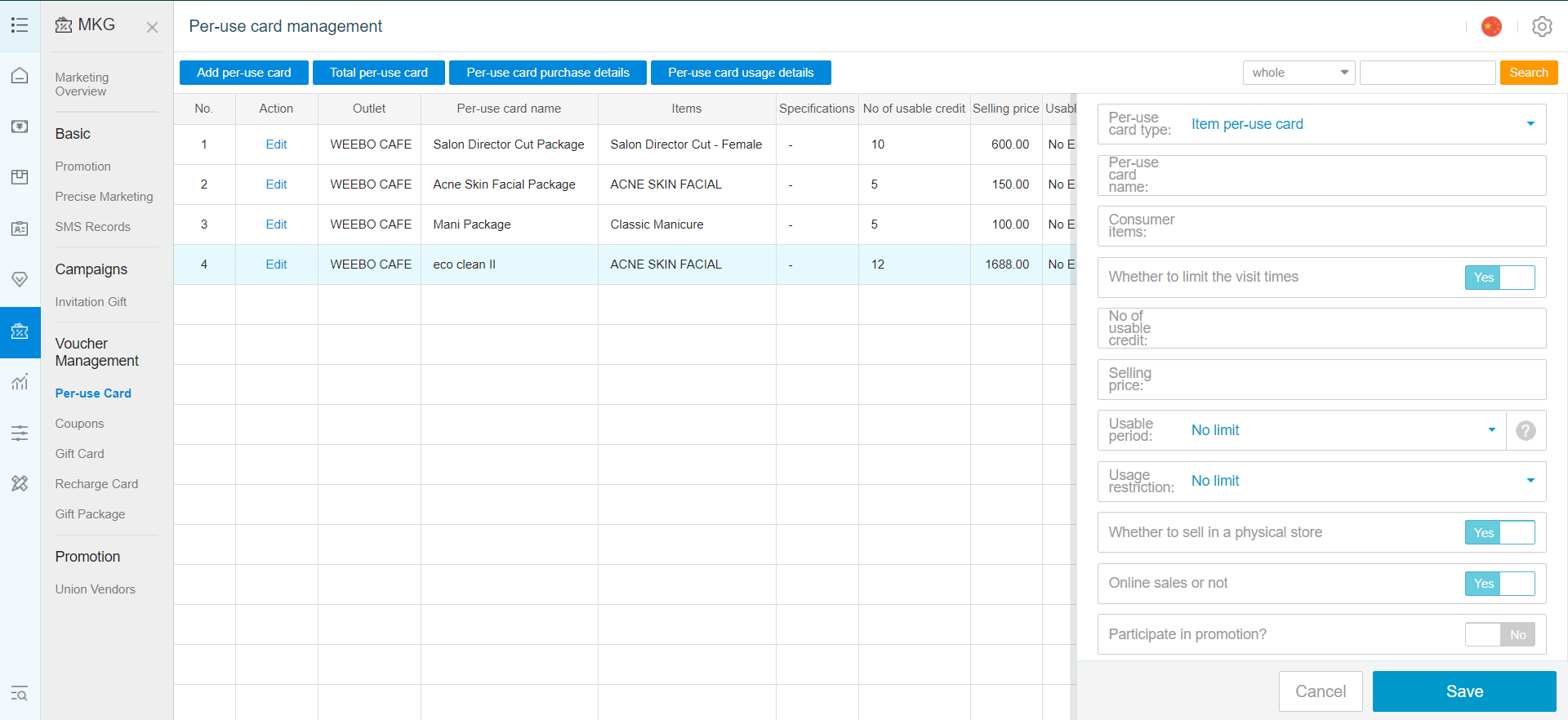
- New Option Settings For Add Per-use Card
Per-use Card Name: Name for the new card
Items: Choose Items that this card is applied to
No. Of Usable Credit: Number of time the new card can be used
Selling Price: How much does this card cost
Usable Period: How long do you want this card to be valid for
Usage Restriction : Any usage limit during daily /weekly/ monthly
Whether sell in a physical store
Online sale or not : Able to purchase in online store?
Participate in Promotion : Is it able to use in promotion?
Commission: How much commission for the promoter if they sell this card.
Example, A $20, 10 times per-use card for an item, the Big Mac Valid for 3 months.
Members can purchase this card for 20$, and within 3 months, use up to 10 times to claim 10x Big Mac in total.
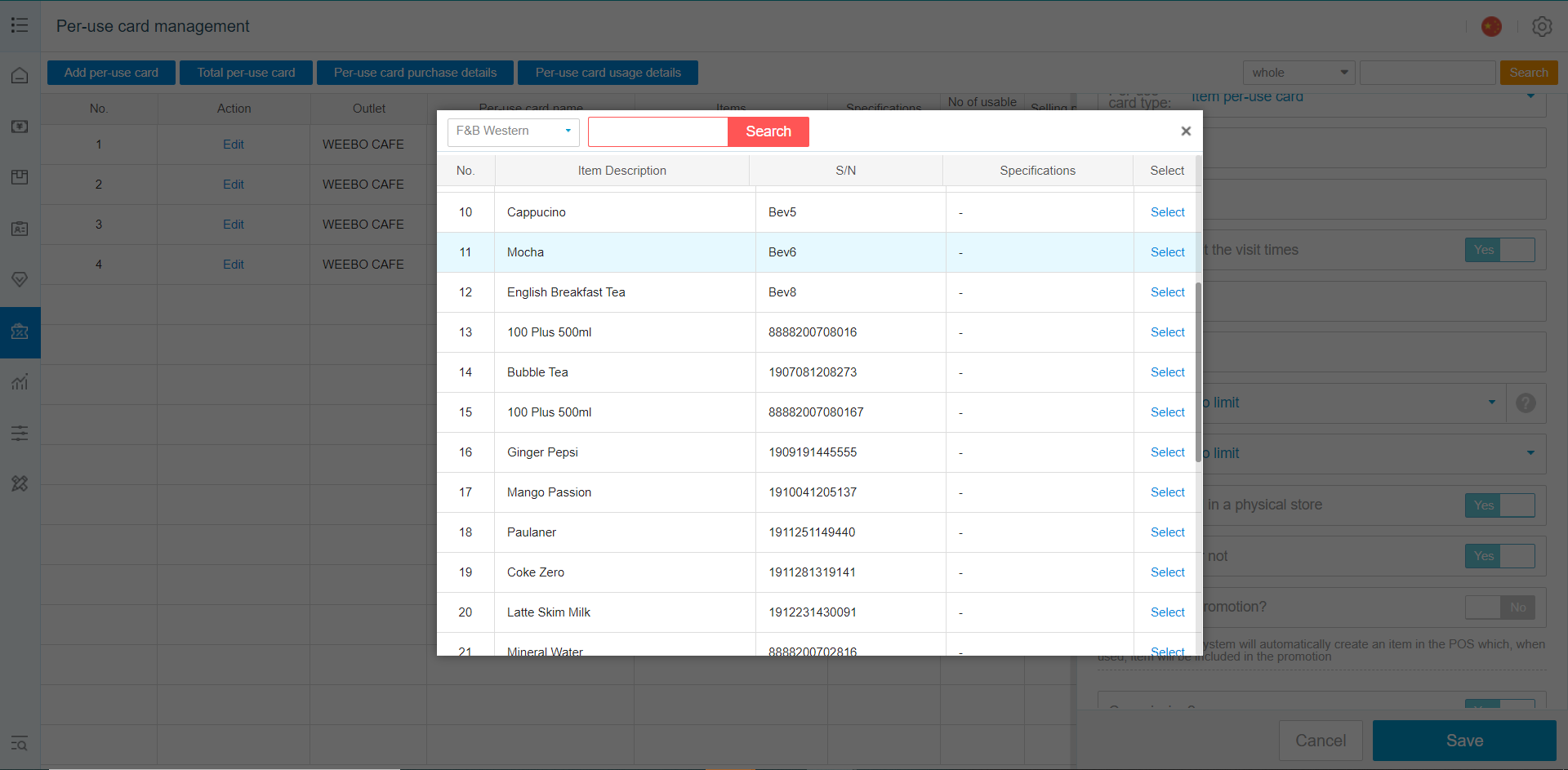
Items Selection Menu
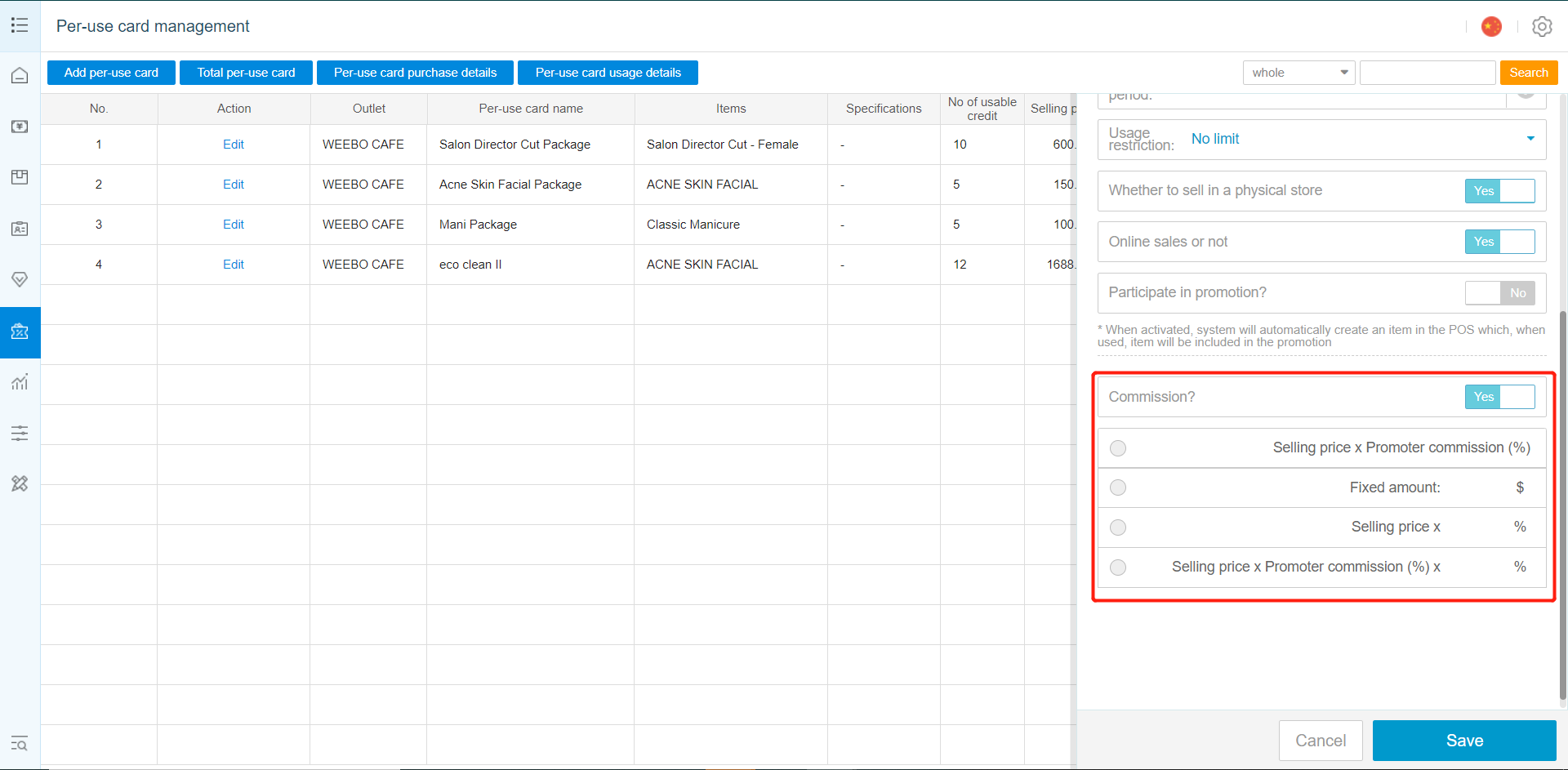
Commission Settings For Promoter
Using Per-use Card On POS Machine
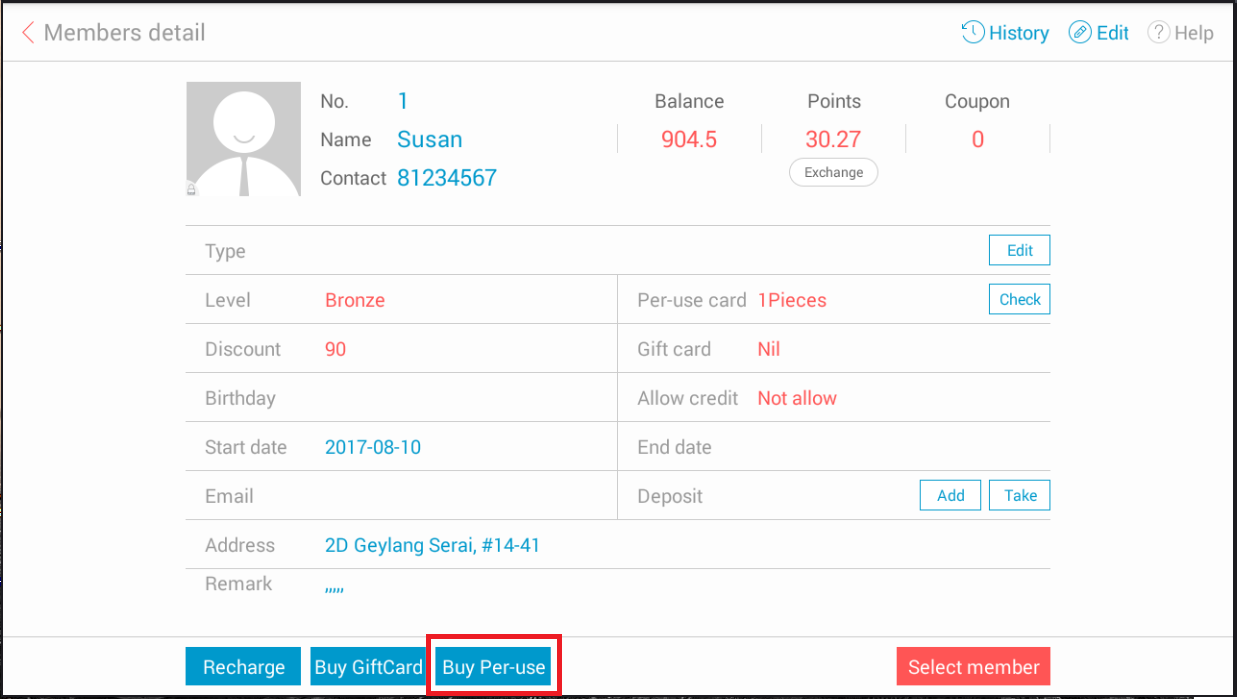
Select Member and Choose Buy Per Use Card
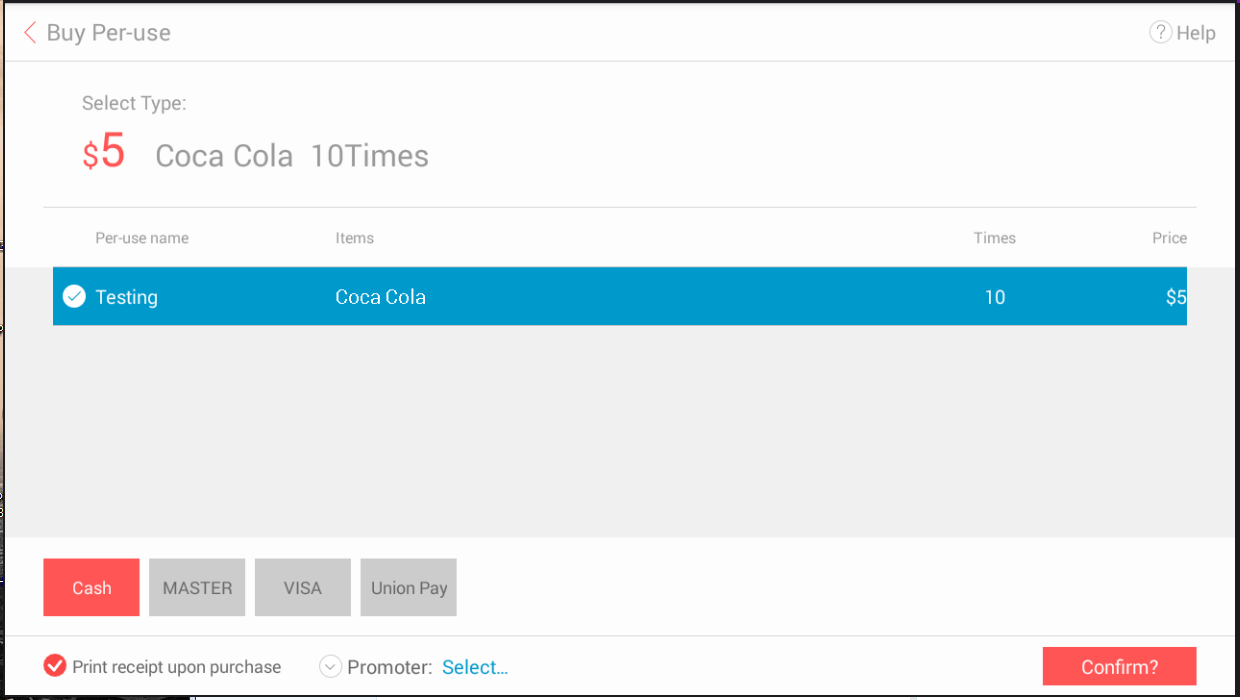
Available Per-use Card For Purchase
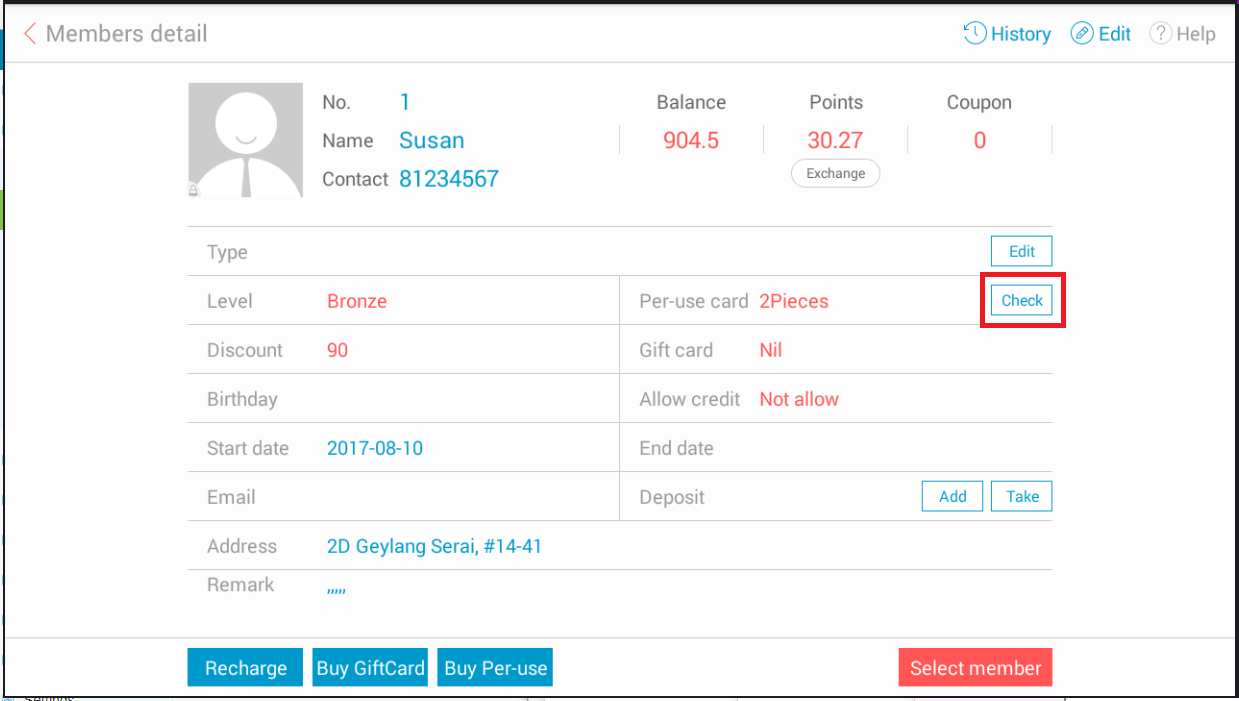
Purchased Card Can Be Checked/Used From Member's Account
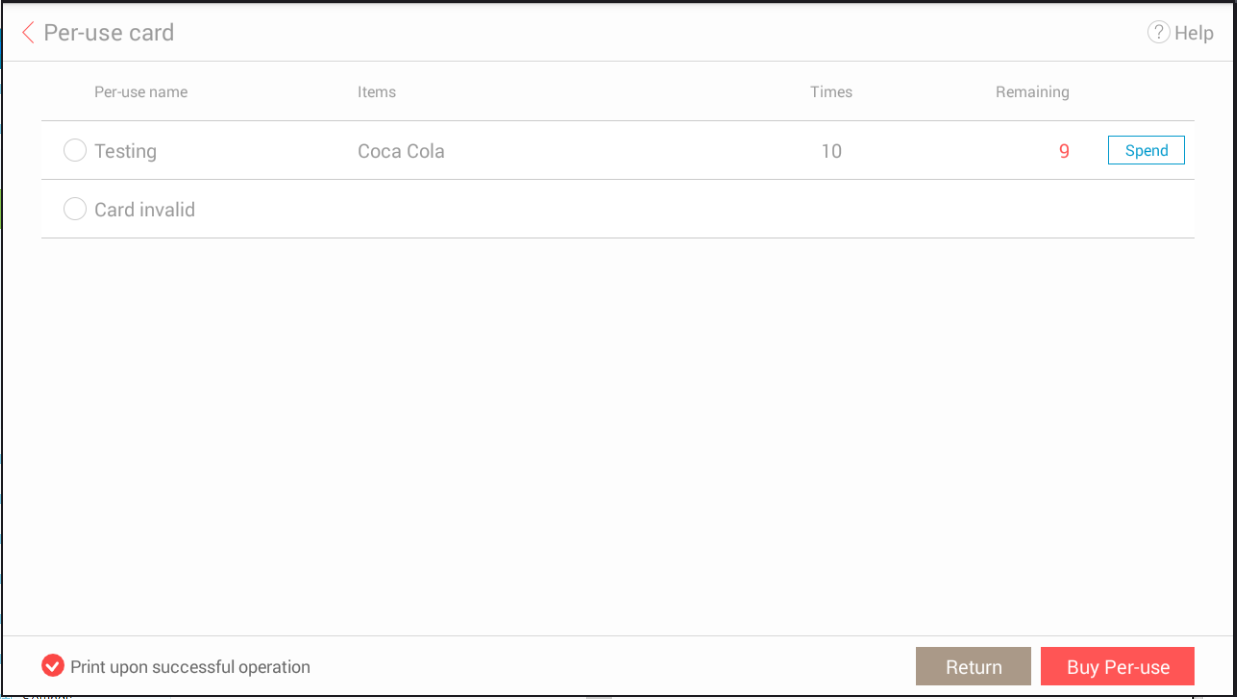
Per-use Card Can Be Spend/Used From This Page
Any Enquiries? Message us!
If you have any question or concern, please fill below and we’ll get back to you shortly.
Get in Touch with Us


7 Holland Village Way, #05-03/05 Tower Lobby B, One Holland Village, Singapore 275748

Call us for a Quote

+65 8771 8700
+65 6850 5177
Stay Connected
Copyright © Weebo Pte Ltd All Rights Reserved.