
How to copy item to other outlet ?
Screenshots for this guide are coming soon. If a step is unclear, WhatsApp us at +65 8508 9618.
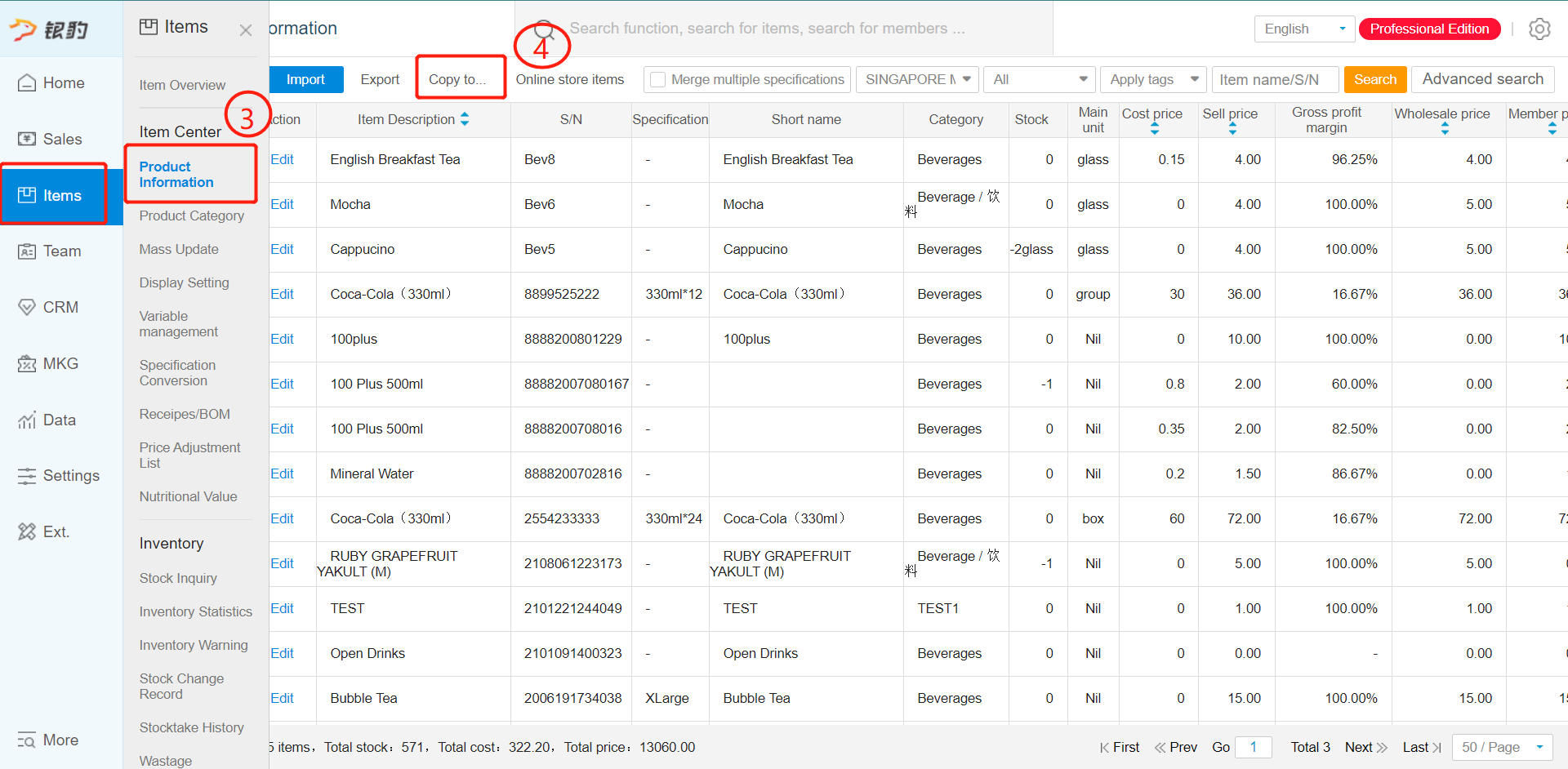
1st step: Go to Items - Product category at backend
2nd step: Ensure that both outlets have the same category. You can use the function copy to copy the product category from one outlet to a new outlet
3rd step: Go to product information
4th step: Click on copy to
5th Step: Select the outlet which you wished copy to
6th Step: Using this function, you can copy new item over or update currently existing item.
Copy new item
Update Existing Items
7th Step: Click "Confirm" to proceed
Any Enquiries? Message us!
If you have any question or concern, please fill below and we’ll get back to you shortly.
Get in Touch with Us


7 Holland Village Way, #05-03/05 Tower Lobby B, One Holland Village, Singapore 275748

Call us for a Quote

+65 8771 8700
+65 6850 5177
Stay Connected
Copyright © Weebo Pte Ltd All Rights Reserved.